Your template's workspace
Requests, partners, wallets and the brief in one place. Share the link, edit the brief, link the contract, run it with your team.
The public page stays a brief. What you act on lives in the workspace, app.fealty.club/templates/<handle>. Only you, your team and your co-managers see it.
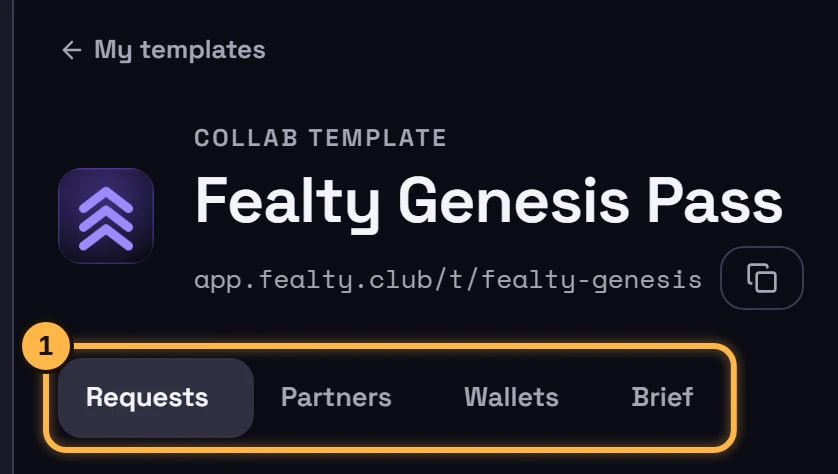
- 1Six tabs, each with its count (Settings shows to the owner only).
- Requests: asks waiting for your answer (Requests and spots).
- Partners: communities with spots, their raffles, Message partners and Give a community spots.
- Wallets: every winner and wallet in one list (One winners list).
- Brief: the share kit, the contract and the editor, with an index of its sections at the side.
- Team: who runs it with you: co-managers and a linked community's team (below).
- Settings: Discord roles, transfer, archive and delete (owner only).
Open it
From My templates (account menu), Your templates in the sidebar, or your card on Templates. On your own brief, the You run this collab strip (only you and your editors see it) links straight in: each count opens its tab, Edit brief opens Brief, and Manage opens the asks waiting (or Partners when there are none).
Share it
The top of the Brief tab is your share kit.
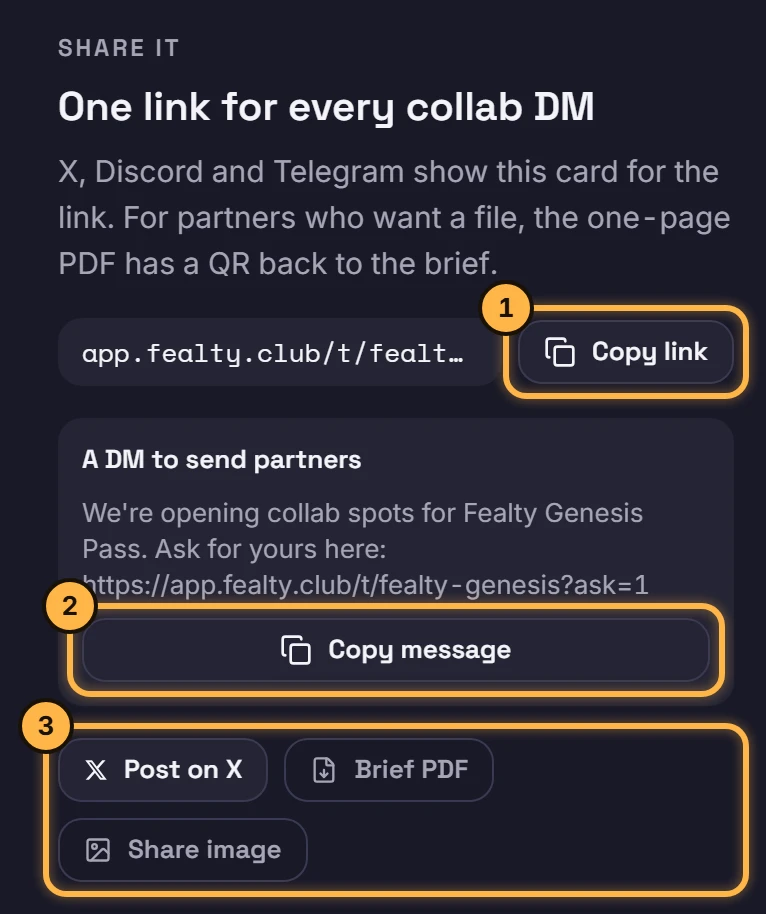
- 1Copy link. X, Discord and Telegram show your brief's card for it (the card sits beside this column).
- 2Copy message: a ready DM for partners. Its link opens the ask form on arrival.
- 3Post on X: a post with your link. Brief PDF: one page with a QR code back to the brief. Share image: the card alone.
Edit the brief
Below the kit: the same fields as the new template flow, on one page. Save changes sits in the bar at the bottom. Your page updates at once.
- Partners hear about a new mint date, price, chain or supply on their own.
- A new mint date reaches every raffle made from the brief.
- The schedule: Mint opens, an optional Team round (your team mints first), then how long GTD and FCFS last. Each stage starts when the one before ends; every winner is reminded for their own phase.
- Visibility: Published and Listed on Templates (owner only).
A few settings live only here, under Spots:
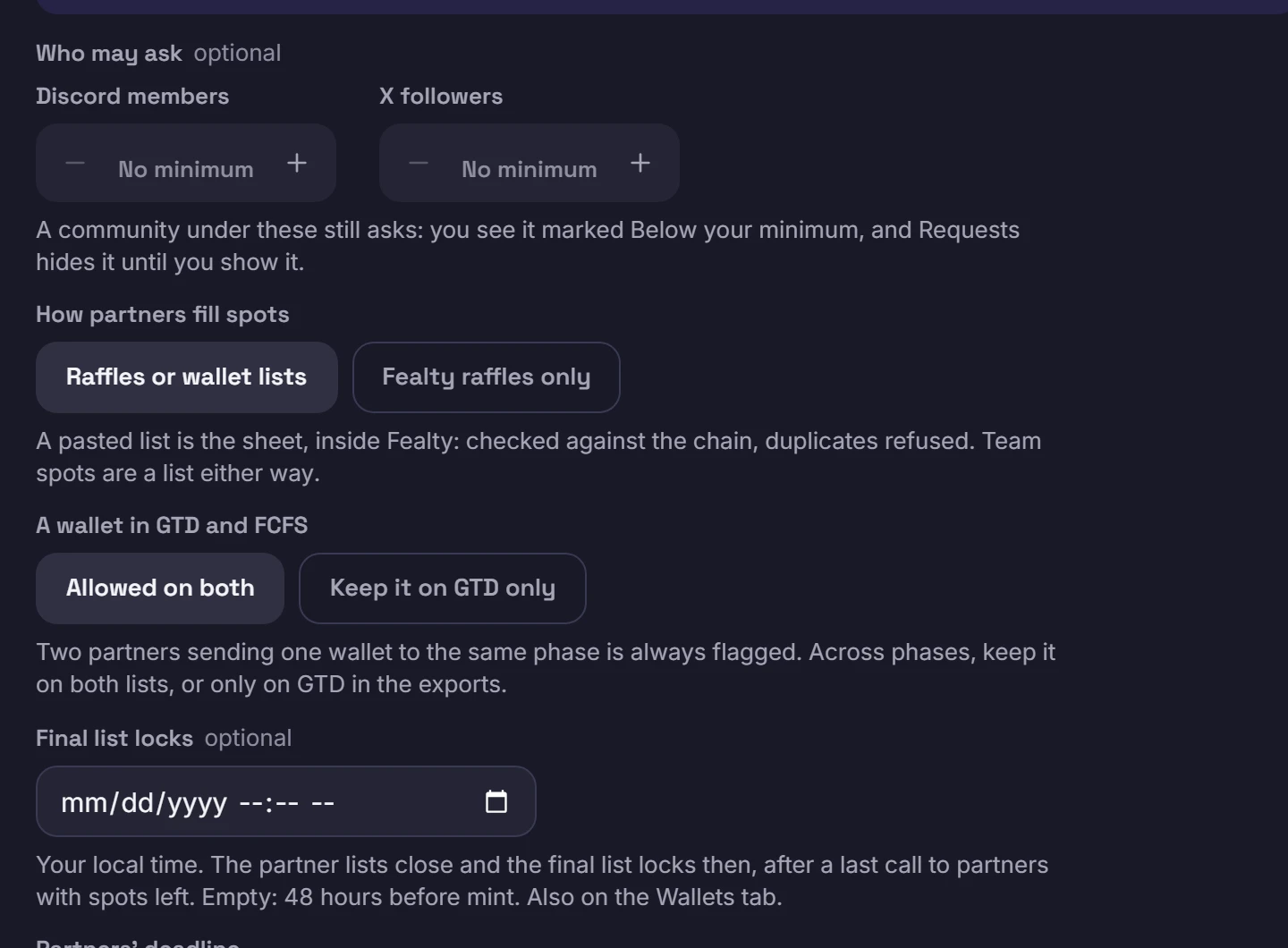
- Who may ask: a minimum of Discord members or X followers. Smaller communities can still ask; they are marked Below your minimum.
- How partners fill spots: Raffles or wallet lists, or Fealty raffles only.
- A wallet in GTD and FCFS: Allowed on both, or Keep it on GTD only in the exports.
- Final list locks: the partner lists close and the final list locks then, 48 hours before mint if empty.
Link the contract
Once the collection is deployed, paste its address in the Contract card.
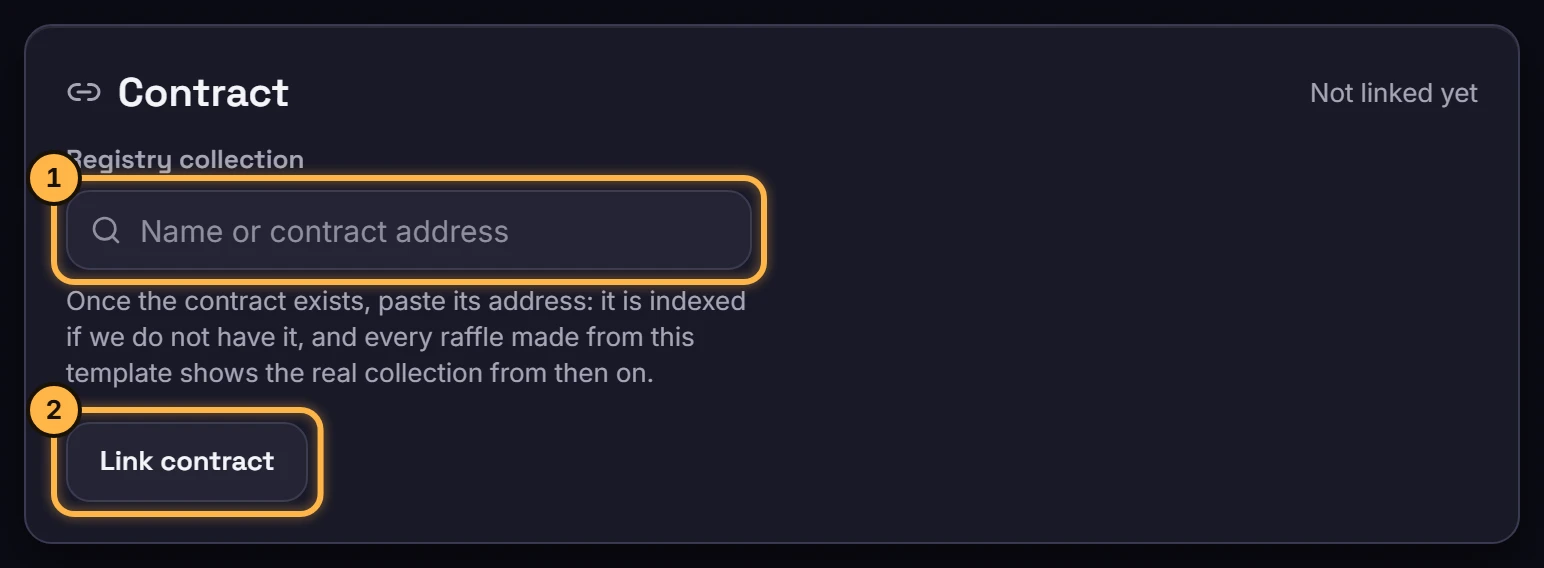
- 1Paste the contract address, or search by name.
- 2Link contract.
Fealty finds it on every chain of its family and indexes it if it is new. From then on the brief and every raffle made from it show the real collection.
Run it with others
The Team tab lists who runs the template with you. Everyone on it sees the list; only the owner adds or removes people.
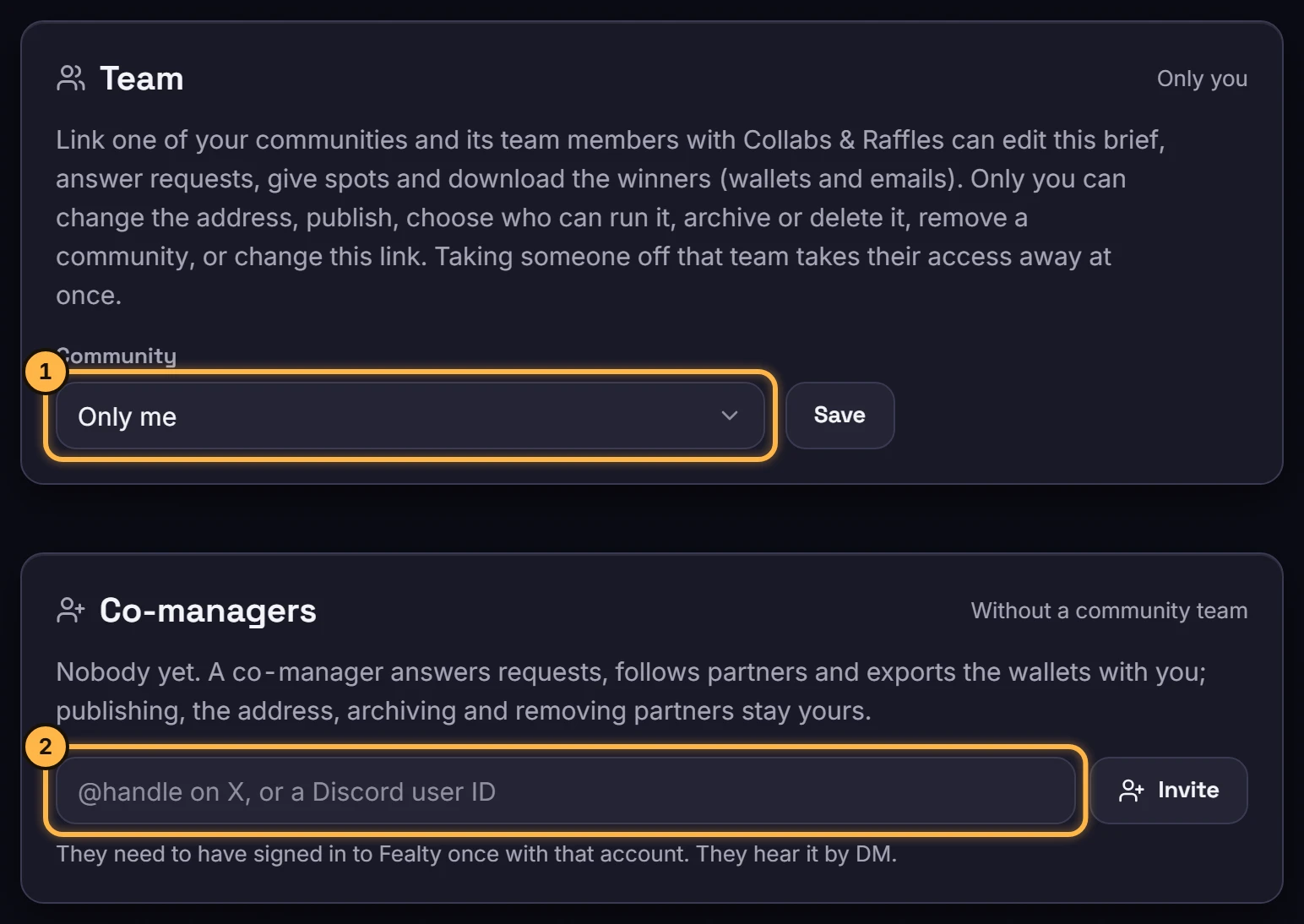
- 1Co-managers: find them by name or @handle. Not on Fealty yet? Type their X handle and invite them: they're added when they sign in with it. They hear it by DM.
- 2Community team: link one of your communities. Its team members with Collabs & Raffles become editors.
Editors and co-managers edit the brief, answer requests, give spots and export the wallets. The owner keeps the handle, publishing, the directory listing, the team link, archiving and deleting. Editors remove a partner only while it has no wallet on your list; after that, the owner does. Taking someone off the team ends their access at once.
To hand the template over, make the person a co-manager, then pick them under Transfer ownership on Settings. You stay on as a co-manager. The community link stays only if they run that team, and the Discord roles only if they can give roles in that server.
Discord roles
The owner sets a role per phase on the Settings tab, in the Discord roles card, the same as the flow's Roles step. Fealty keeps the roles in step with your final list.
Archive or delete
A published template is archived by itself 30 days after its mint: the page stays up, it leaves the directory and no new raffles open from it. On the Settings tab, in the Shelf card: Archive now, Reopen as draft for an archived one, and Delete for a template no raffle was ever made from.