Enter a raffle
Do the tasks, pick your mint wallet, enter, and see if you won.
Every raffle has its own page. Enter there, or with Enter on the raffle's post in Discord or Telegram. Both count the same.
The raffle page
Each row of Requirements for entry answers one question: is there anything left for you to do?
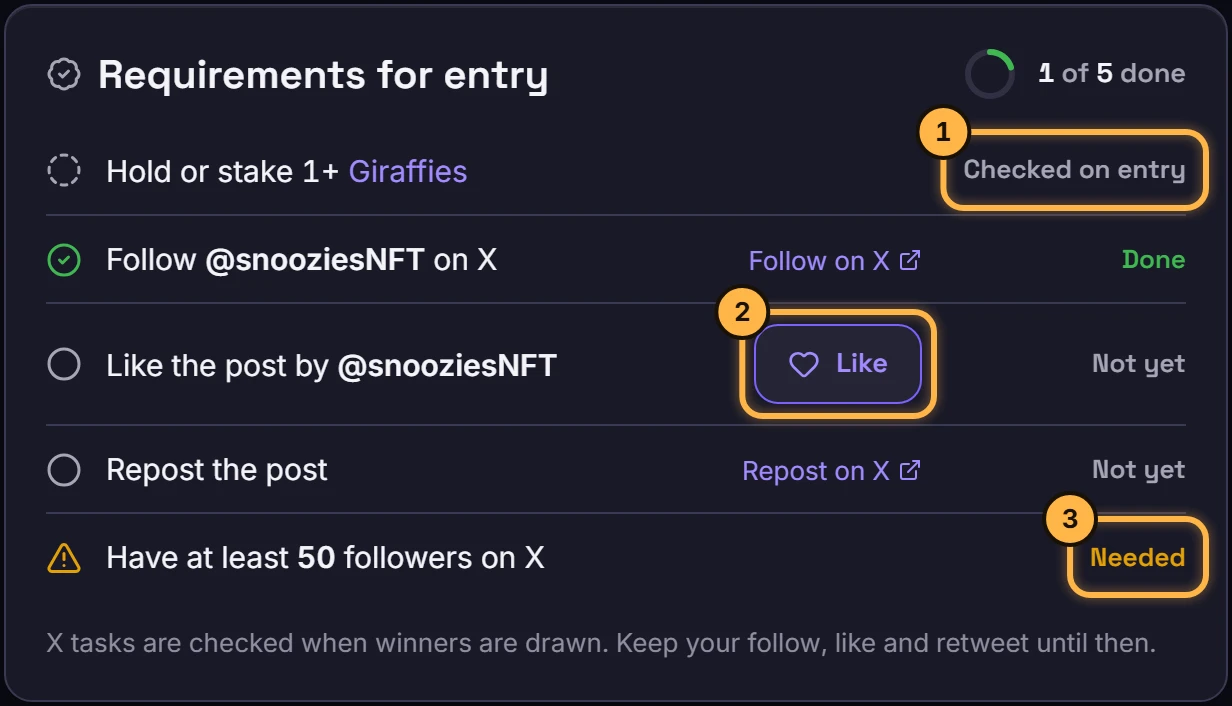
- 1Checked on entry: Fealty reads it when you enter, like what your wallets hold.
- 2Not yet: the button on the row does the task.
- 3Needed: fix this first, like connecting X or linking a wallet.
Green Done means you tapped it; green Met means Fealty found it itself.
X tasks
Follows, likes and reposts are checked when winners are drawn. Keep them on X until then.
Enter
Your entry names one step at a time: connect an account, do a task, then enter.
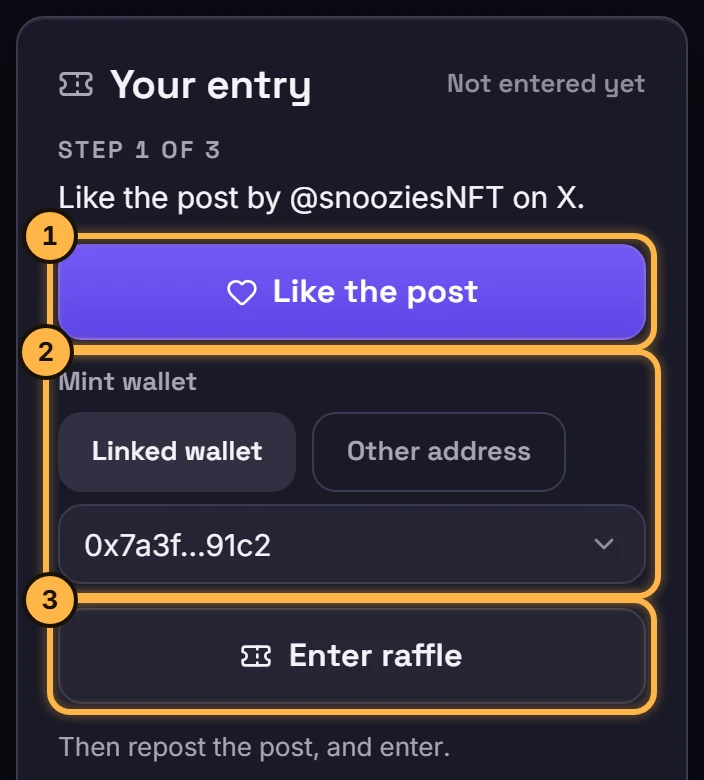
- 1Your next step.
- 2Mint wallet: your Linked wallet, or Other address to paste any address. Winners mint from it.
- 3Enter raffle. Some raffles also ask for an email (filled in when Fealty has it) or an answer to a question.
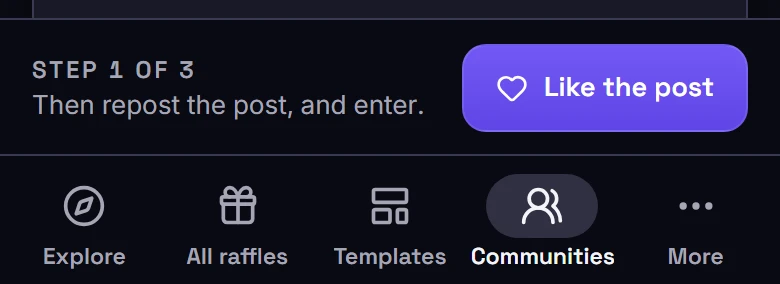
On a phone, the next step rides in a bar at the bottom.
After you enter
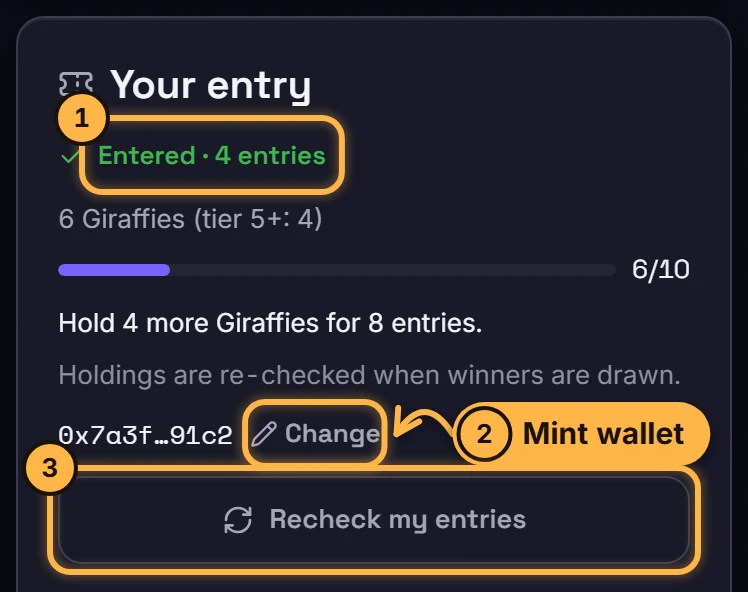
- 1Your entries, and what holding more would give.
- 2Change your mint wallet, email or answer until the draw.
- 3Bought more? Recheck my entries.
The Entry odds card shows the full ladder. The best tier you reach counts.
Your result
The draw runs by itself at the deadline. Winners are announced where the raffle was posted, and you get a message when you win.
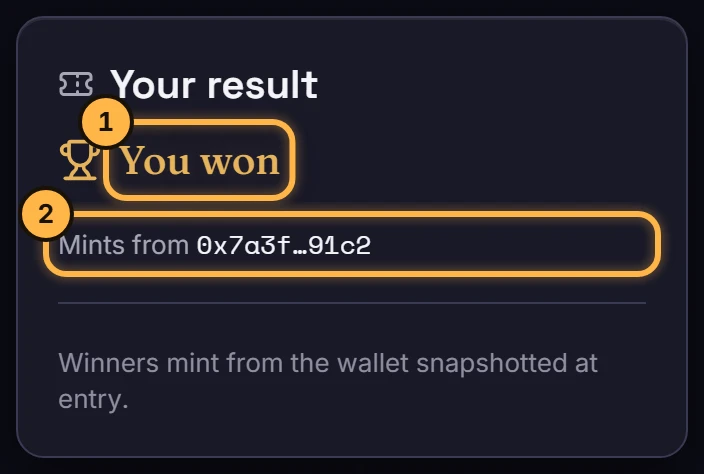
- 1You won, Not picked, or Not eligible with the reason.
- 2The wallet you mint from.
The page also lists the Winners and a Draw log: every draw and redraw, with the reason.
From Discord
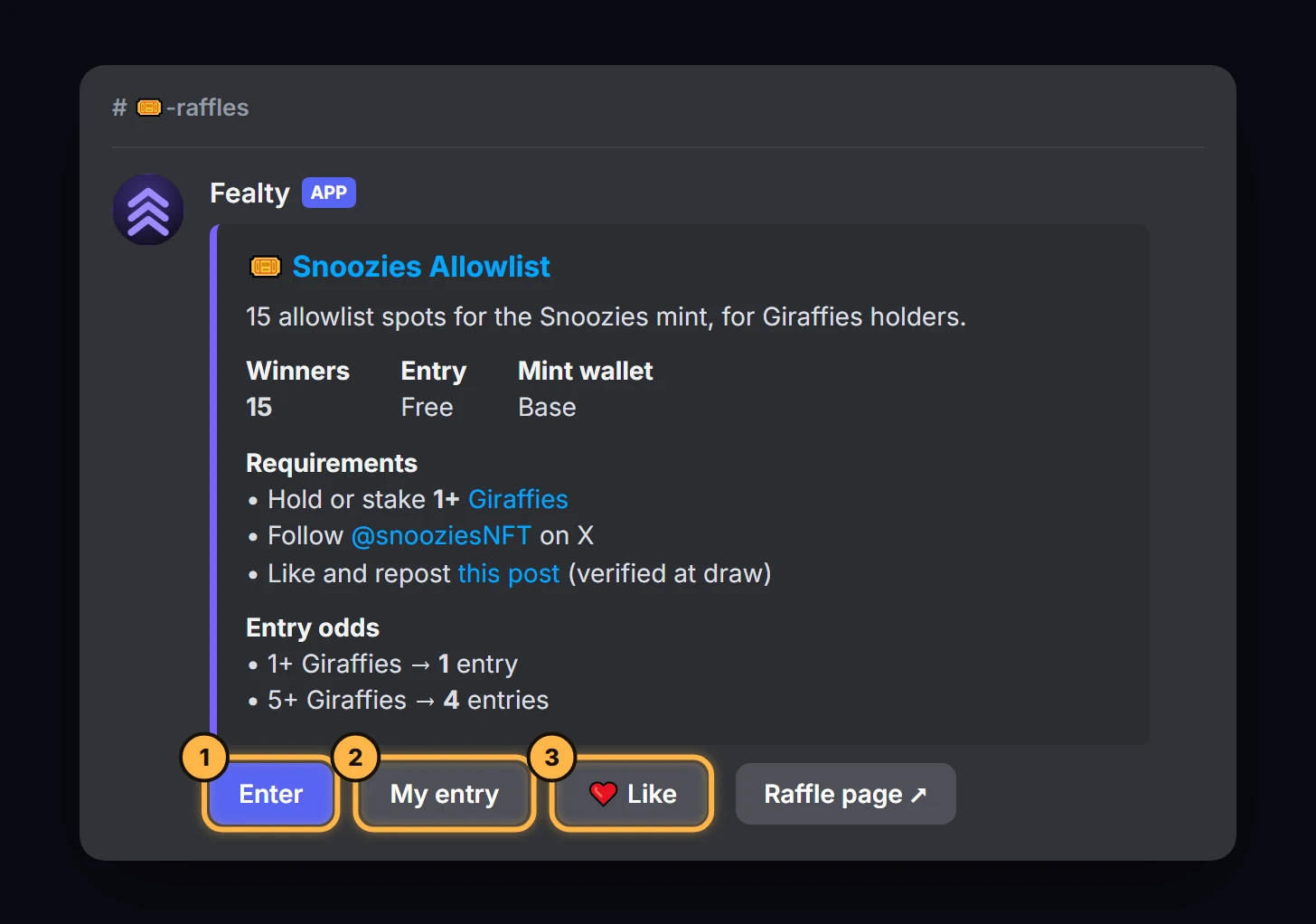
- 1Enter enters you. The reply, only for you, lets you Use a different address.
- 2My entry: your entries and wallet, only for you.
- 3Like counts your like on the raffle's post.
Raffle page opens the full checklist.