Find your way around
The sidebar, the top bar, search, a community's two sides, and the phone bar.
Every page of app.fealty.club sits in the same frame: one sidebar on the left, a top bar, and the page.
The sidebar
The same on every page. The community or template you are in is lit. At the top, Discover holds Fealty's public pages:
| Discover | What you find there |
|---|---|
| Explore | Live raffles, open quests, who just won |
| All raffles | Every public raffle: Live, Drawn, Calendar |
| Communities | Communities that use Fealty |
| Collections | NFT collections and who verifies them |
| Templates | Collab briefs of upcoming collections |
| CMs | Collab and community manager profiles |
Below it, your own places:
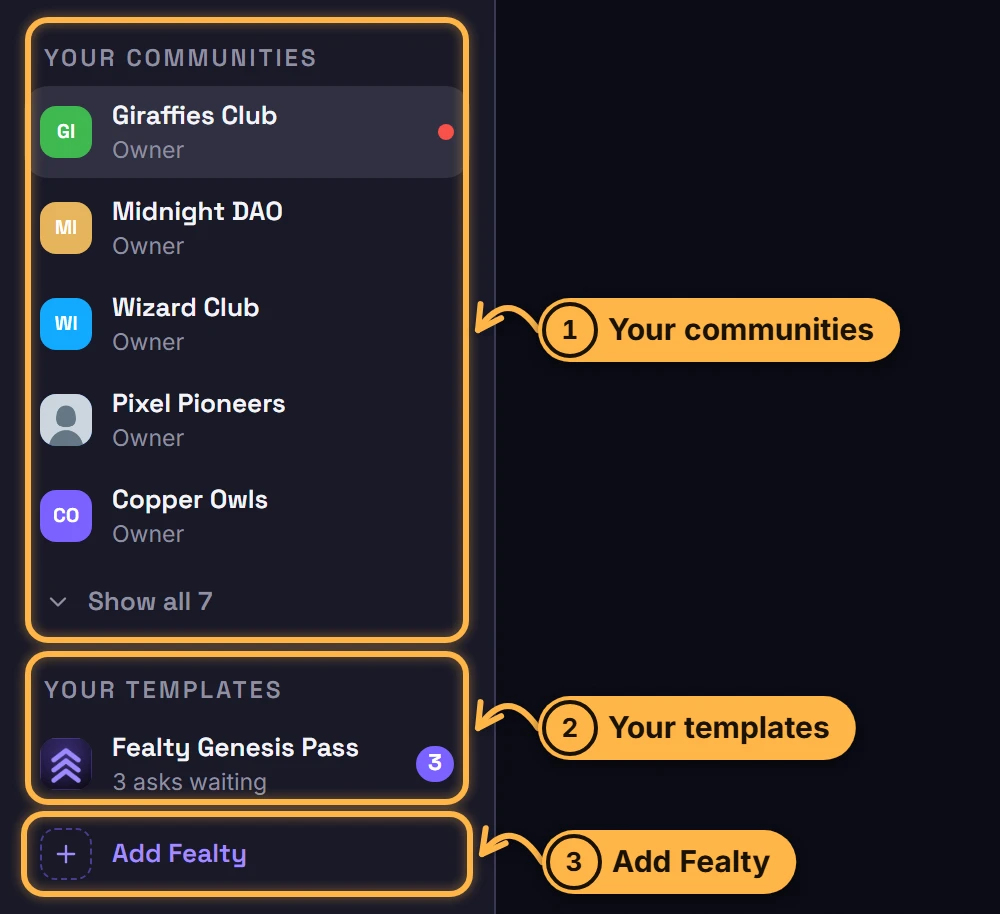
- 1Your communities: every server you own, help run, hold a role in or belong to, with your role. A red dot: something waits on its dashboard. Show all opens the rest.
- 2Your templates: the collab templates you run, with the asks waiting.
- 3Add Fealty: set up a new server or community.
At the foot: the Genesis Pass, Documentation and the Fealty Discord.
The top bar

- 1Search Fealty: jump anywhere. See Search.
- 2Add Fealty: set up a server or community.
- 3Notifications: wins, answers to your asks, things to fix.
Your picture, top right, opens the account menu:
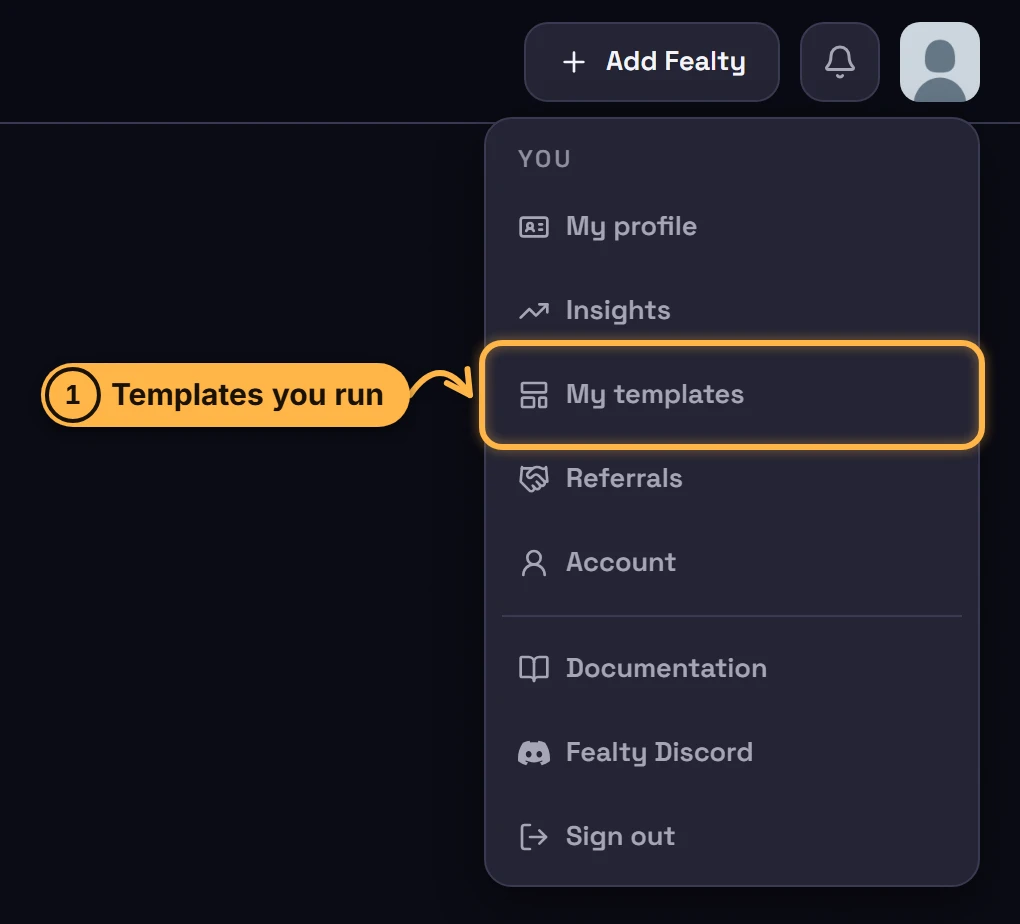
- 1My templates: every template you own or help run.
It also holds My profile, Insights, Referrals, Account (sign-ins, wallets, delete account) and Sign out.
Search
Press Ctrl K (⌘ K on a Mac), or click Search Fealty. Type part of a name.
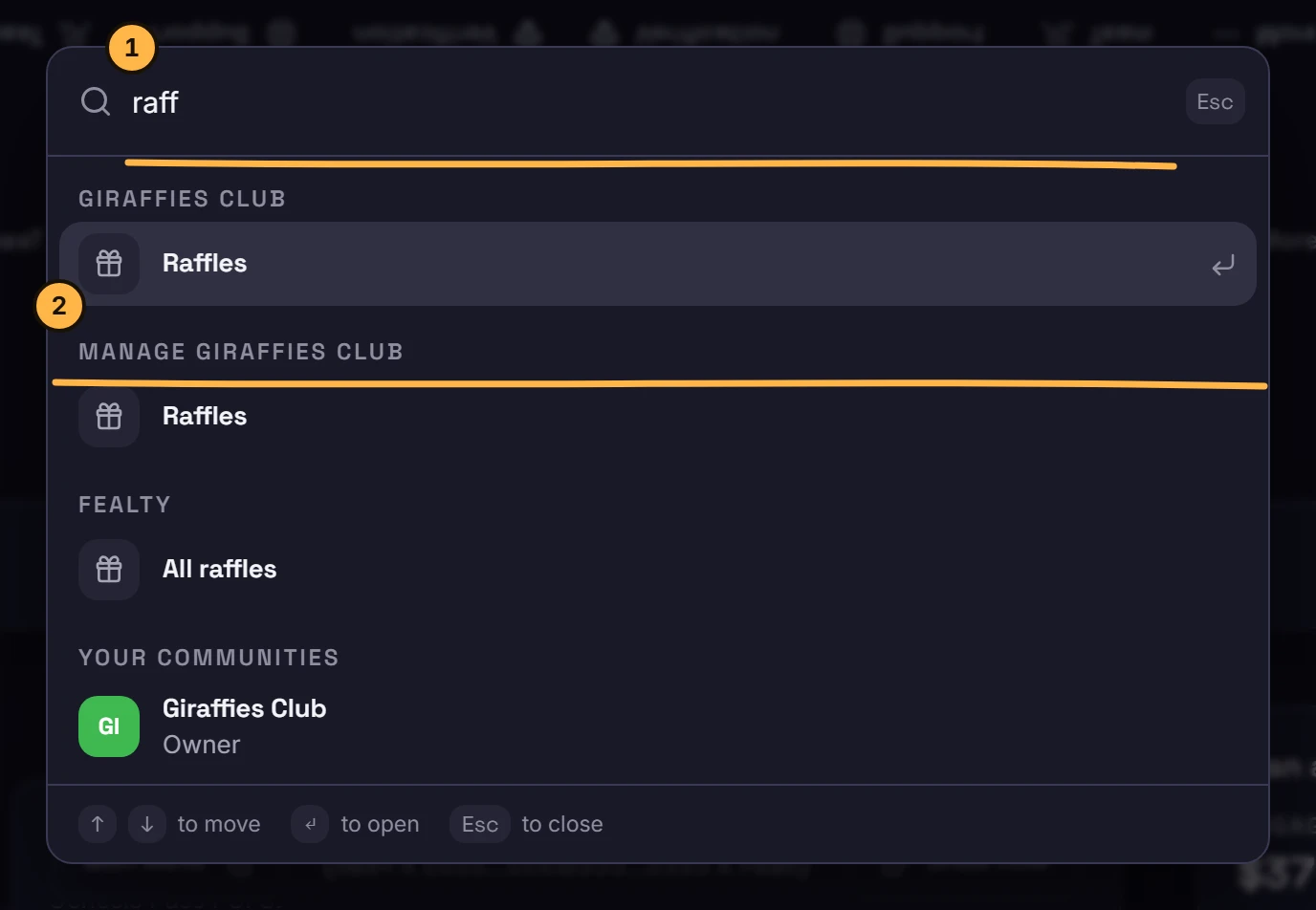
- 1Type a community, a page or a template.
- 2Inside a community you also get its pages, from both sides.
It finds your communities, Fealty's pages, the pages of the community you are in, and listed templates. ↑ ↓ move, Enter opens, Ctrl Enter opens a new tab, Esc closes.
A community's two sides
A community opens under its header: name, plan, your role, members and its collections. Its team gets a switch between two sides.
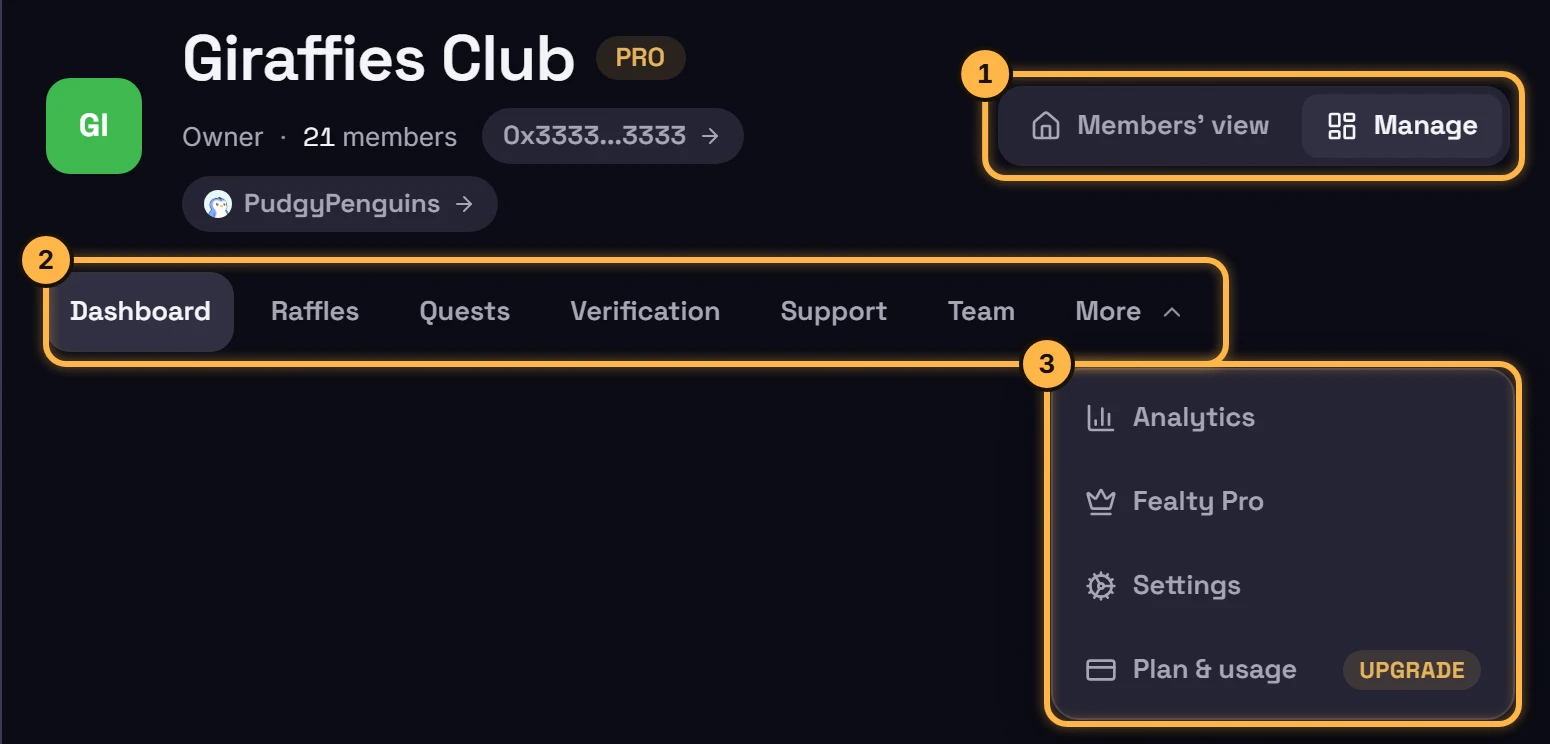
- 1The switch: Members' view or Manage.
- 2The team's tabs.
- 3More: the pages you open less often.
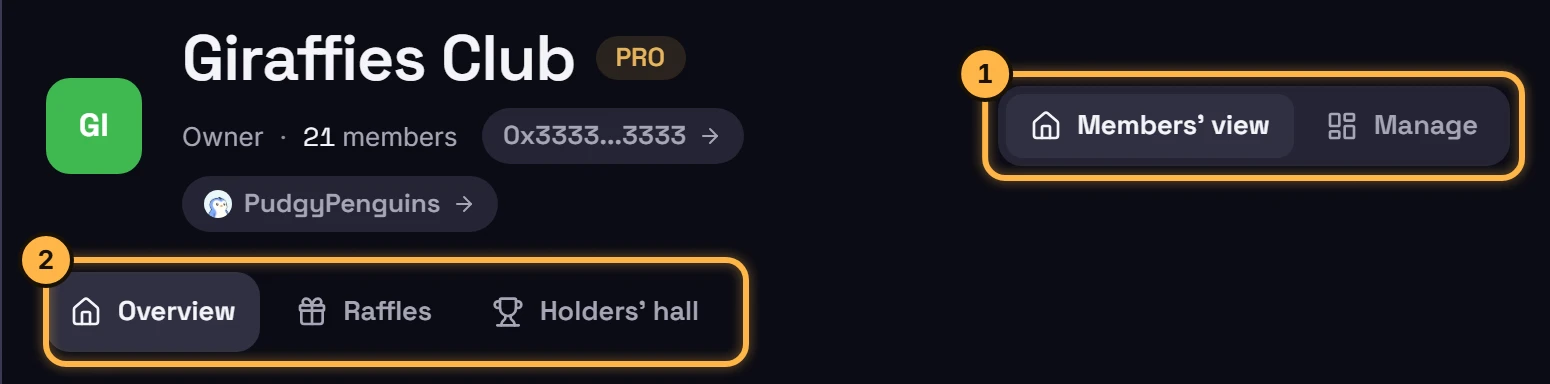
- 1The switch, on Members' view.
- 2What every member sees.
| Side | Tabs |
|---|---|
| Members' view (everyone) | Overview, Raffles, Holders' hall (sign in to see it) |
| Manage (the team) | Dashboard, Raffles, Quests, Verification, Support, Team |
| More (under Manage) | Analytics, Fealty Pro (when the community hands it out), Settings, Plan & usage |
Switching from Raffles keeps you on Raffles. A tab with a lock is outside your team role. Web communities have no Support tab (tickets live in Discord).
On a phone
No sidebar: a bar at the bottom, and More for everything else.

Explore, All raffles, Templates, Communities and More. Search sits in the top bar.
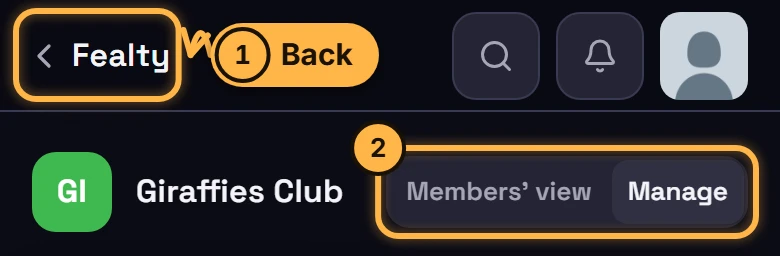
- 1‹ Fealty takes you back out.
- 2The switch.

The community's own bar: Dashboard and the first three pages your role can open.
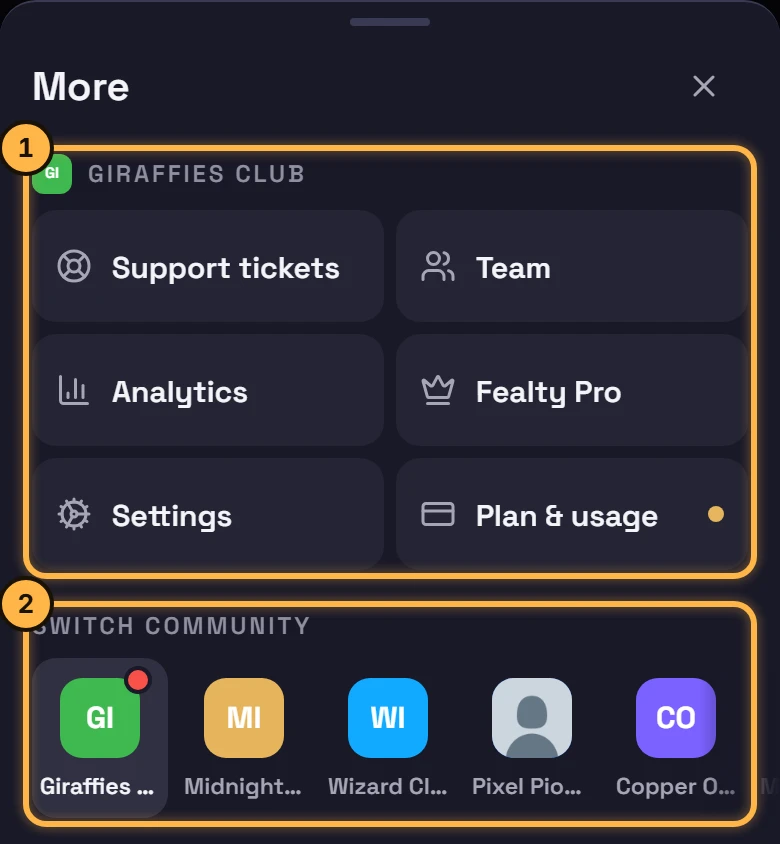
- 1The community's other pages.
- 2Switch community: opens the same tab there.
Below them: Fealty's own pages.
Outside a community, More lists your communities, your templates, the rest of Discover and your own pages.