How raffles work
Three ways to pick winners, where people enter, who can see a raffle, and how the odds work.
A raffle hands out spots (allowlist, giveaways) to members who meet its requirements. Fealty runs the whole loop.
New here? Running a raffle walks you through your first one.
The three types
You pick one in the Winners step.
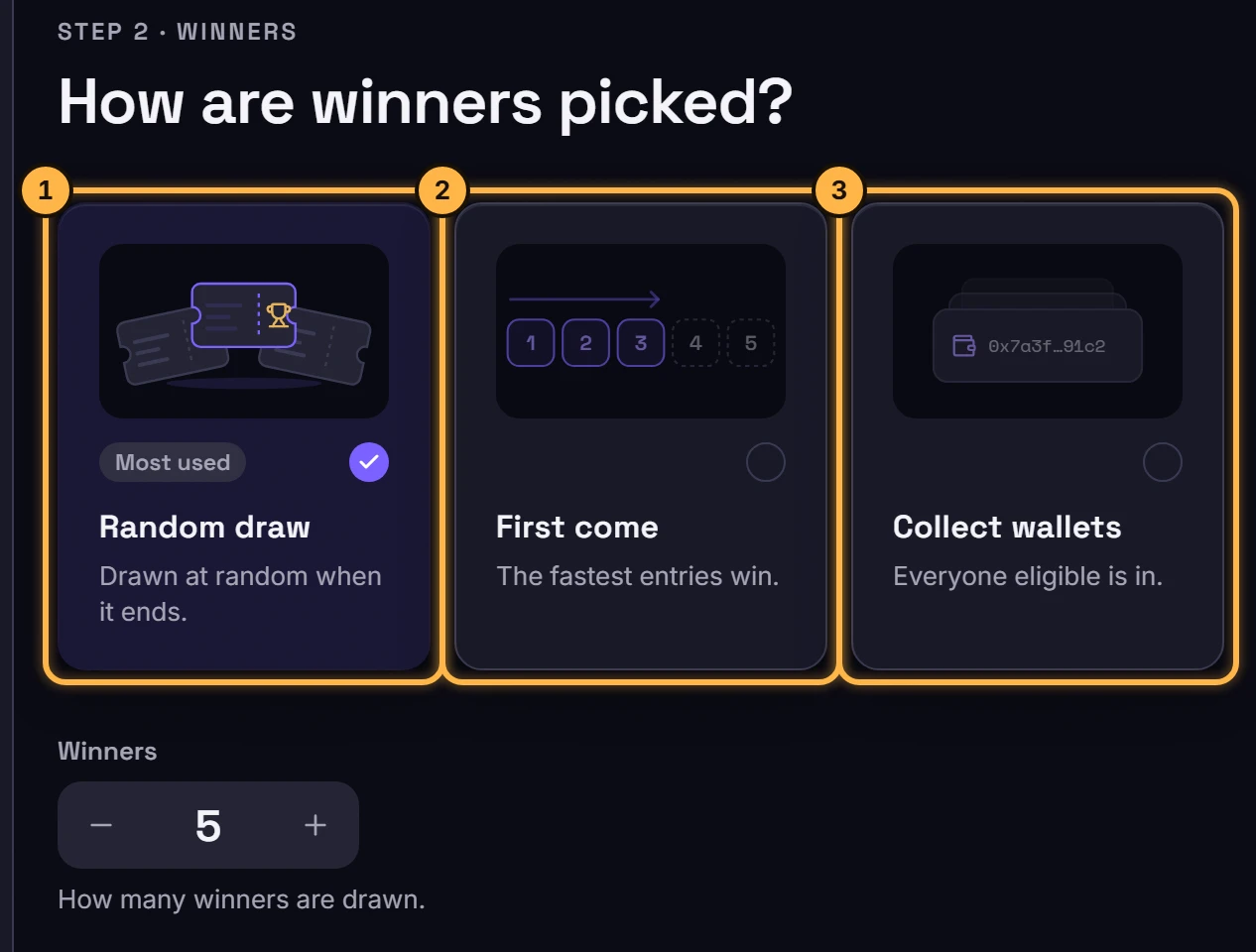
- 1Random draw: winners are drawn at random when it ends. More entries, better odds.
- 2First come: the first entrants win. Entries close the moment it fills.
- 3Collect wallets: no draw, everyone eligible is in. For a partner who asks for your holders' wallets.
Where people enter
- Discord: the raffle post has Enter, My entry, Like (when there is a like task) and Raffle page buttons.
- Telegram: the same post in your connected chat.
- The raffle page: one link for everyone, partner communities included. Anyone can open it without signing in.
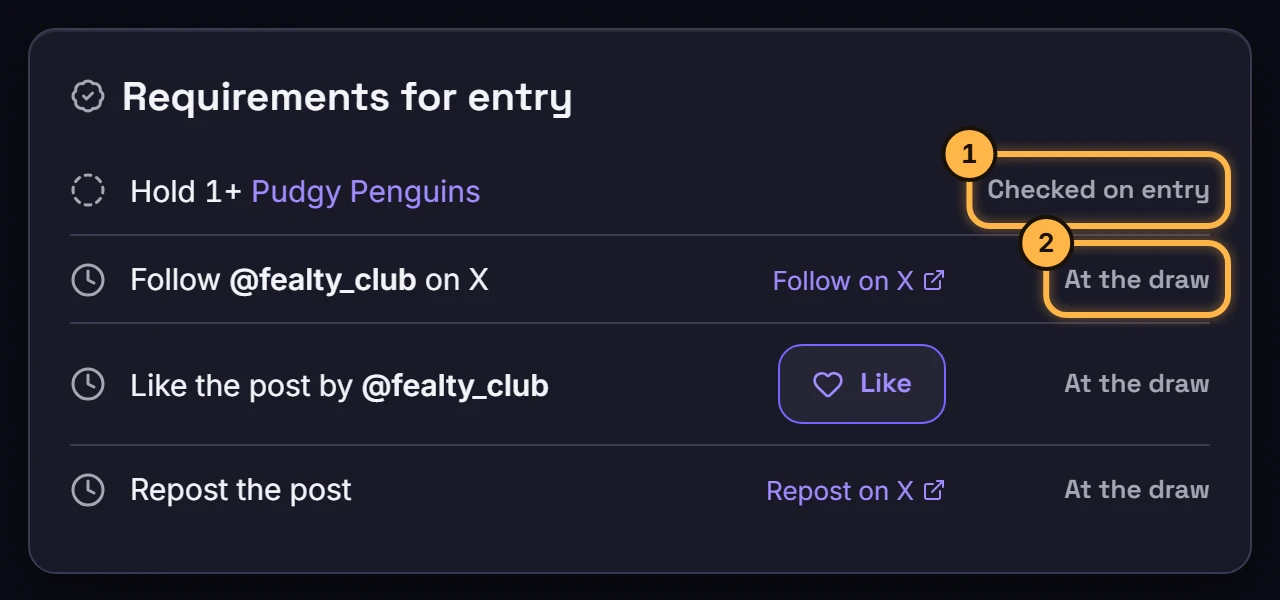
- 1Holdings are Checked on entry.
- 2X tasks are checked At the draw, so entering is instant.
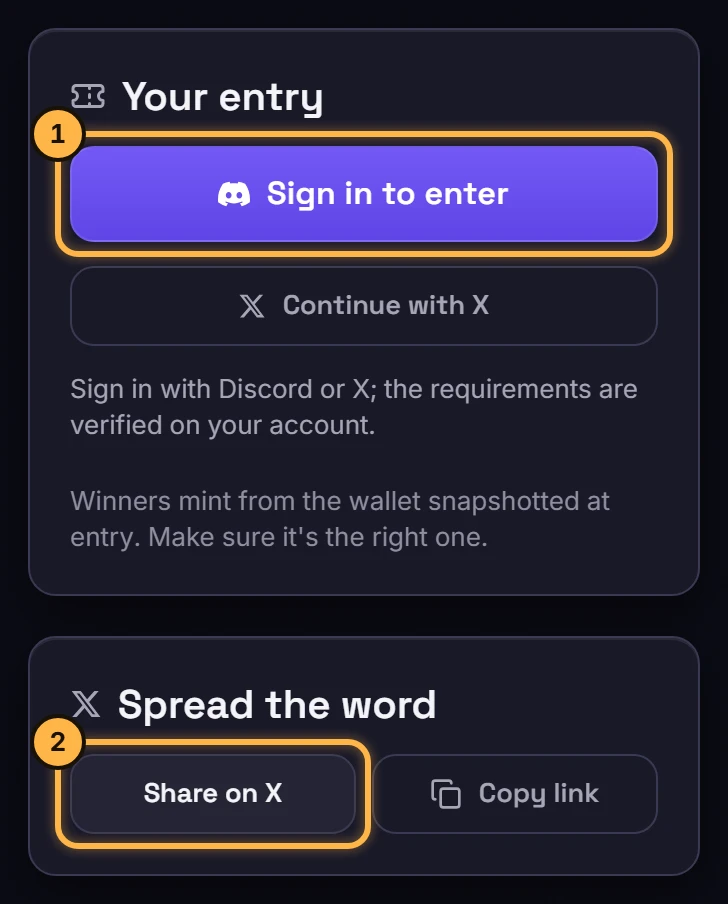
- 1Sign in to enter with Discord, or Continue with X.
- 2Share on X and Copy link spread it.
Who can enter is set by the entry requirements. Live raffles show on your community's Raffles page; public ones also on Explore and All raffles.
Who can see it
Set under Who can see it in the Extras step, or later in the raffle's Settings.
| Choice | Who sees it |
|---|---|
| Public (recommended) | Anyone, on Explore and on its page. |
| Community | Only members of your Discord server. |
| Private | Only members with the Discord roles you pick. Hidden from everyone else. |
Visibility is not a gate
A web community picks Who it is for on the Entry step instead: Anyone, or Your community (off Explore, opens by link).
Entries and odds
Everyone starts with 1 entry. Two levers add more, and they add up.
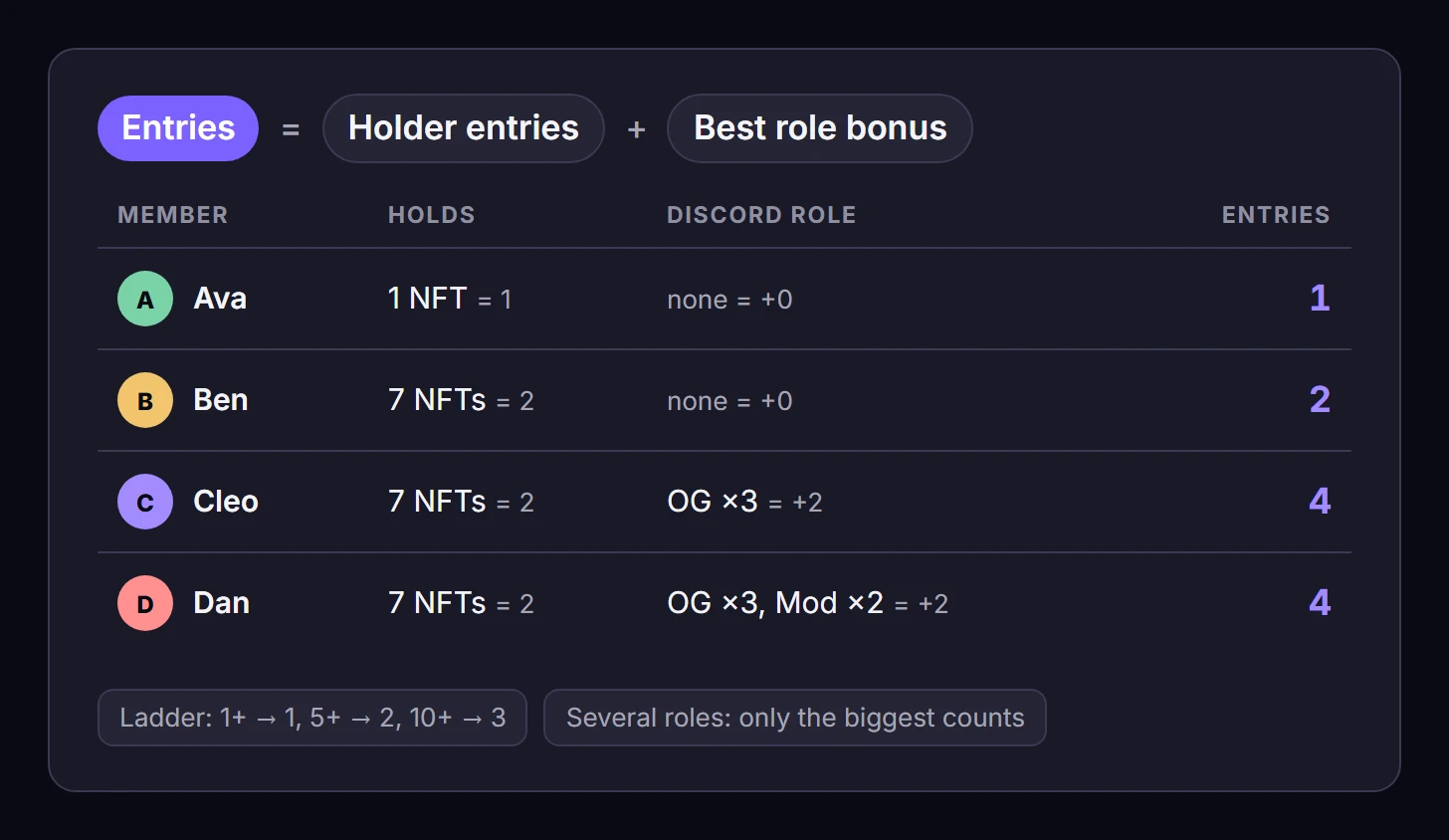
Both sit under More chances in the Extras step:
- Holders: Same for everyone, 1 entry per NFT, or A ladder.
- Discord roles: a role enters with more entries, like OG ×3. With several roles, only the biggest counts.
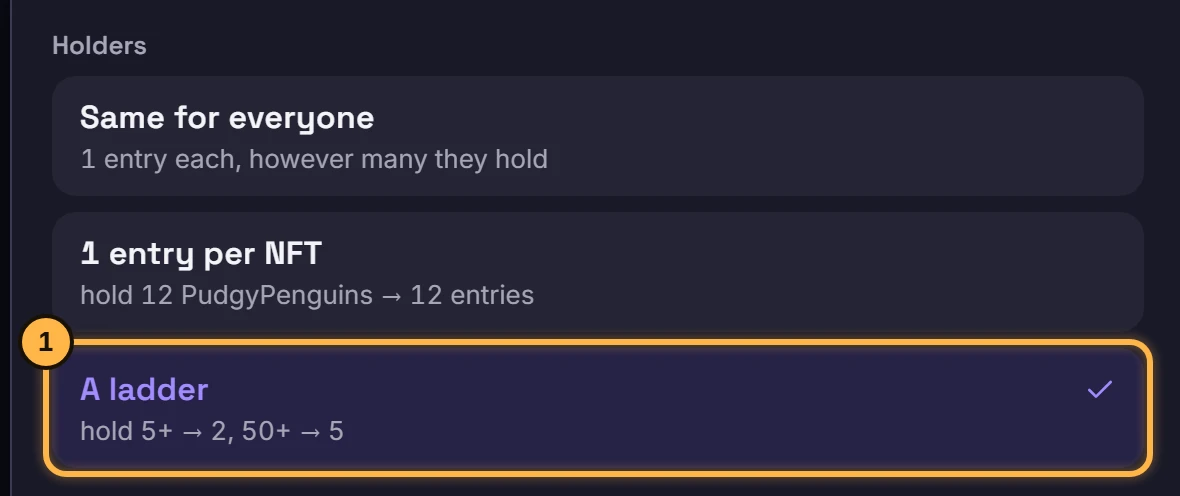
- 1A ladder: hold more, climb a rung.
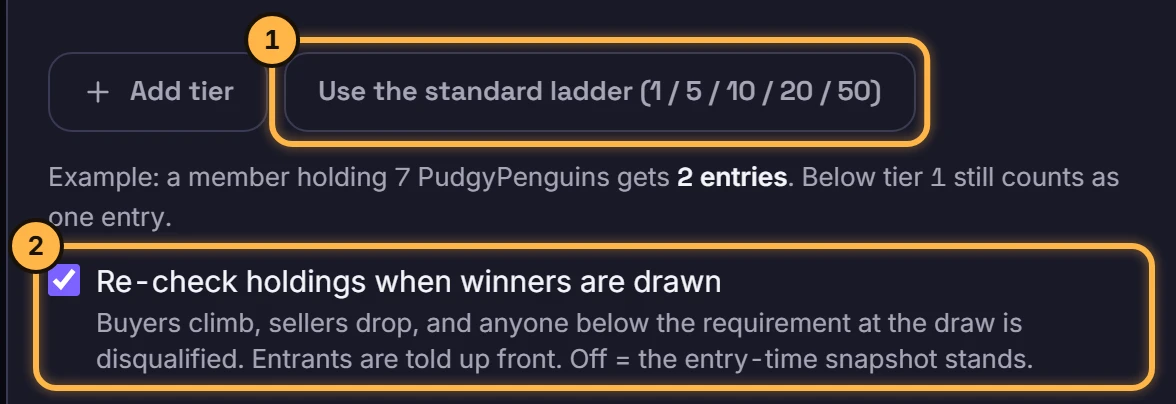
- 1One click sets the usual 1 / 5 / 10 / 20 / 50 ladder. Below tier 1 still counts as one entry.
- 2Reads holdings again right before the draw (on by default).
Set your usual odds once under Raffle defaults at the bottom of Raffles. Every new raffle starts with them; live raffles keep their own copy.
The calendar
All raffles › Calendar shows every public raffle's deadline, mint date and draw, across all communities.

- 1Month or List view. Previous and Next page two months back or ahead.
- 2Chain narrows it to the chains you mint on.
- 3Raffle ends, Mint and Drawn events.