Points, XP and levels
What members earn, how levels grow, level roles and the Holders' hall.
Members earn two things. Points are spent: raffles can charge points to enter. XP only goes up, and sets their level.
Where they come from
| Source | Points | XP |
|---|---|---|
| A quest | What each action pays | Up to 10, by the share of actions done |
/claim, once a day | 5 | 10 |
| A hand grant | The task's points | Its share of the 10 |
/adjustpoints (team) | Any amount, up or down | None |
The daily claim resets at midnight UTC. On Fealty Pro, it is claimed for the member in every community. Points brought over from another platform count as points and XP (see Migrating from Engage).
How levels grow
Each level costs 100 XP more than the one before: 100 XP for level 1, then 200 more for level 2, then 300 more, and so on.
| Level | Total XP | Full quests or daily claims |
|---|---|---|
| 1 | 100 | 10 |
| 5 | 1,500 | 150 |
| 10 | 5,500 | 550 |
| 25 | 32,500 | 3,250 |
| 50 | 127,500 | 12,750 |
| 100 | 505,000 | 50,500 |
Level roles
Give a Discord role at a level. On Verification, open More roles › Level rewards.
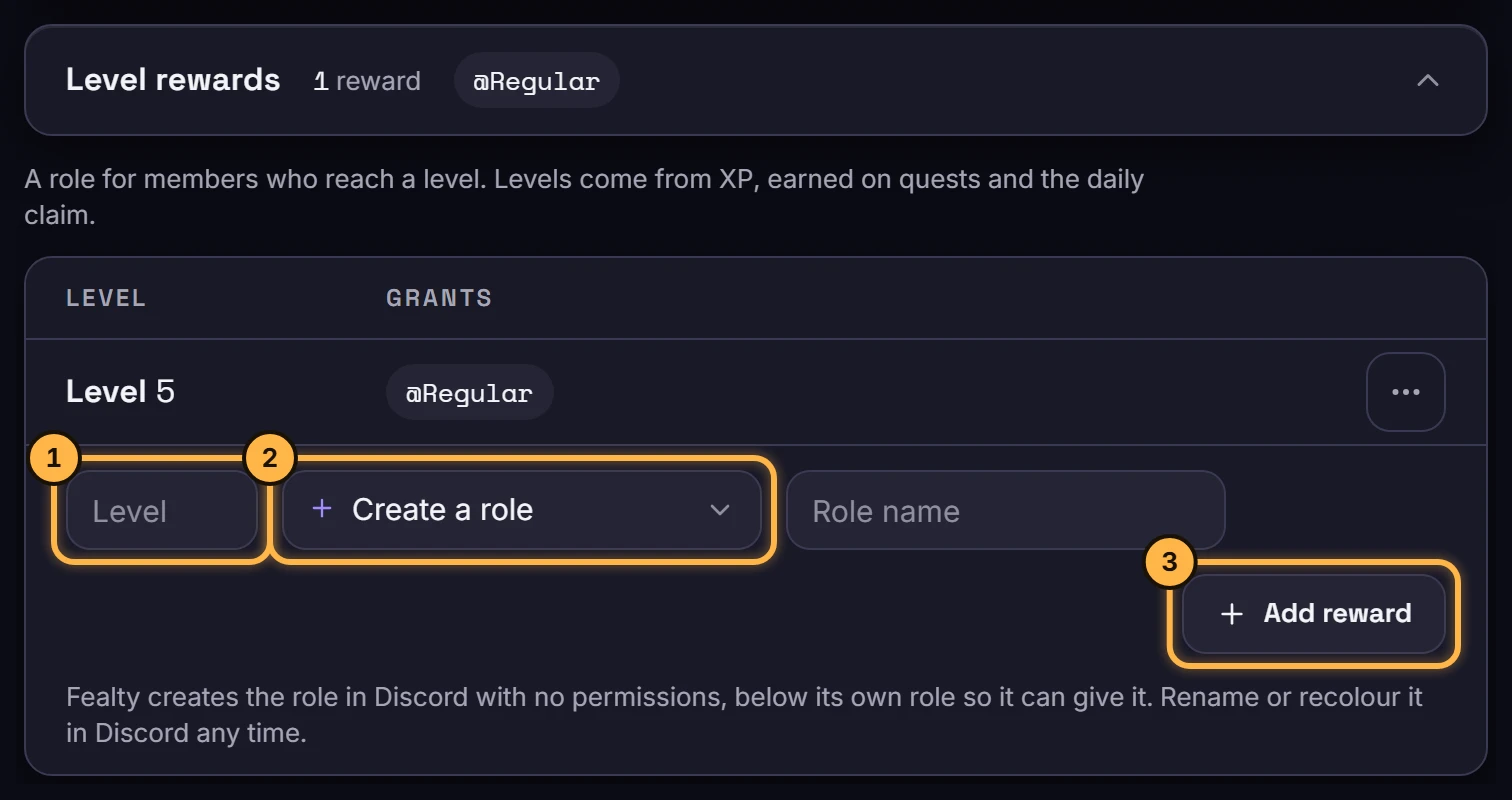
- 1The level.
- 2Pick a role, or Create a role and name it.
- 3Add reward.
- The role is added at the member's next verification check. A level-up from a quest starts one right away.
- Members keep every level role they reach.
- Your plan sets how many: Free 1, Business Starter 5, Business Pro 50, Business Max unlimited.
Pick reachable levels
The Holders' hall
Your community's standings, by points. Open Members' view › Holders' hall.
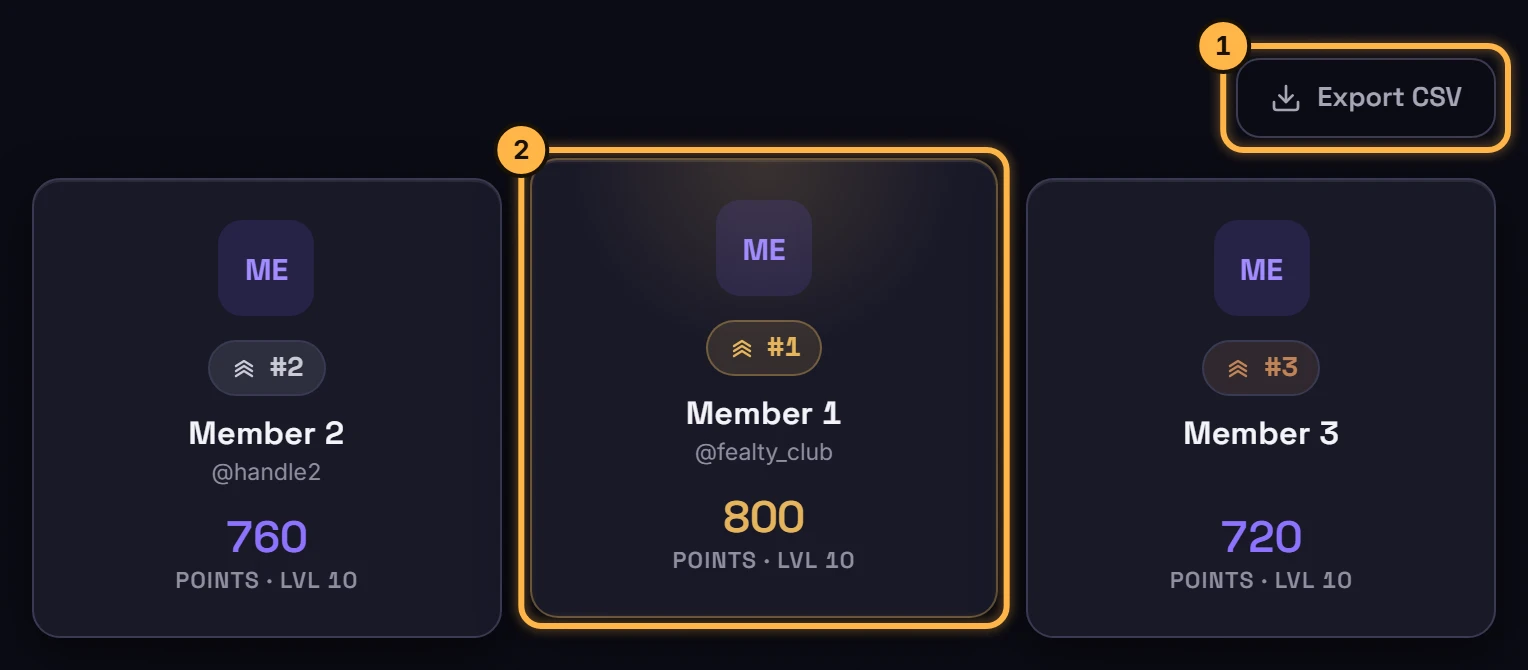
- 1Export CSV: rank, Discord ID, X handle, points, XP, level and wallets. Team only.
- 2The top three, then everyone else below.
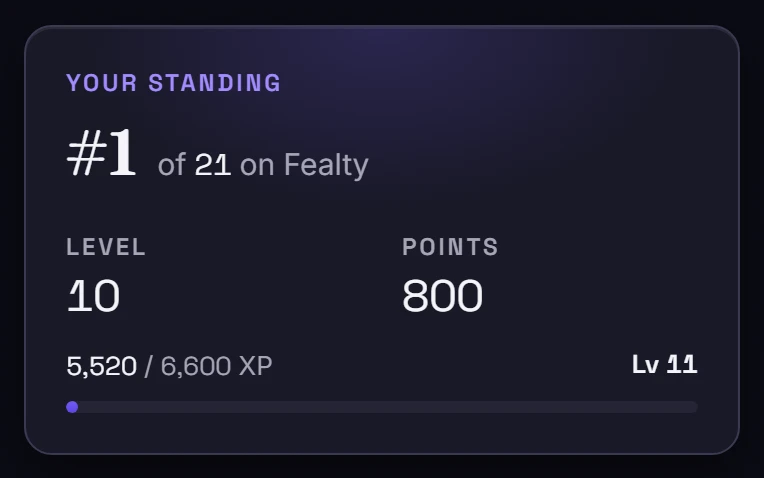
Each member also sees their own standing on your community page.
Commands
In Discord and Telegram:
/points: your points and rank./rank: your card with level, points and progress./leaderboard: the top members./claim: the daily claim.