Manage a quest
Post it, end it early, handle a paused quest, and pay members a check missed.
Open a quest from the list on Quests (Manage on its row). Its page holds every control.
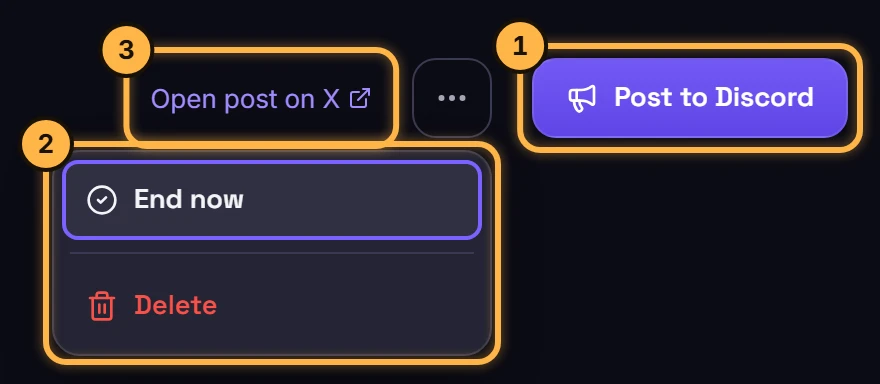
- 1Announce it. Reads Post again once posted.
- 2Under More: End now checks and pays right away. Delete removes it with no points paid.
- 3Open post on X.
The Stats card beside it counts tasks, points paid, spend and hand grants. Rules lists how each action is checked.
Statuses
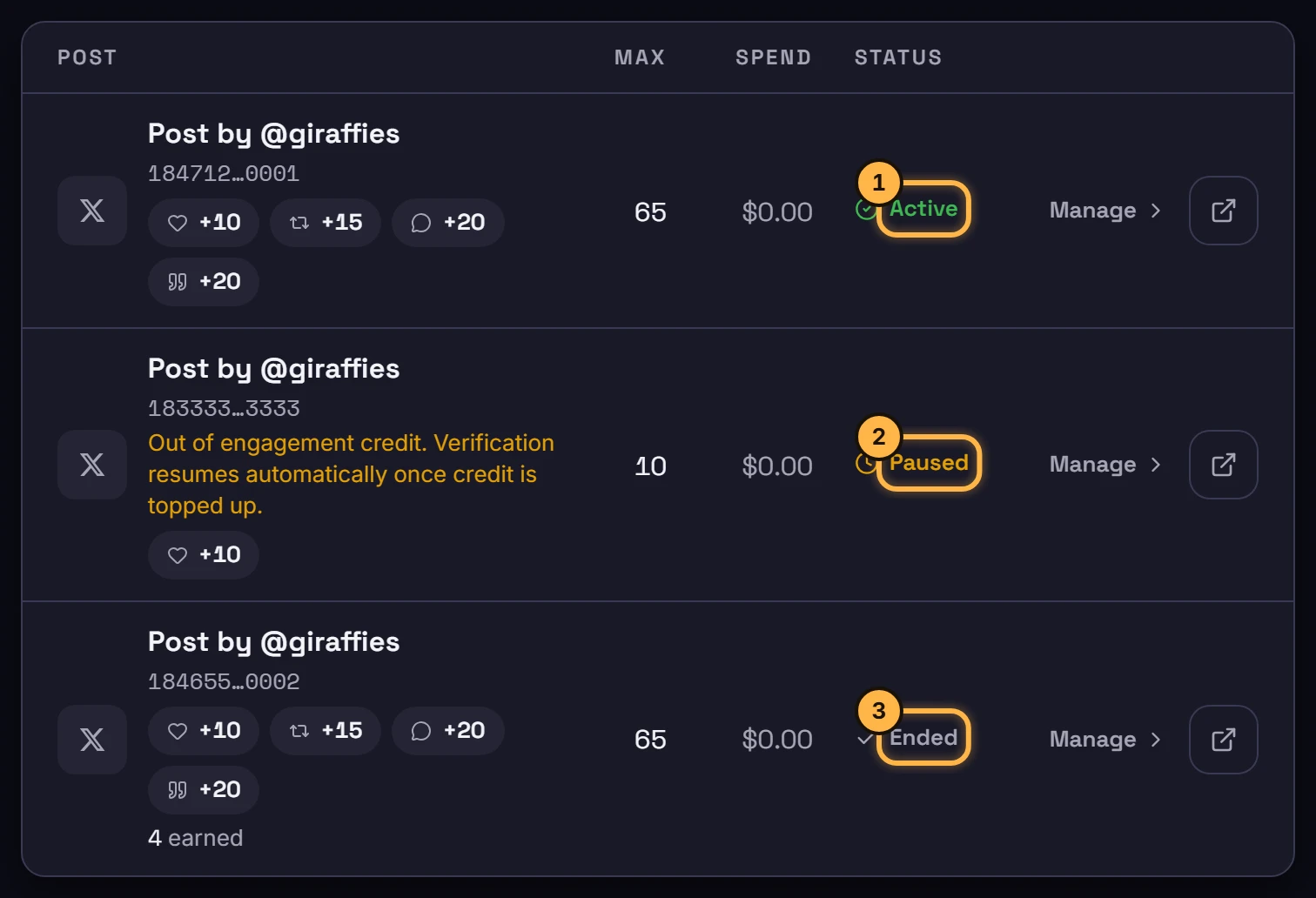
- 1Active: members can earn. The quest page calls it Live.
- 2Paused: the end-of-quest check is waiting. The row says why.
- 3Ended: checked and paid. The row shows how many earned.
A fourth status, Cancelled, means the post was deleted on X. Nothing is paid.
When a quest pauses
A paused quest never ends on its own, so nobody loses points to an outage. Most pauses retry by themselves; out of credit, it resumes after a top-up. Past its read limit, it waits for you: end it without awards, then grant tasks by hand.
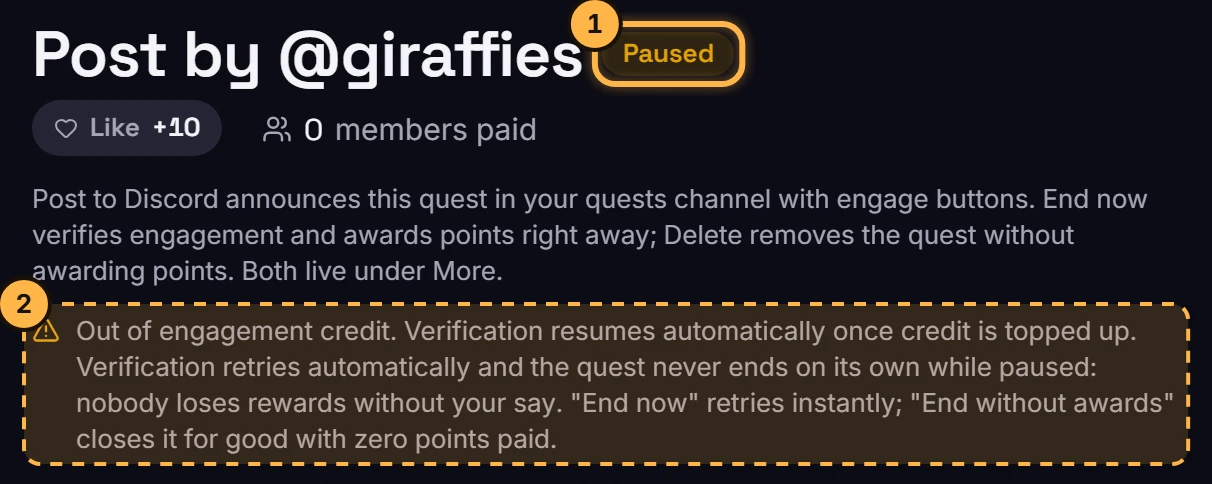
- 1Paused on the quest's page.
- 2The reason, and what happens next.
End without awards, under More, closes it for good with zero points. You can't undo it.
Your team is notified when a quest pauses, and once more if it is still stuck after 3 days. End now tries again straight away.
Grant tasks by hand
After a quest ends, you can pay a member for a task verification didn't count. The usual case: they liked straight on X instead of using the Like button.
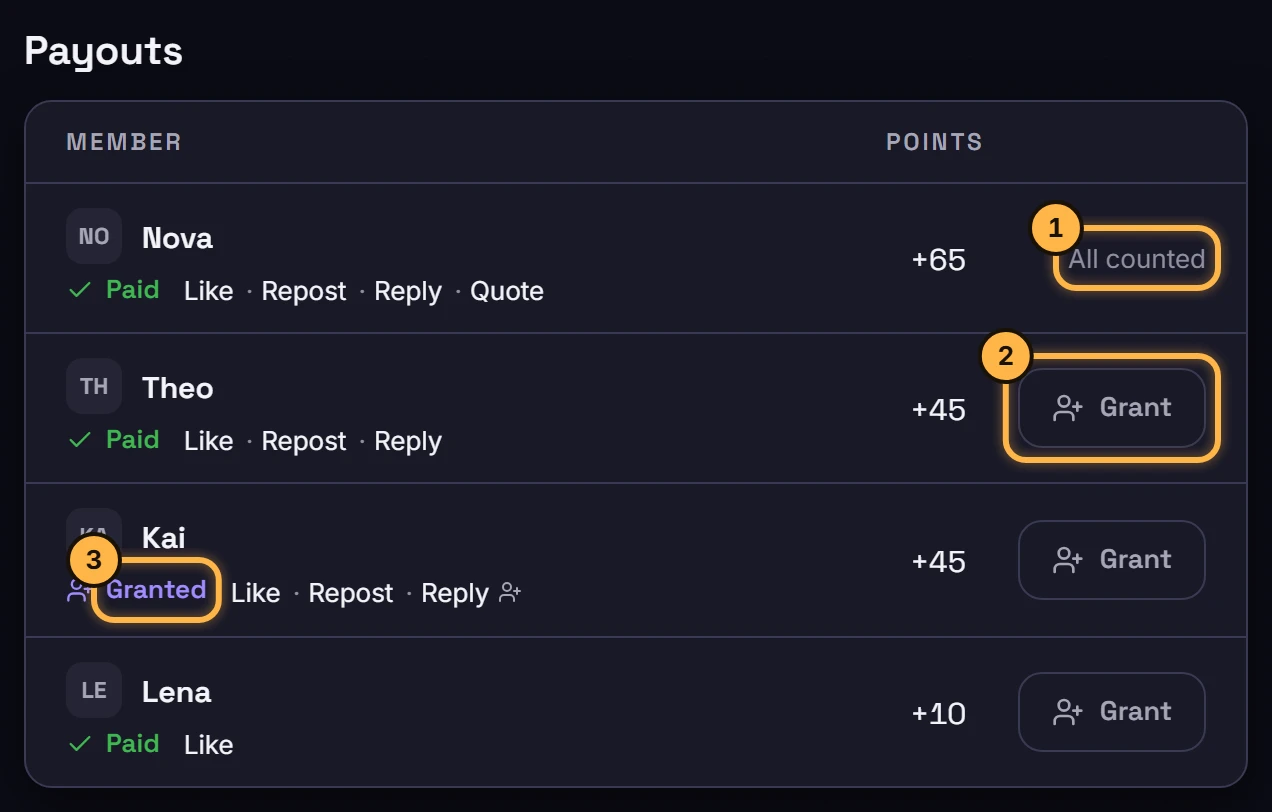
- 1All counted: nothing left to grant.
- 2Grant pays one of this member's missing tasks.
- 3Granted: a task the team added. Hover for who and when.
For someone not in the list, use Grant tasks by hand below it.
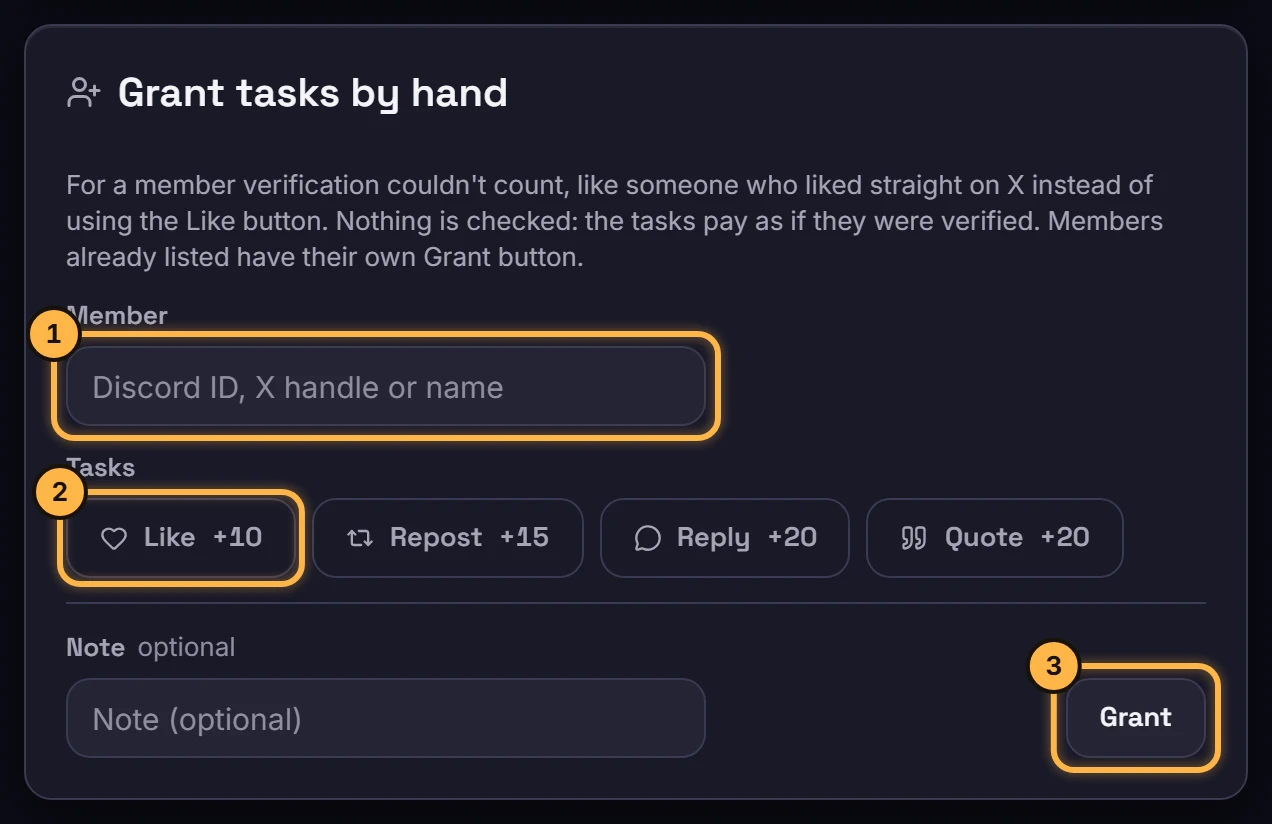
- 1Find them by Discord ID, X handle or name.
- 2Pick the tasks to pay.
- 3Grant, with an optional note.
Nothing is checked: a granted task pays like a verified one, XP included, and the member is notified. Grants can't be undone.