Auto quest
Every new post from a project X account becomes a quest by itself, seconds after it goes live.
Set it up once per account. From then on each new post starts a quest with your rewards and length, and announces it.
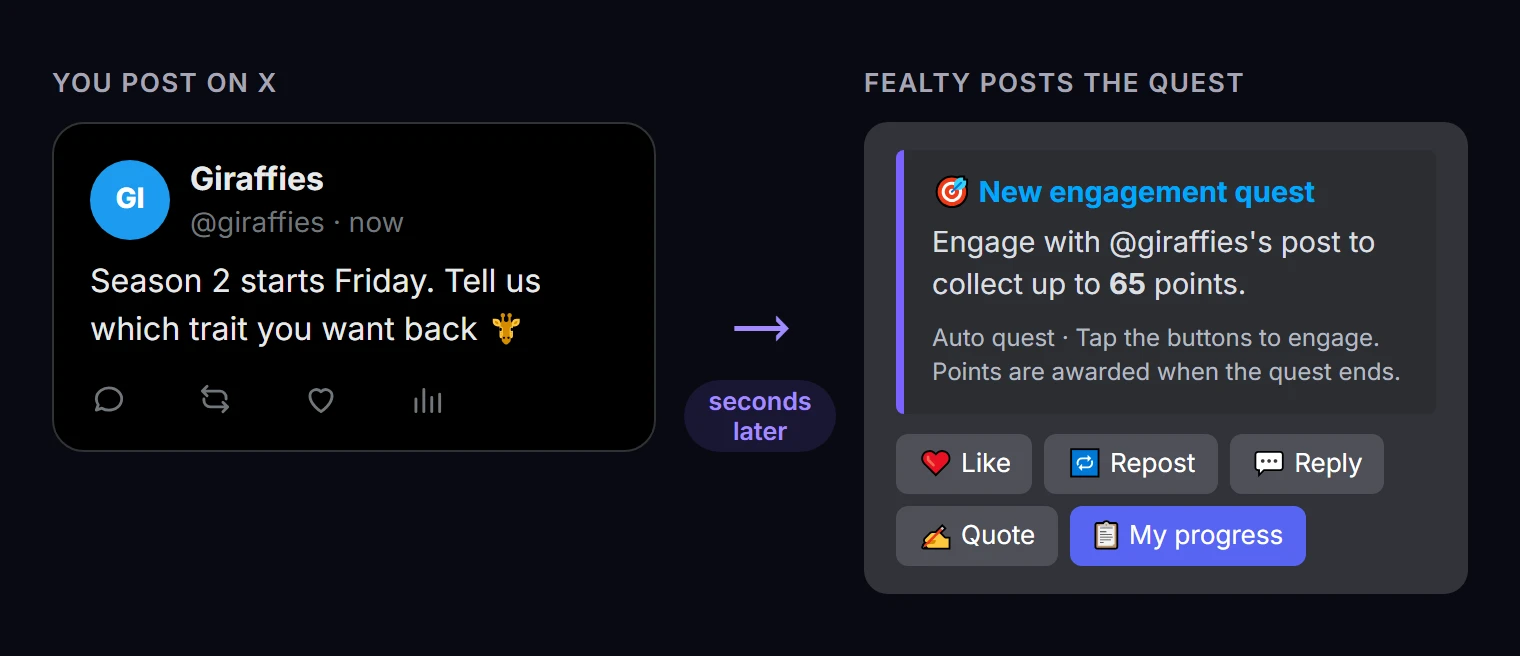
Turn it on
Start a new quest
On Quests, press New quest and pick Every new post as the type. The Post step is skipped.
Choose what starts one
New posts always do. Tick Its replies or Its quotes to include those too.
Pick the account, rewards and length
The same steps as a one-post quest. The length is how long each post's quest runs.
Press Start auto quest
If the account already runs one, the button reads Save auto quest and replaces its rewards and length.
See it, change it, turn it off
Each account's row under Project X accounts shows its auto quest.
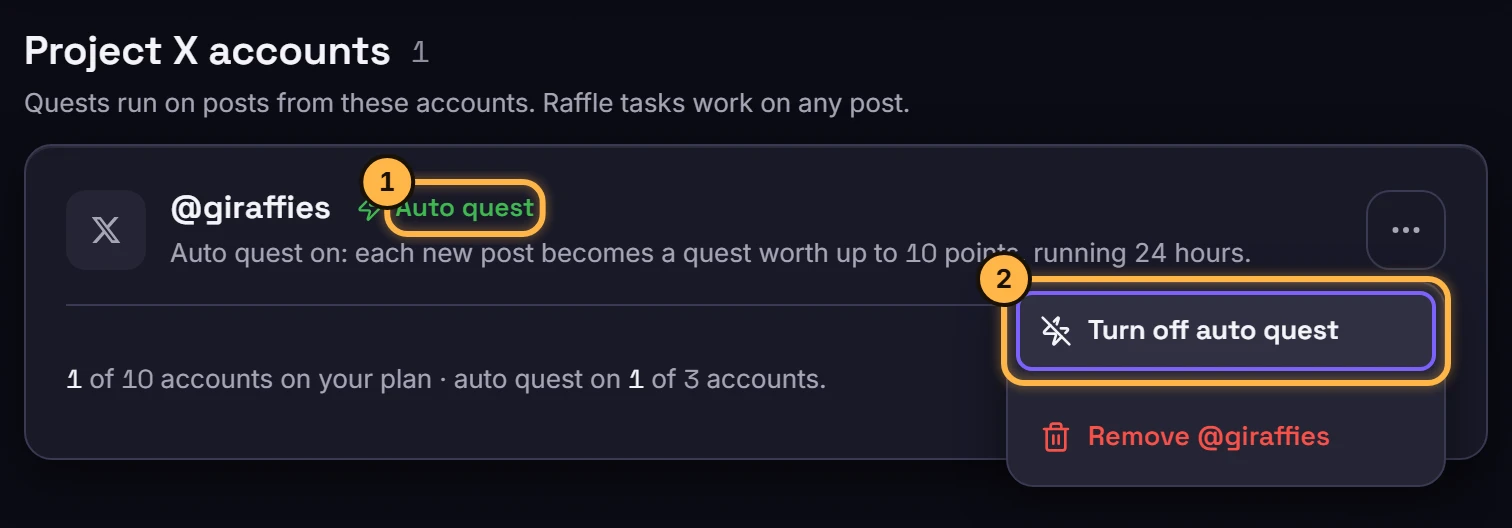
- 1Auto quest: new posts start quests. The line below says what each one pays, and how long it runs.
- 2Turn off auto quest stops it. Your settings are kept.
The line under the accounts counts how many run auto quest, of your plan's limit.
To change the rewards or length, open Edit auto quest on the row (Turn on auto quest when it's off) and press Save auto quest.
Quests started this way carry an Auto mark in the list.
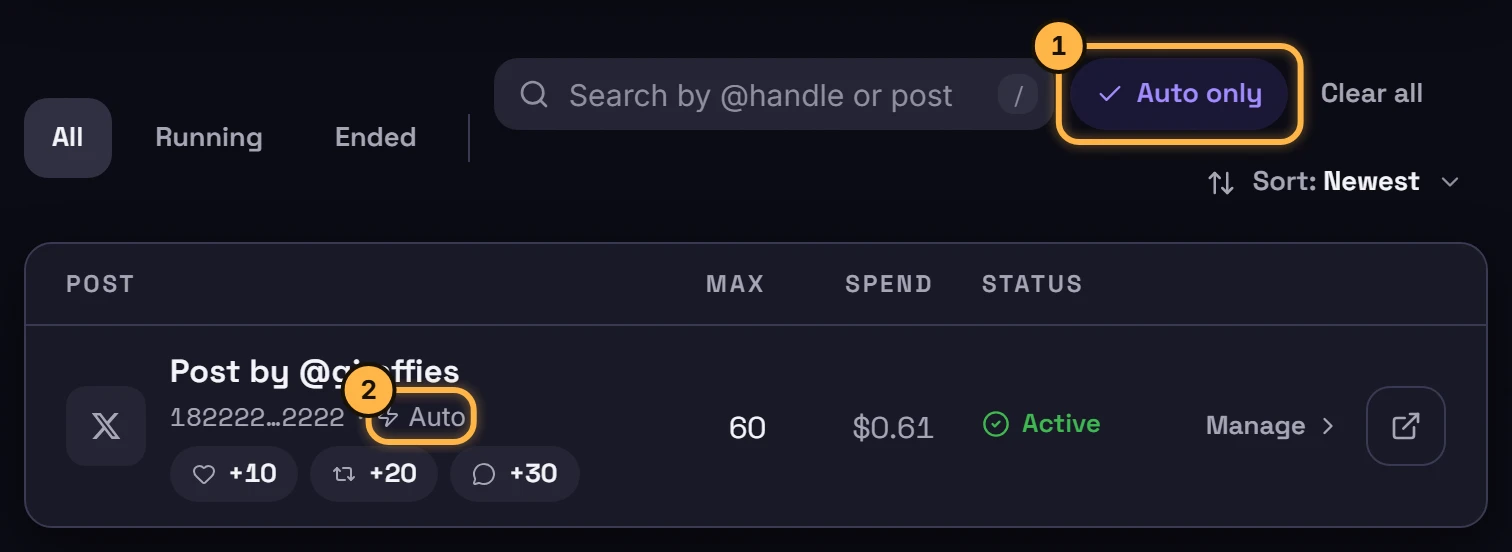
- 1Auto only shows just these.
- 2The Auto mark. They are checked and paid like any quest.