Migrating from Engage
Export your leaderboard, import points and XP with a multiplier, and keep your economy going.
Engage's loop (engagement earns points, points buy things) works the same in Fealty. The one thing to carry over is your members' earned points. Still deciding? See Fealty vs Engage.
Where things live in Fealty
| In Engage | In Fealty |
|---|---|
| Raids and engagement points | Quests: Manage → Quests, then New quest or Quick quest |
| Auto-tracked new posts | Auto quest on your project X account |
| Daily claim | /claim |
| Points, XP, levels, leaderboard | Points and levels: /points, /rank, /leaderboard |
| Level roles | Verification → More roles → Level rewards |
| Shop and point raffles | A raffle with a Ticket cost in points |
/adjustpoints | /adjustpoints for one member, the points import for many |
/userlist export | Holders' hall → Export CSV |
1. Export your leaderboard
In Discord, run Engage's /userlist. It writes your leaderboard to a Google Sheet. In the sheet, pick File → Download → Comma Separated Values (.csv). Do this before your Engage plan ends.
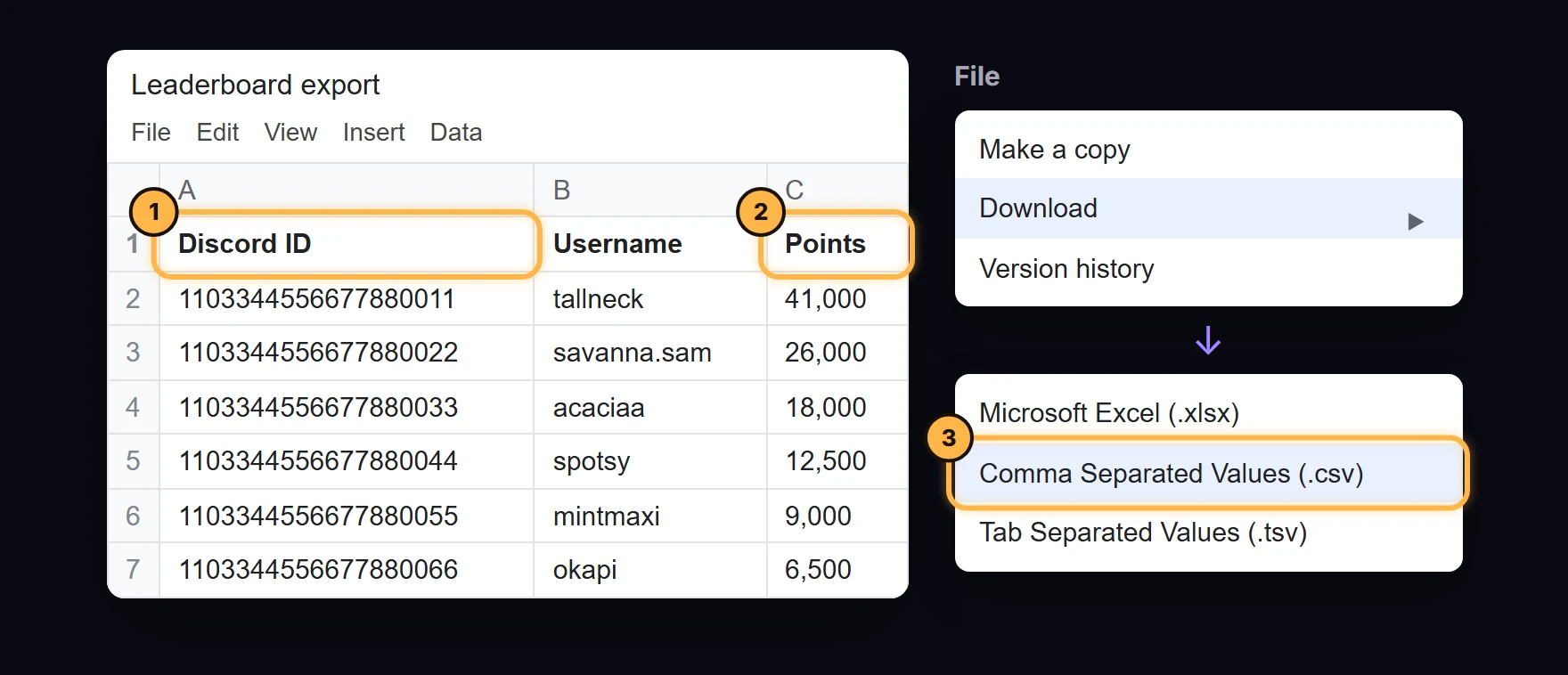
- 1A column of Discord IDs.
- 2A column of points.
- 3Download it as a CSV file.
2. Stage the import
Open the migration tools and fill in Import member points.
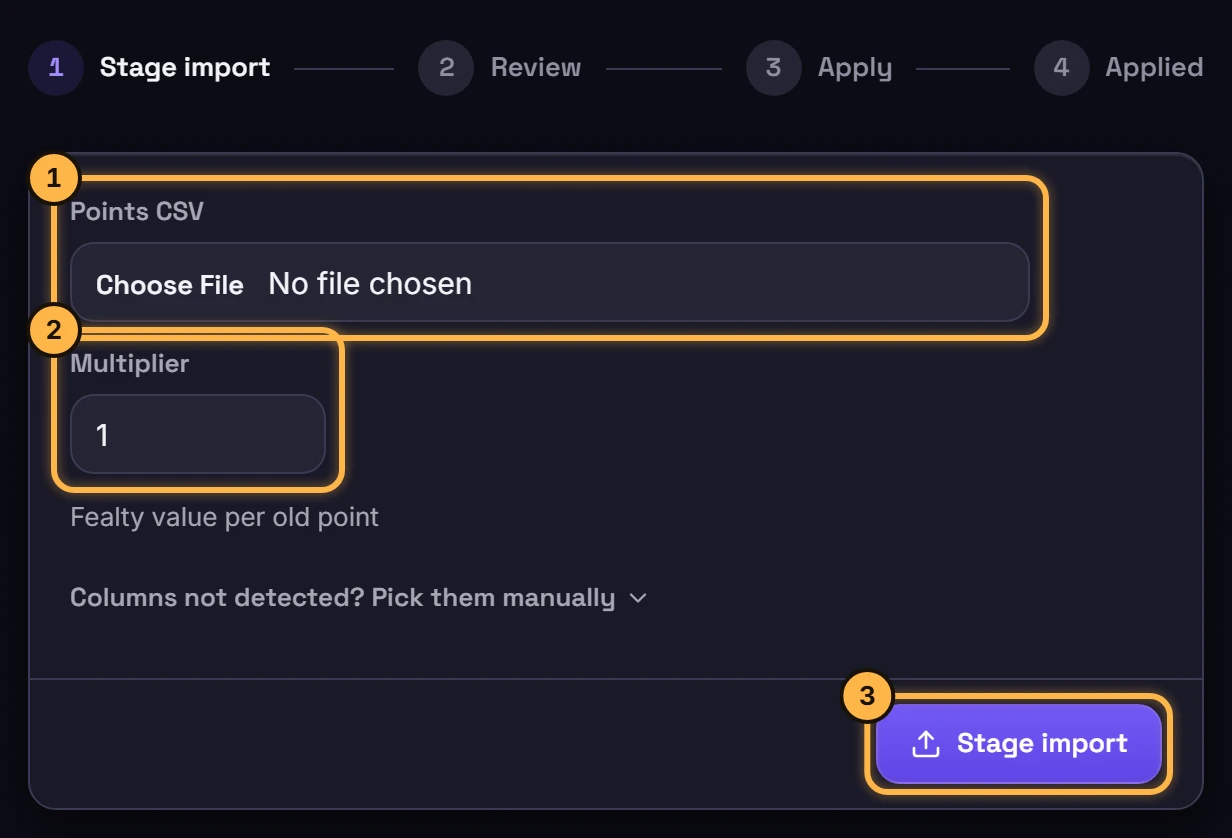
- 1Your CSV file.
- 2Fealty points per old point (see below).
- 3Reads the file. Nothing is paid yet.
Columns not found? Open Columns not detected? Pick them manually and name them, or give their number.
Each member gets points × multiplier, as points and as XP, so levels land as if earned here. If a like paid 10 points there and pays 2 here, use 0.2.
3. Review, then Apply
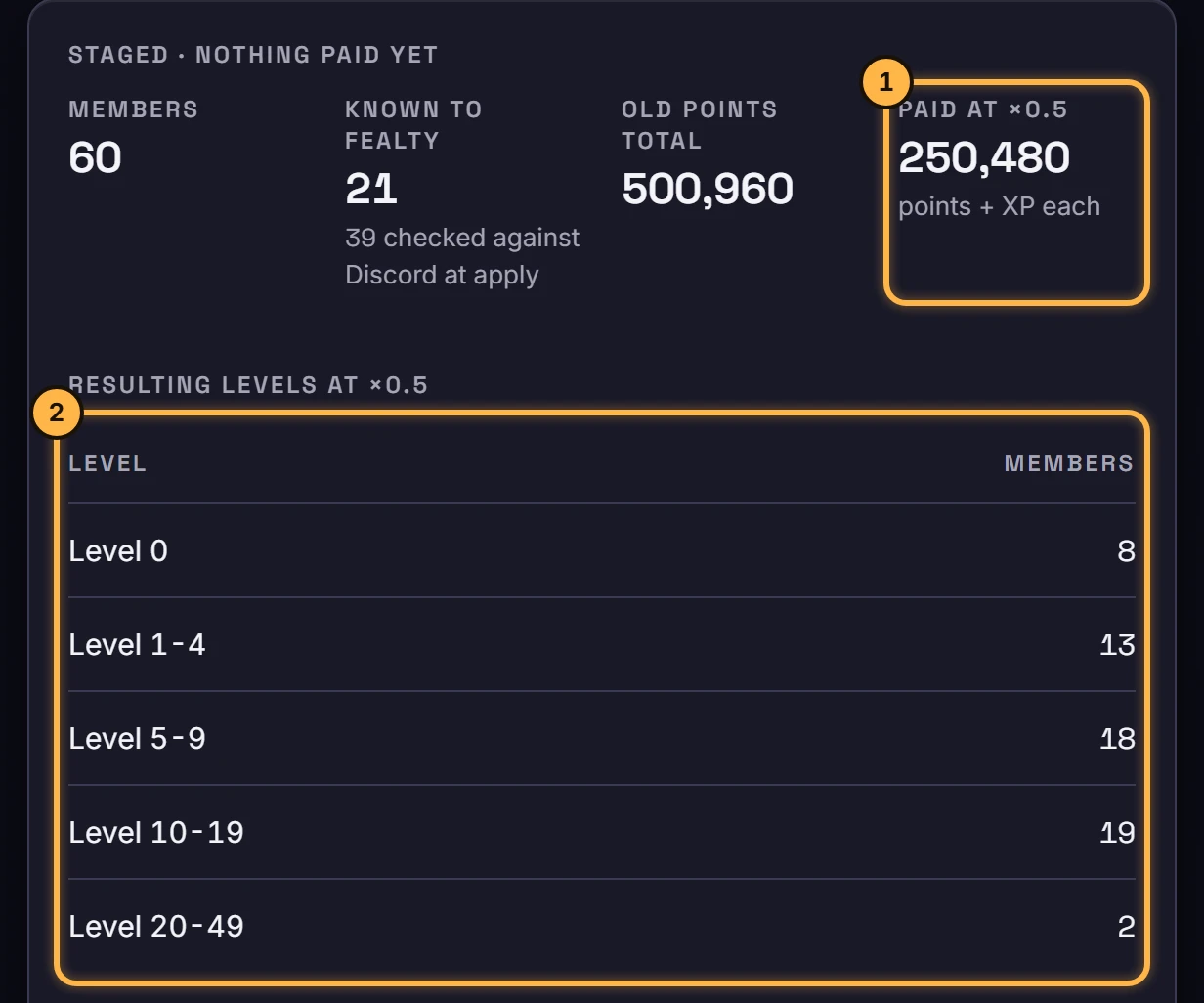
- 1What the import pays in total.
- 2Where members' levels land at this multiplier.
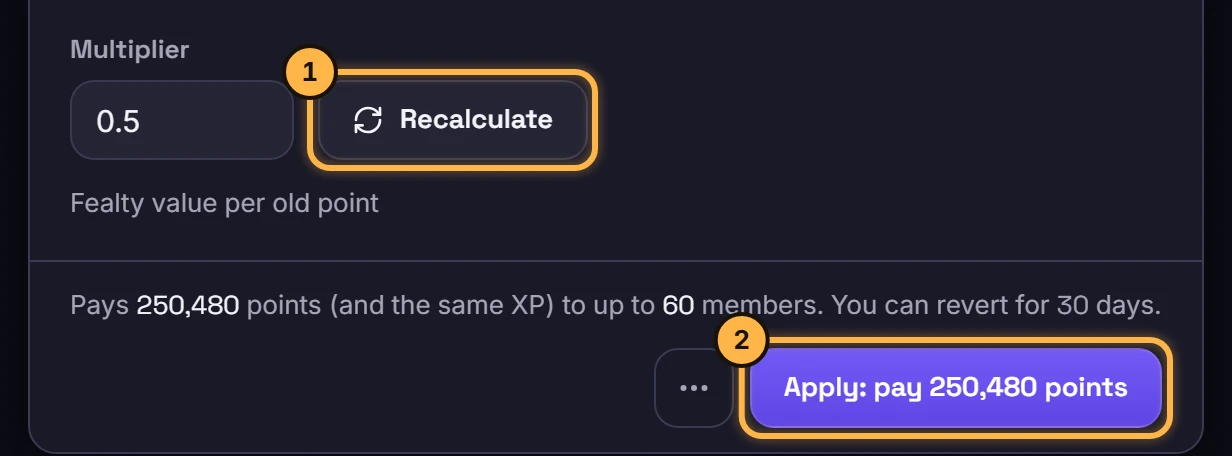
- 1Change the multiplier and press Recalculate until the spread looks right.
- 2Pays, after you confirm. ⋯ → Discard drops the file instead.
4. After Apply
- Members Fealty already knows are paid right away.
- Everyone else is checked against your Discord server one by one, so a big file takes a few minutes. Whoever staged it gets a notification when it's done.
- Members get no message: the announcement is yours to make.
- Level-ups hand out your level rewards as usual.
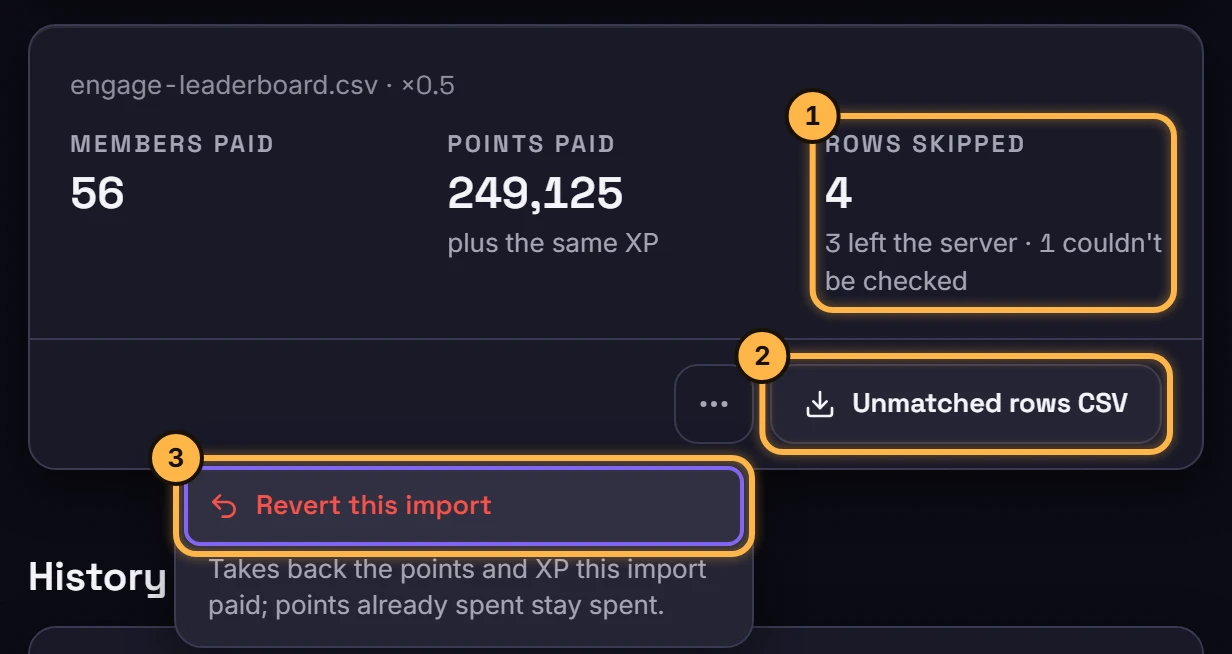
- 1Rows not paid: the member left, or Discord couldn't confirm them.
- 2Those rows as a file. Import it again once they join; it can't pay anyone twice.
- 3Takes the import back, for 30 days.
Moving holder roles too?
Import whenever you like. A member it pays who holds a holder role but has no wallet linked gets 7 days to link one: Fealty tells them, reminds them the day before, and tells your team who couldn't be messaged. No wallet by then, the role comes off.
Suggested order
Start quests in Fealty
Connect your project's X account and run a quest, or turn on auto quest, so the new economy earns before the old one stops.
Announce the move
One post: connect X and verify your wallet in Fealty.
Import points
Upload, tune the multiplier against the levels table, Apply.
Remove Engage
Once the leaderboard looks right and quests are running.
Engage is a trademark of its owner. Fealty is not affiliated with, sponsored by or endorsed by it. Feature and export details come from its public documentation and may have changed.