Migrating to Fealty
Switching from another bot
Run Fealty next to your old bot for a week or two, bring your data over, then remove the old one.
Nothing breaks if you move in this order: both bots run side by side, members move over, then the old bot goes.
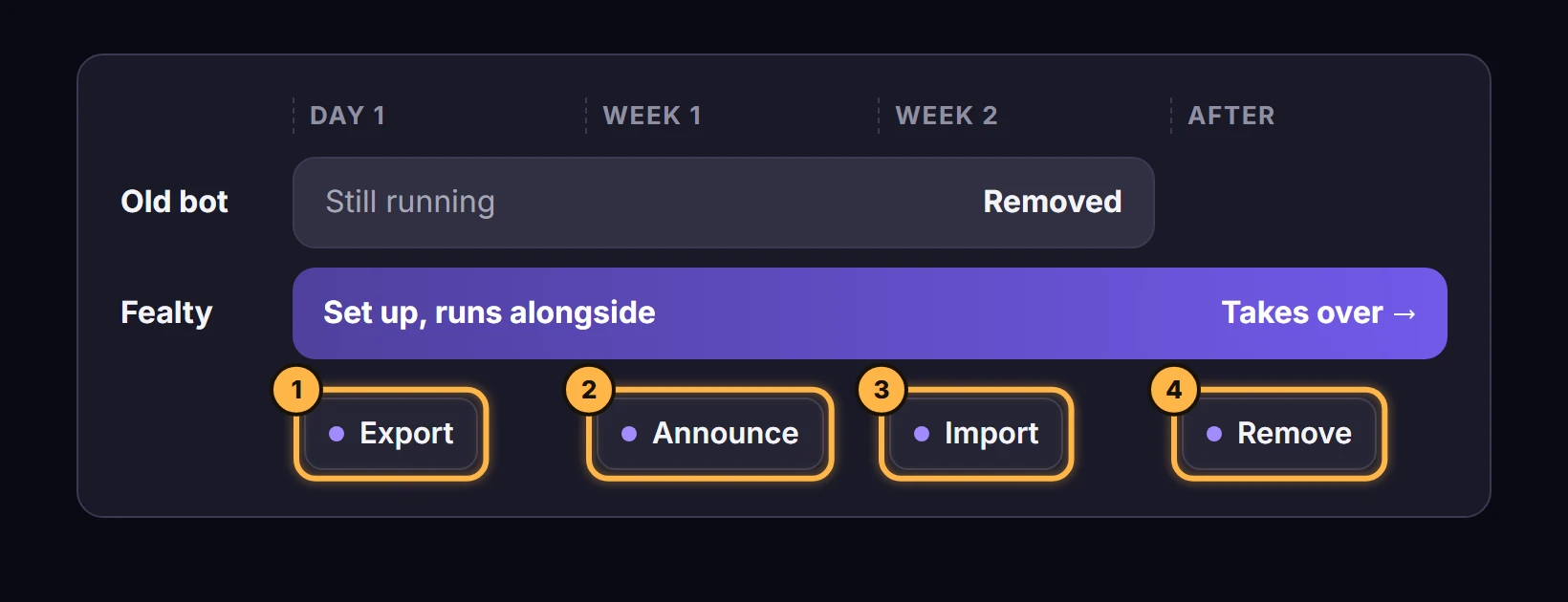
- 1Export what you need while your old plan is still active.
- 2One announcement: verify your wallet and connect X in Fealty.
- 3Import points. Watch how many holders have verified.
- 4Remove the old bot once the count says everyone moved.
What comes over, and how
| You had | In Fealty | How it moves |
|---|---|---|
| Members' points and levels | Points and XP | Points import from a CSV (Engage guide) |
| Verified holders and their roles | Role rules | Members verify again with one signature. A snapshot counts who has (Matrica guide) |
| Live raffles | Raffles | Let them finish there, open the next one here (Alphabot guide) |
| Winner lists from outside giveaways | A collab template's Wallets | Upload the sheet as it is (add winners) |
| Raffles you ran as a collab manager | Your profile, under Before Fealty | Import your raffle history (profiles) |
Open the migration tools
Open the Setup guide
In Manage, open More, then Settings, then Setup guide.
app.fealty.club/guild/…/manage/settings
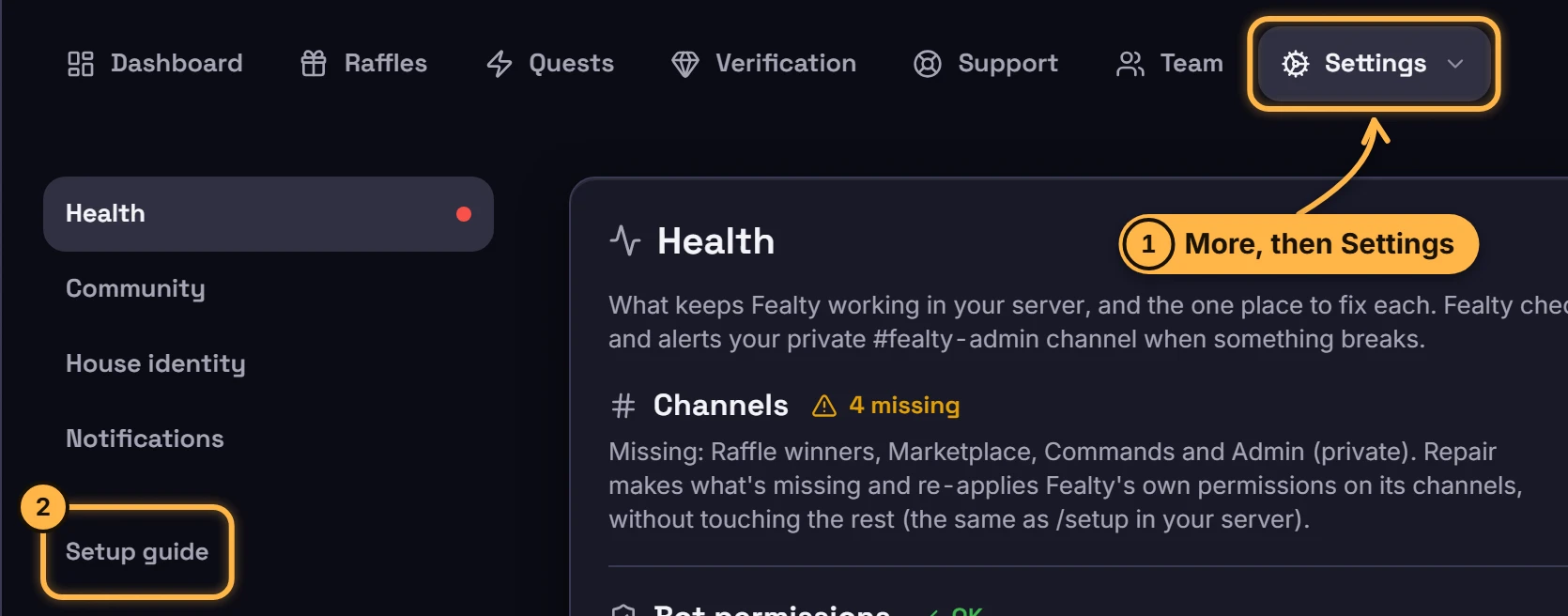

The Migrate page has two tools, both free on every plan:
- Import member points pays members the points they earned on your old bot.
- Re-verification progress counts how many of your old bot's holders have verified here.
Why members verify again
Verifying a wallet is a signature given to one service, so no bot can hand it to another. Each member presses Verify and signs once, for free. Their roles stay while both bots run.
Guides per bot
From Engage
Bring your points economy over.
From Matrica
Holders verify again, roles stay steady.
From Alphabot
The simplest move: nothing to import.