Role rules
Give a Discord role to members whose wallets hold enough, and take it back when they sell.
A role rule gives one Discord role to every member whose linked wallets meet its conditions. Sell below it, and the role comes off.
Set up a rule with Verify holders
On Verification, press Verify holders. Five short steps, with a live preview of who gets the role.
Collection
Pick one of yours, search by name, or paste a contract and Fealty finds its chain. A new one is added for you.
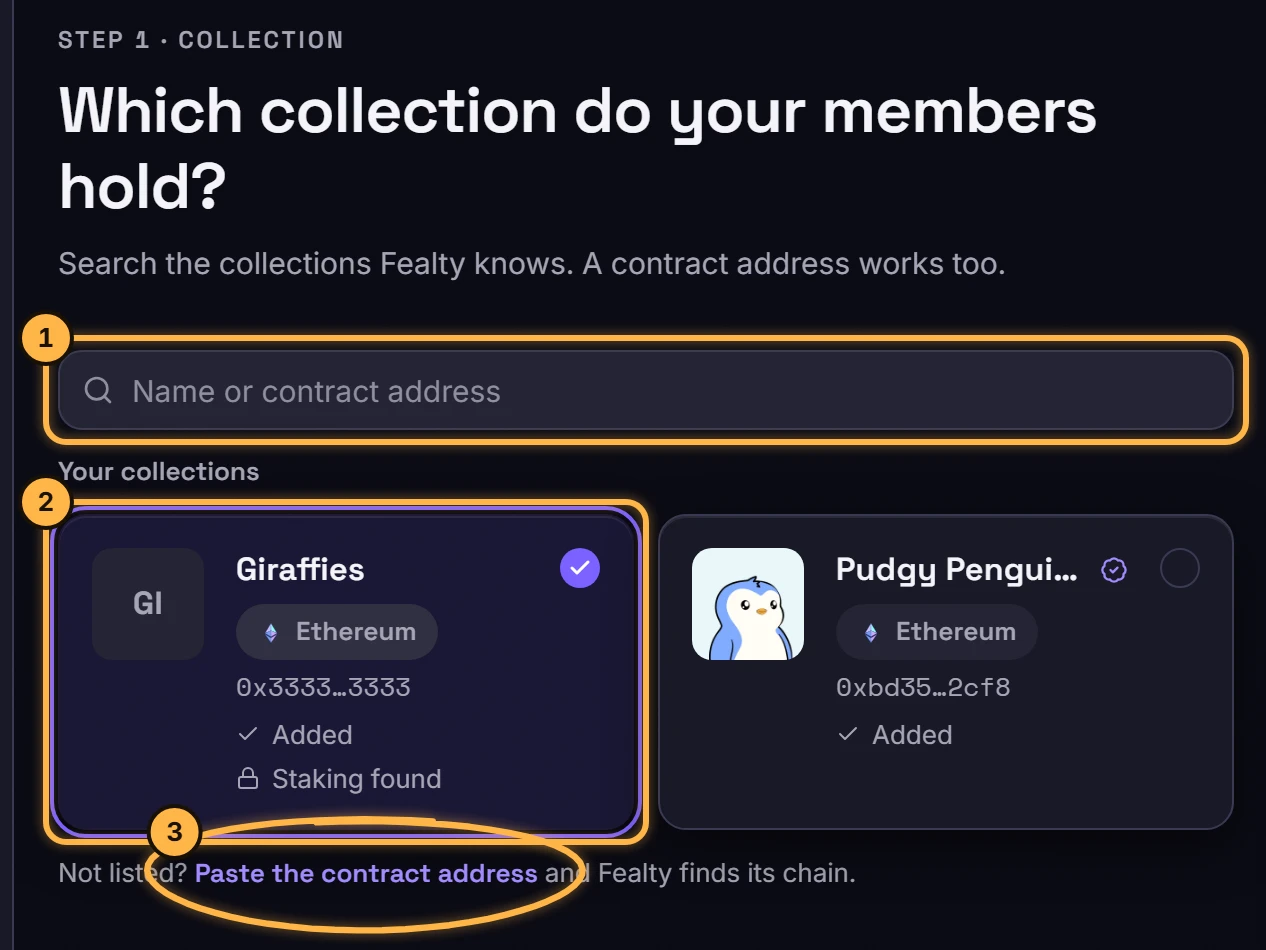
- 1Search the collections Fealty knows.
- 2Or pick one you already added.
- 3Not listed? Paste the contract address.
Staking
Only when Fealty knows a staking contract, or you set one up. Choose what counts. See Staking.
Role
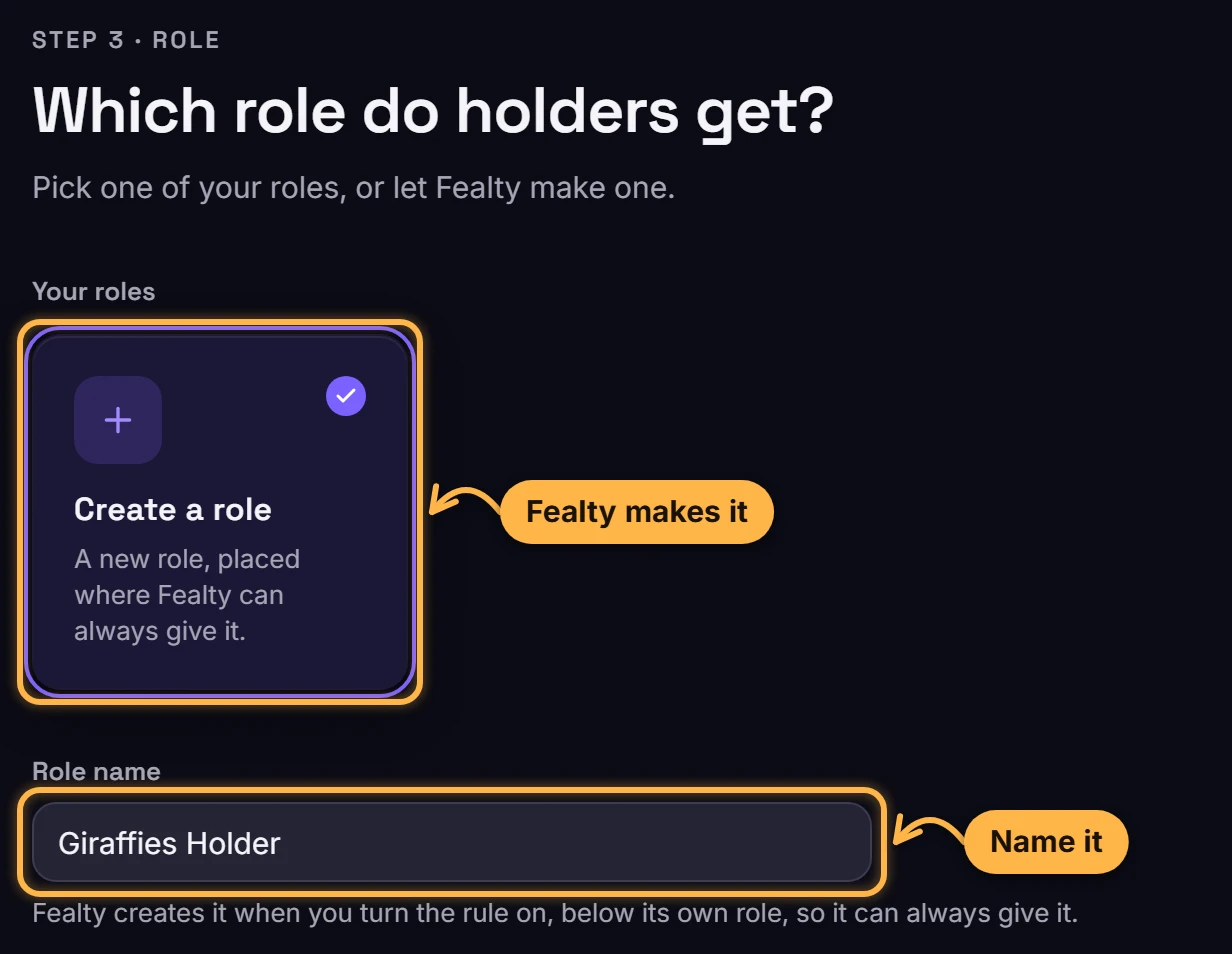
Pick one of your roles, or Create a role and name it. Fealty makes it when you turn the rule on, below its own role so it can always give it.
Who gets it
Pick how many they must hold. Each tile shows how many members qualify today.
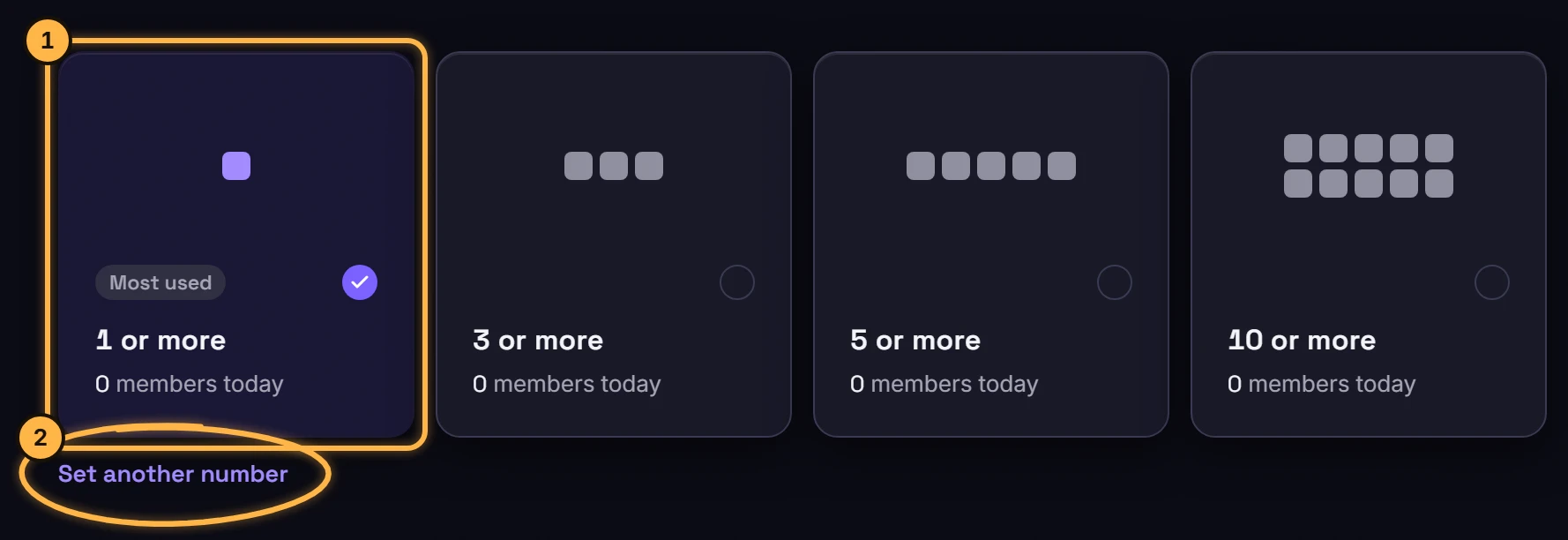
- 11 or more is the most used.
- 2Set another number for any other.
Below the tiles, Add a condition: they must also hold another collection.
Done
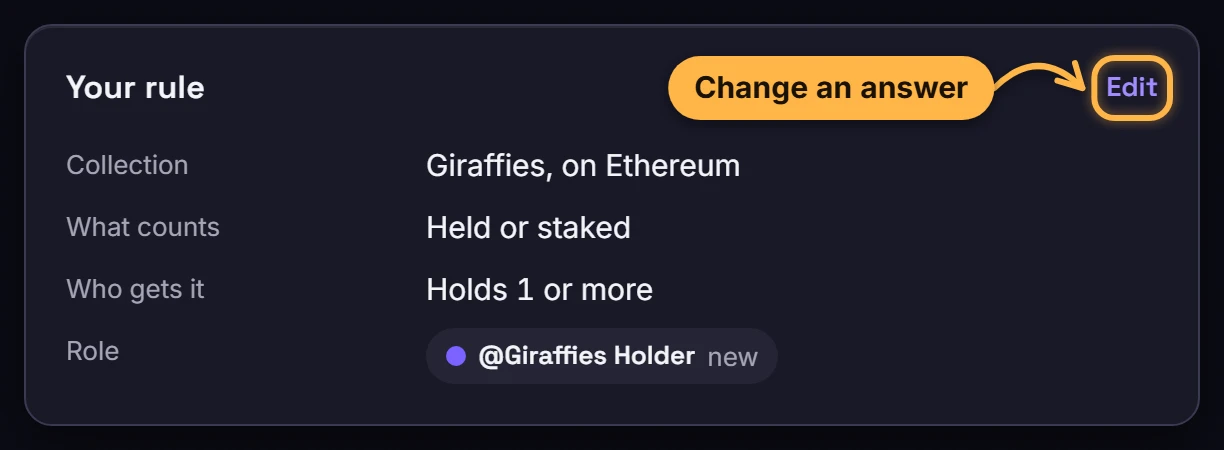
Check the rule and press Turn it on. Fealty checks every member at once: those who qualify now get the role within minutes, the rest as they link a wallet.
Add a rule by hand
Under Role rules, press Add rule. Up to five conditions, one role, then Create rule. Fealty then checks every member and gives the role to those who qualify.
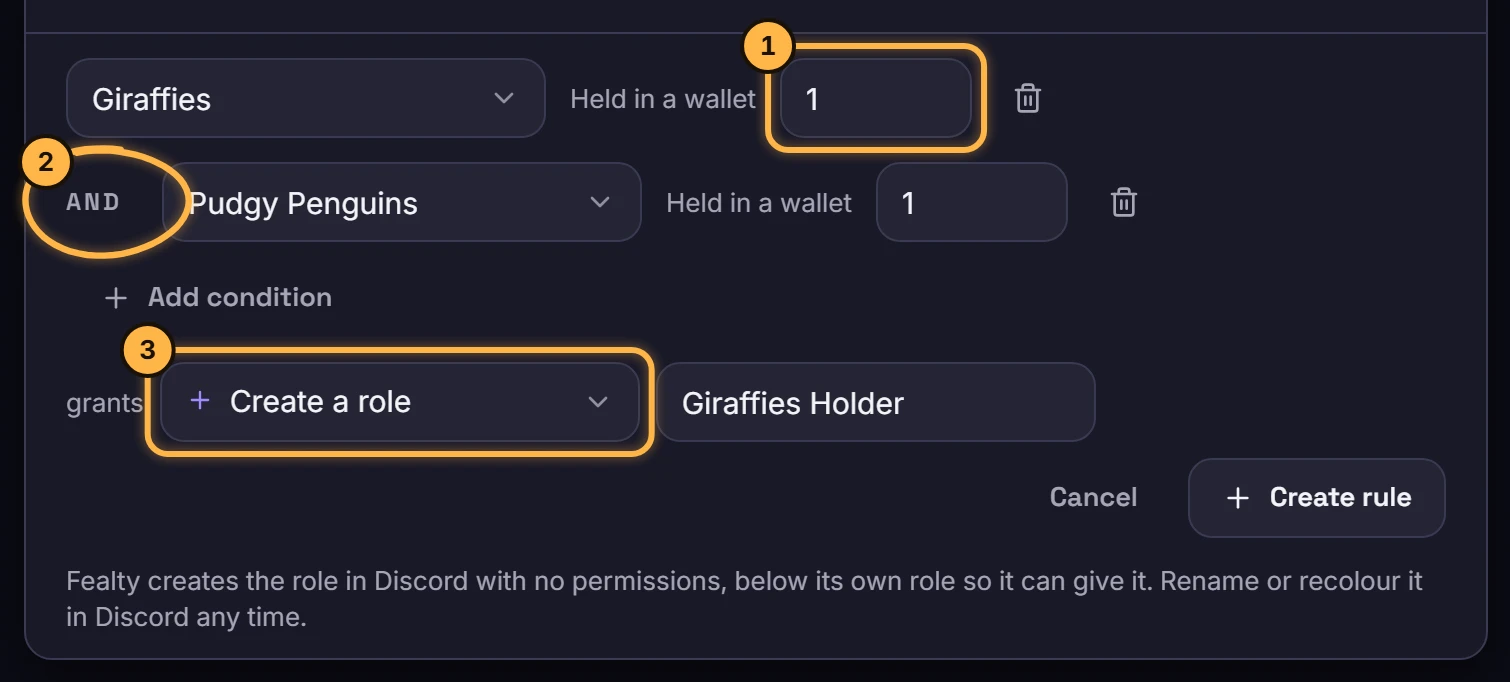
- 1The minimum number. Next to it, what counts: Held or staked, Held or Staked once the collection has staking; else Held in a wallet.
- 2Add condition adds a line. Every line must be met.
- 3One of your roles, or Create a role.
AND inside a rule, OR between rules
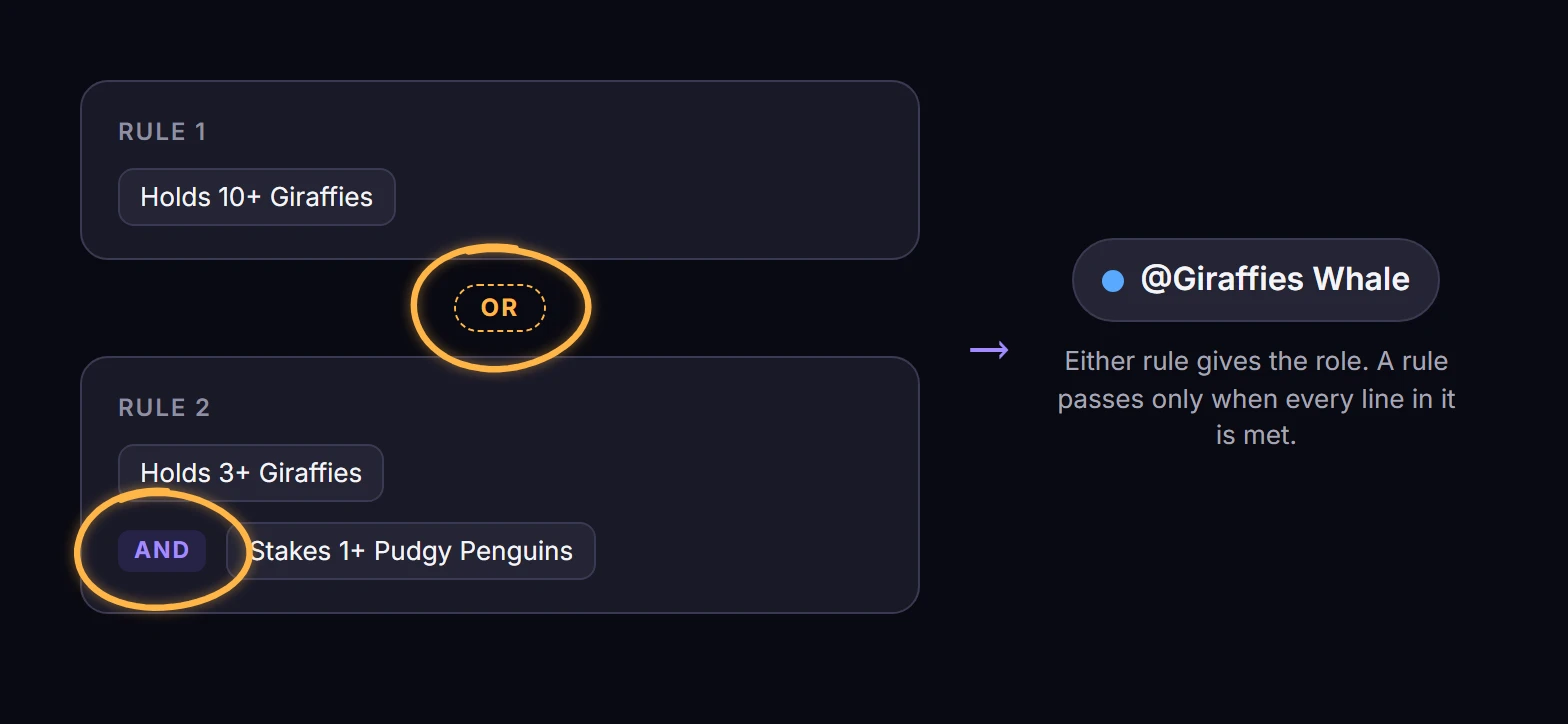
Want two ways into the same role? Make two rules for it. Holdings add up across all of a member's linked wallets.
Manage your rules
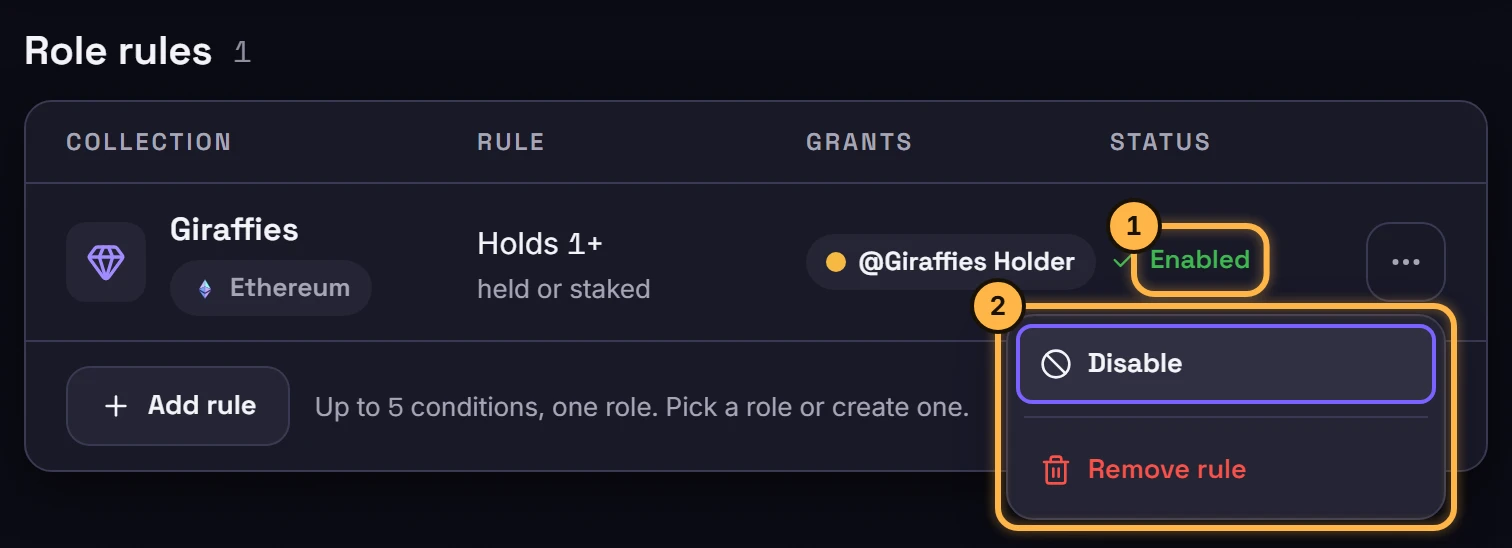
- 1Status: Enabled, Disabled, Over plan limit or Role deleted.
- 2Disable stops Fealty adding or removing the role. Remove rule deletes it. Members keep the role they have.
See that it works
Next to Role rules, Fealty shows its check of every member:
- Updating roles, with how many members it has checked so far. It runs when you add a rule or turn one on, when you press Check now, and once a day.
- Checked 5 min ago, with how many members it checked. Members it couldn't read are counted too; the next check tries them again.
Under each role, how many members have it after the last check. A rule that shows Can't give it was refused by Discord: move the Fealty role above it in Server settings > Roles, then press Check now.
What members see
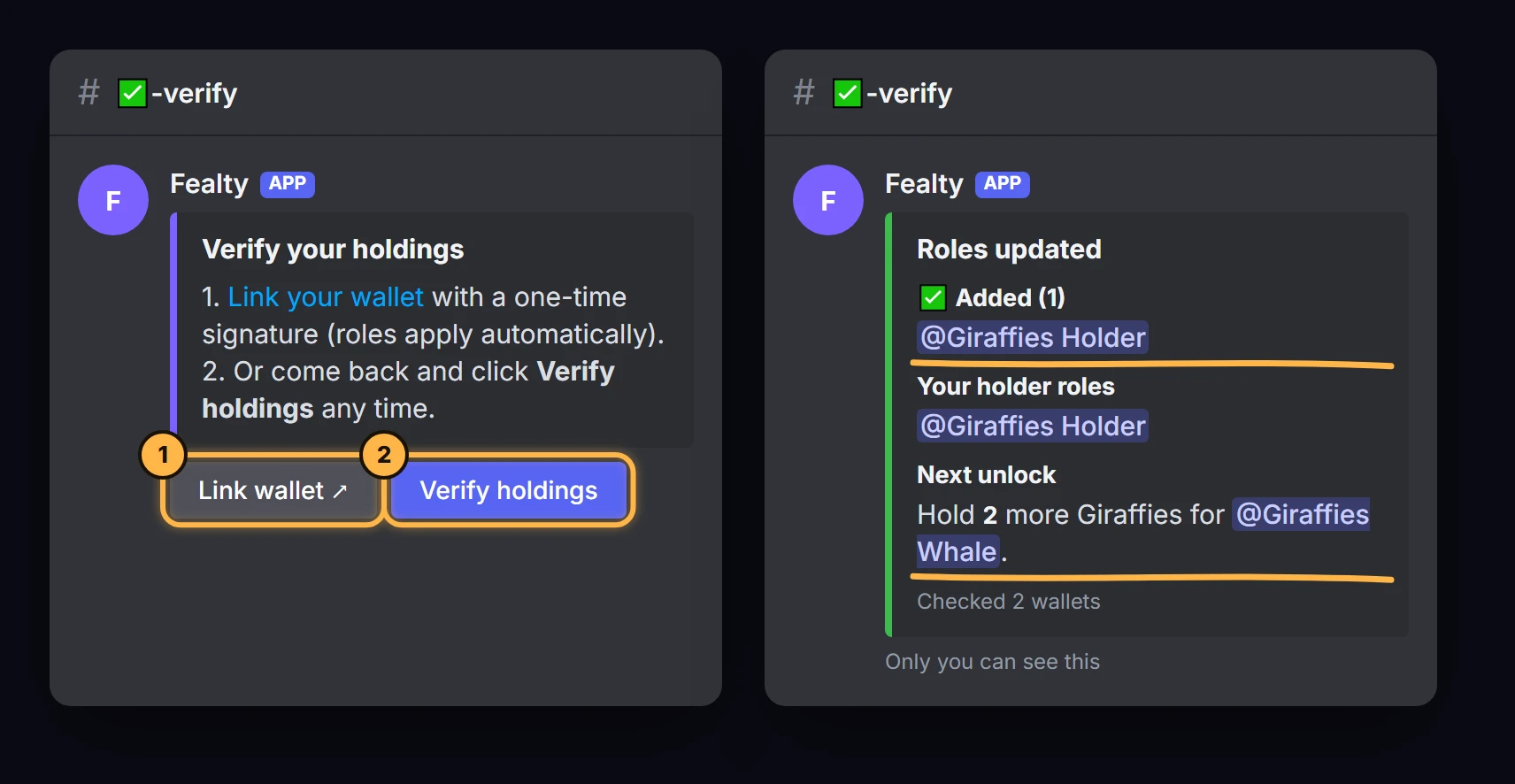
- 1Link wallet opens your community page to link one.
- 2Verify holdings checks again now.
/verifydoes the same.
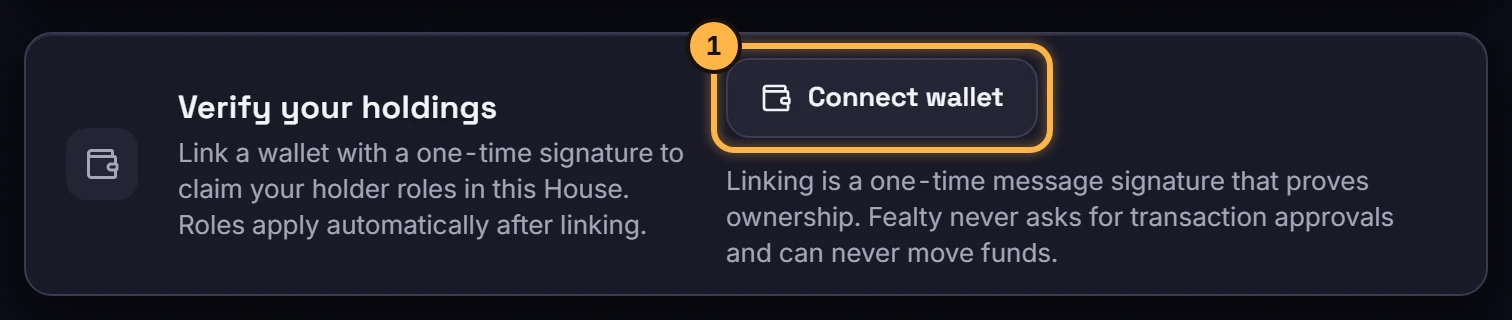
The reply, seen only by them, lists roles added or removed and the Next unlock: how many more they need for the next role. On your community page, members with no wallet yet see this:
Holder groups on Telegram
Telegram has no roles. Its holder role is a holder group: a group or channel only holders get into. They live under Telegram groups on Verification.
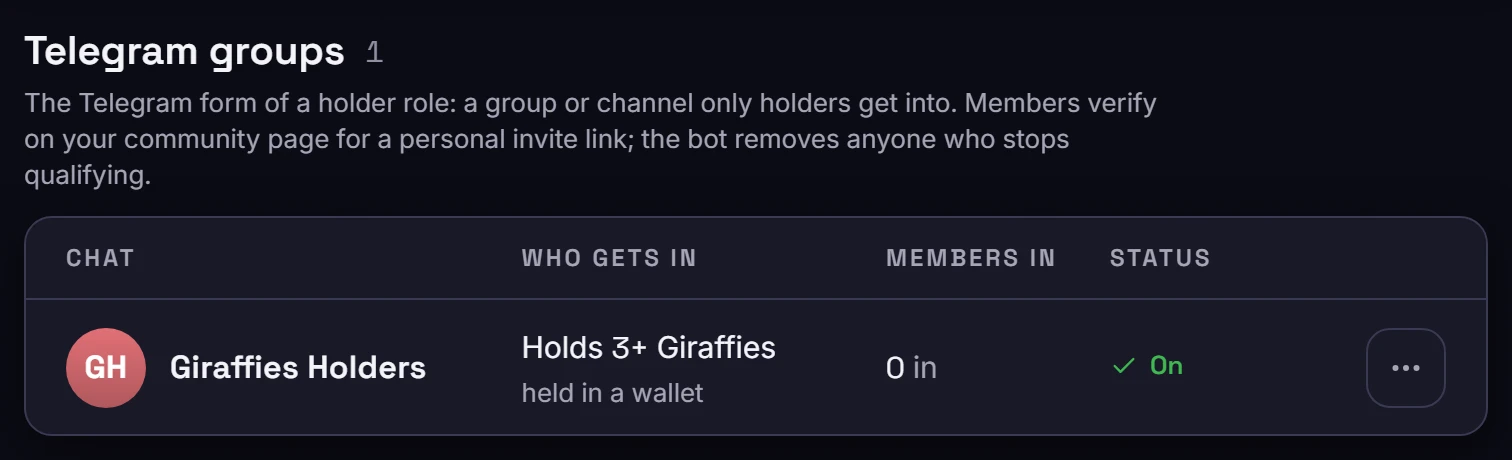
Set one up with Telegram setup.