Add Fealty to Telegram
Connect a Telegram group or channel: raffles, quests, winners and the daily standings post there with buttons.
One community can live on Discord, Telegram and the web at once. A raffle made once posts to your Discord channel and your Telegram group, and its link works for everyone.
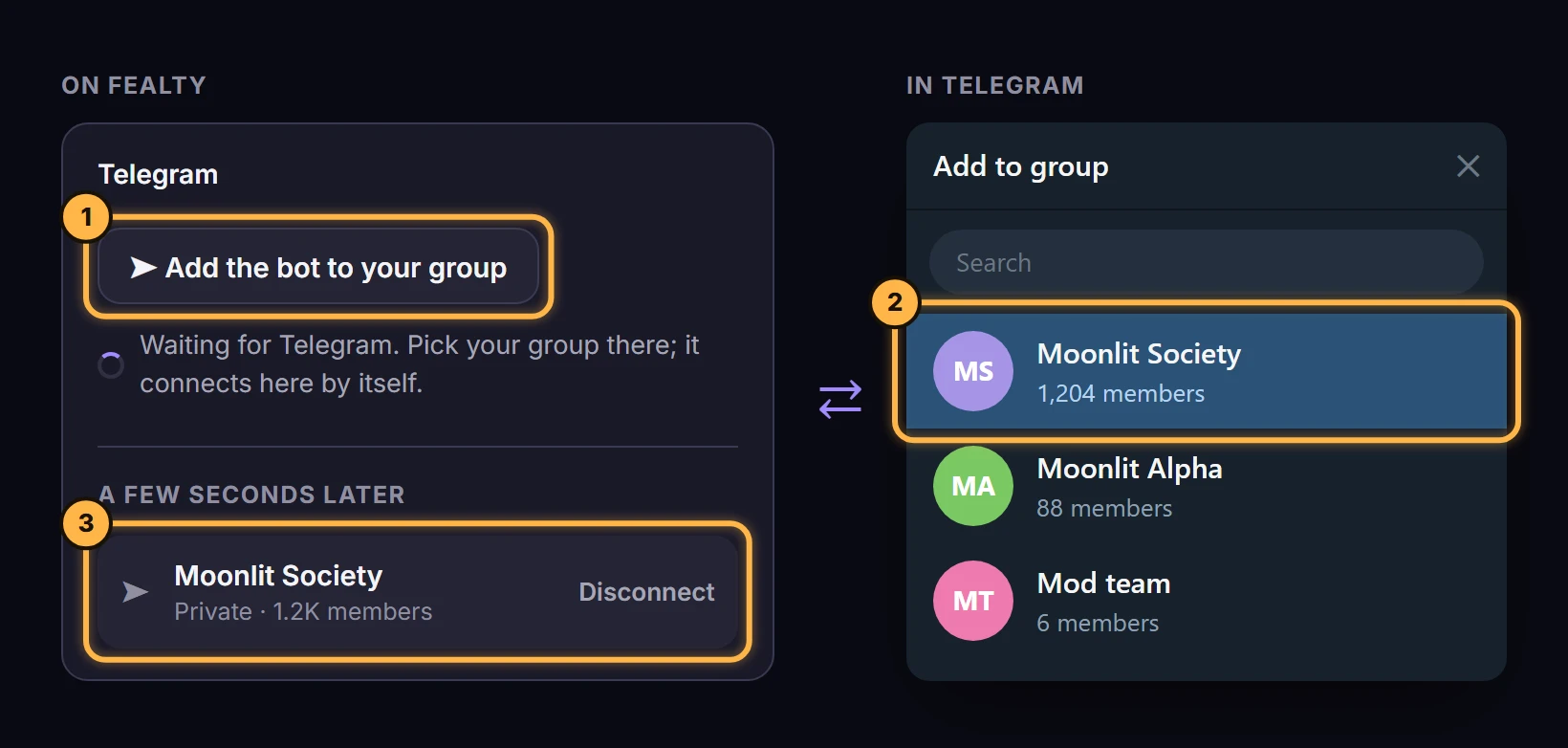
- 1Add the bot to your group on Fealty.
- 2Telegram opens: pick your group.
- 3A few seconds later it shows as connected.
Connect a group
Find the button
New community: pick Telegram group in Add Fealty. Already on Fealty: Settings, under Community.
Press Add the bot to your group and pick it in Telegram
It connects by itself. You never need the group's id. Do it as an admin of the group: Fealty connects a group only for its admins, and never one another community already uses.
Make the bot an admin
It must be able to post and pin, and to manage topics if your group has them.
Press Create topics
In Add Fealty, or type /setup in the group.
Topics
With Topics on, every feed gets its own topic, so posts stay sorted. Without Topics, everything lands in the chat itself.
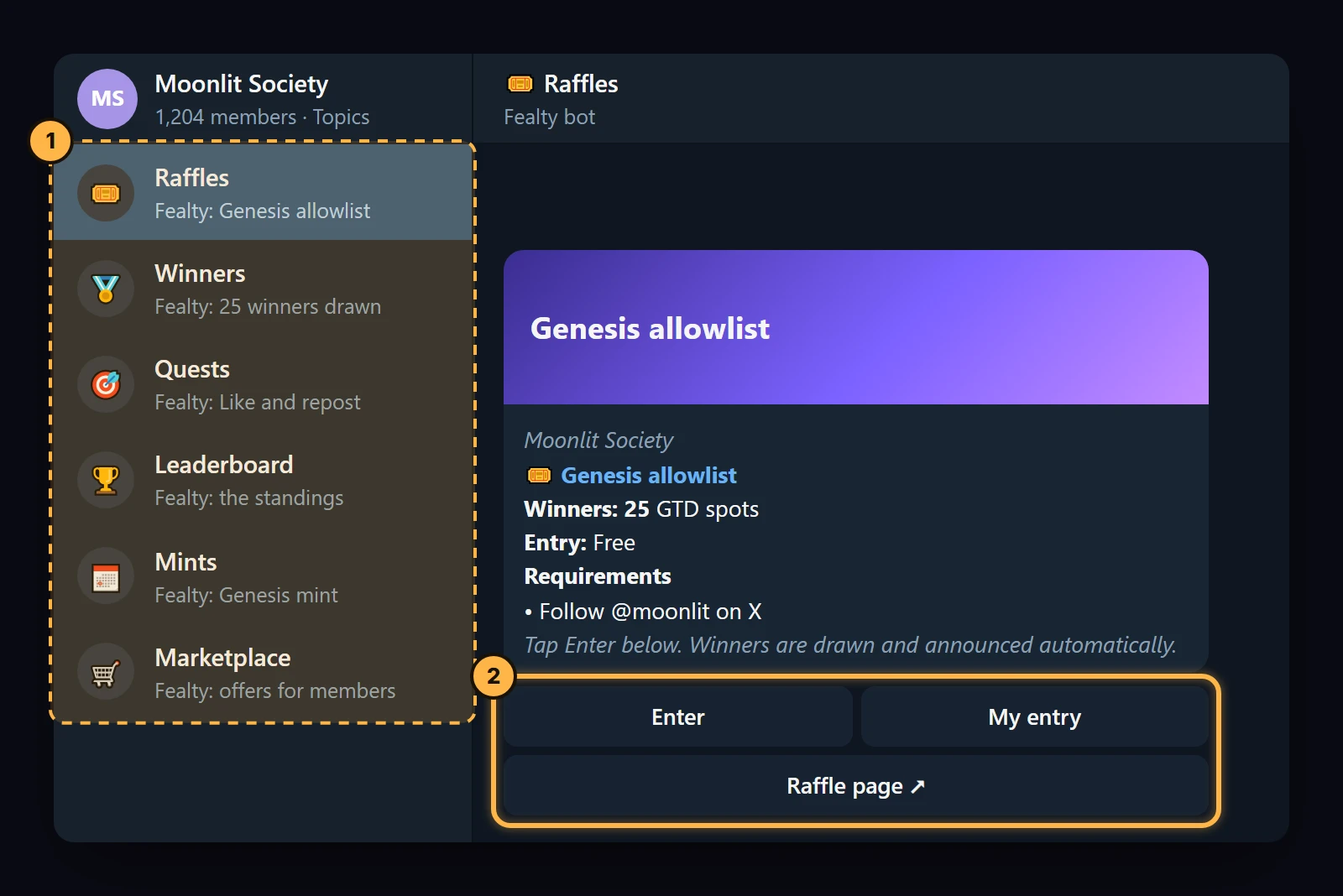
- 1Raffles, Winners, Quests, Leaderboard, Mints and Marketplace, plus Sales once its feed is on.
- 2The same buttons as on Discord. Enter answers on the spot; details reach the member's chat with the bot.
Choose what posts there
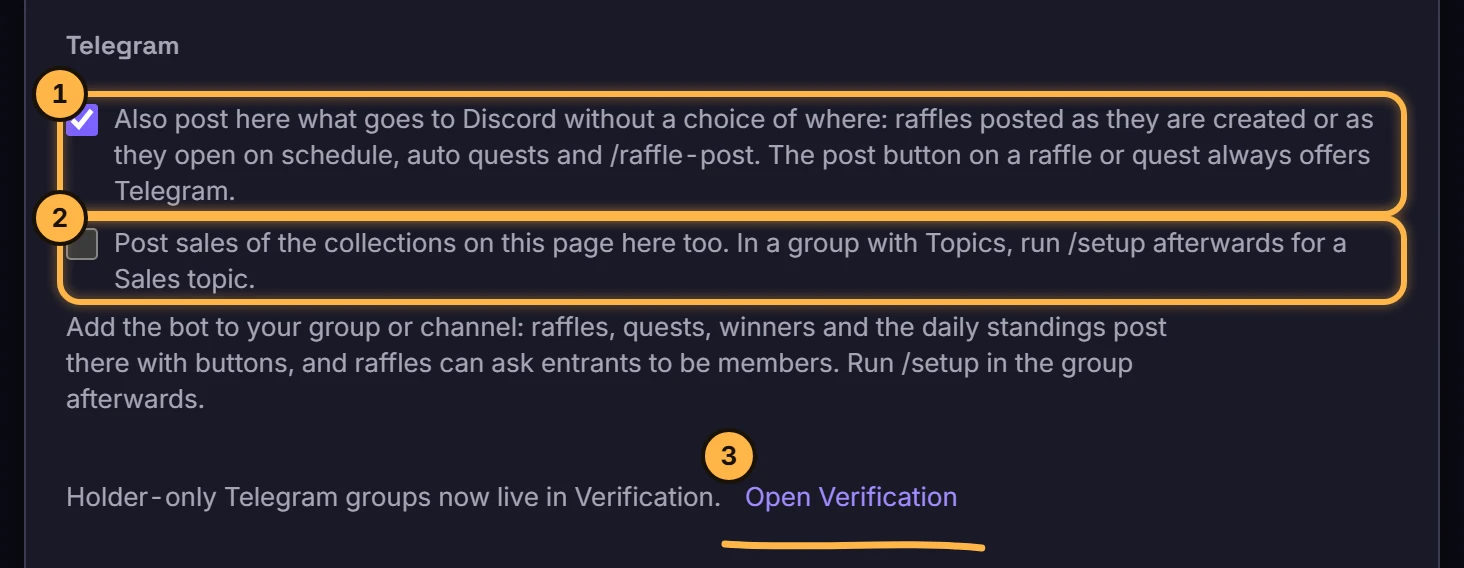
- 1On: what goes to Discord on its own (new and scheduled raffles, auto quests,
/raffle-post) also lands here. Off: only the post button reaches Telegram. - 2Post the sales of your collections here too. In a group with Topics, run
/setupagain for a Sales topic. - 3Holder-only groups are set up on Verification.
The post button on a raffle or a quest always says where it goes: Post to Discord and Telegram, or Telegram only under its arrow.
A channel instead of a group
A channel is a feed only. Add the bot to it as an admin, open Using a channel instead? under the button, type its @name and press Connect channel. Link your Telegram on your Fealty account first: Fealty checks that you are an admin of the channel.
Holder groups
The Telegram form of a holder role: a group or channel only holders get into. On Verification, under Telegram groups, press Add a Telegram group.
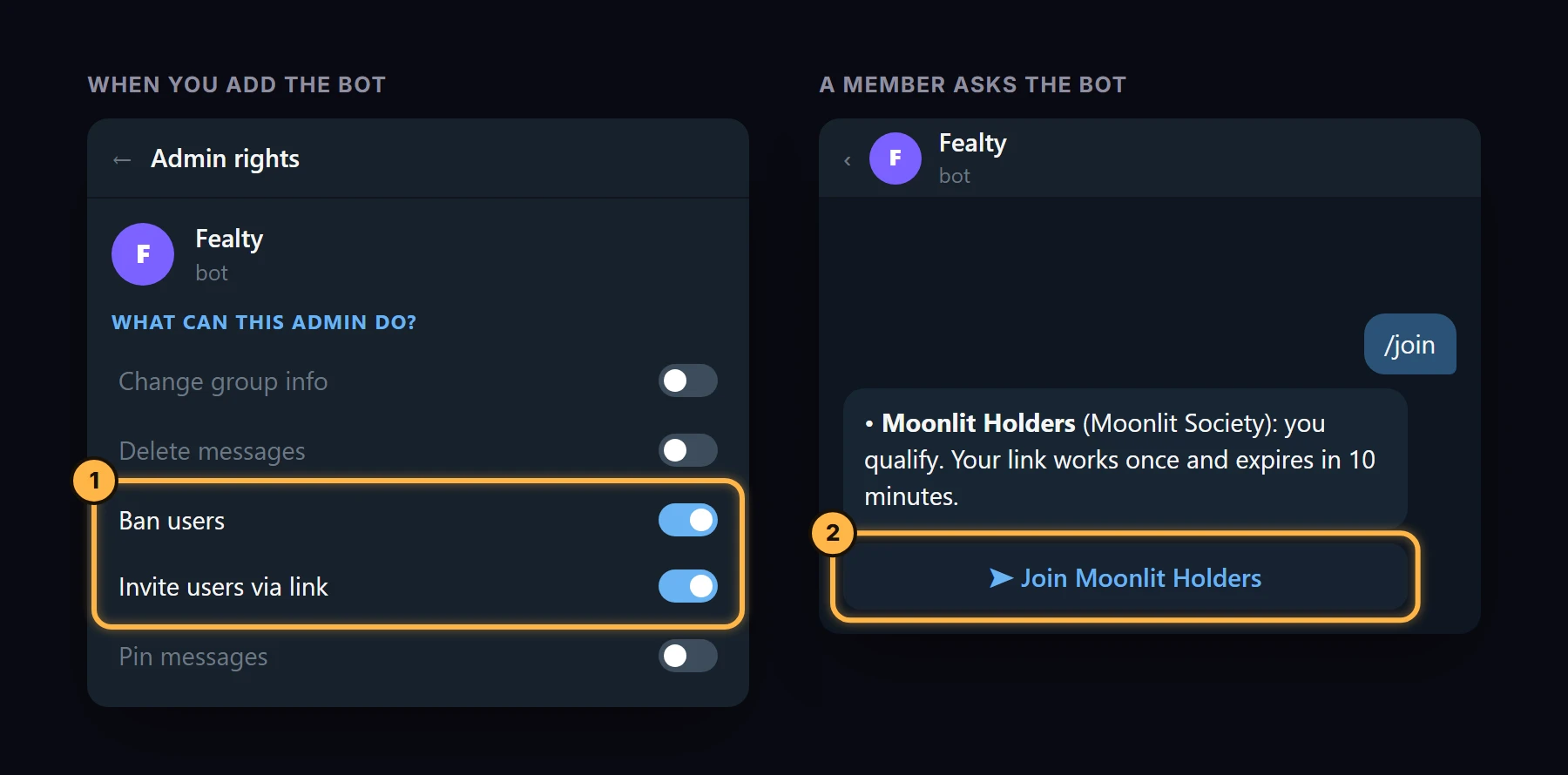
- 1Keep these two rights on: Invite users via link for the personal links, and in a group Ban users to remove people who stop qualifying.
- 2A holder gets a personal link that expires in 10 minutes. It asks to join, and the bot lets in only that holder's own Telegram.
The flow is five short steps: Add the bot, Chat, Collection, Who gets in (how many they must hold), Done. Add the bot as an admin of the chat; a chat you name instead needs your linked Telegram to be one of its admins. Then Turn it on. Members press Verify to join on your community page, or send /join to the bot. Every day the bot removes people it let in who no longer qualify, and tells them why. It never touches members it didn't invite.