Getting started
Web communities
A community on Fealty without a Discord server: a page, raffles and quests you share as links.
For projects that live on X or Telegram, and for collab managers running raffles for them. Everything web-side works from the first minute.
You get
A community page, raffles, X quests, points
Entrants
Sign in with X, Discord or Telegram
Not included
Holder roles, channels, tickets
Later
Add Discord any time
Create one
Two ways, same result:
- In Add Fealty, pick nothing and press Continue with web only. Pick Telegram group instead to connect a group in the same run.
- Or the short form at Create a web community:
app.fealty.club/community/new
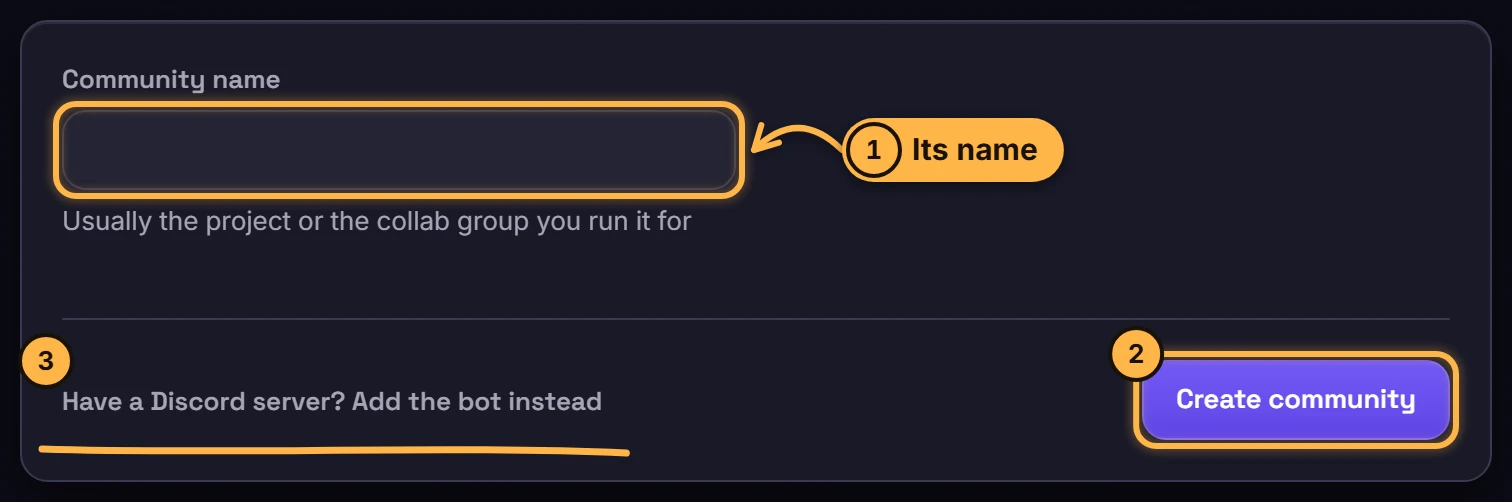
- 1The name: usually the project or the collab group you run it for (3 to 40 characters).
- 2Create community opens its dashboard.
- 3Have a Discord server after all? Add the bot instead.
Finish the checklist
Setup (on the Dashboard) shows what's left. Two steps make it live.
app.fealty.club/guild/…/manage/setup
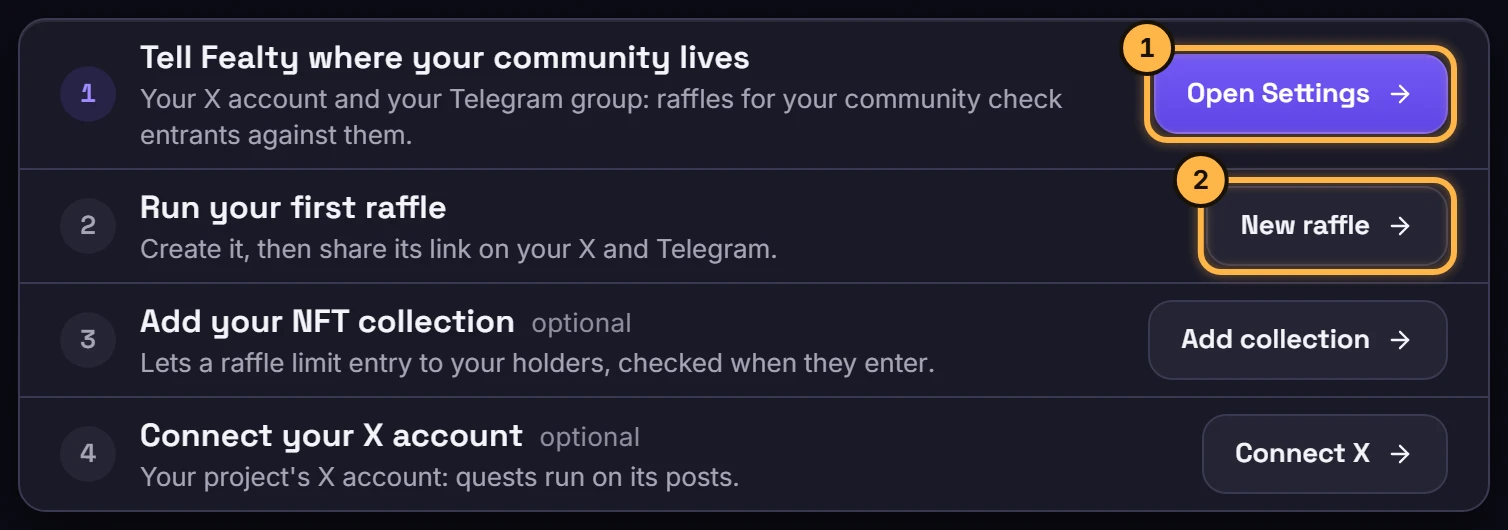
- 1Open Settings: tell Fealty your X account and your Telegram group.
- 2New raffle, then share its link on X and Telegram.
Where your community lives
On Settings, under Community.
app.fealty.club/guild/…/manage/settings
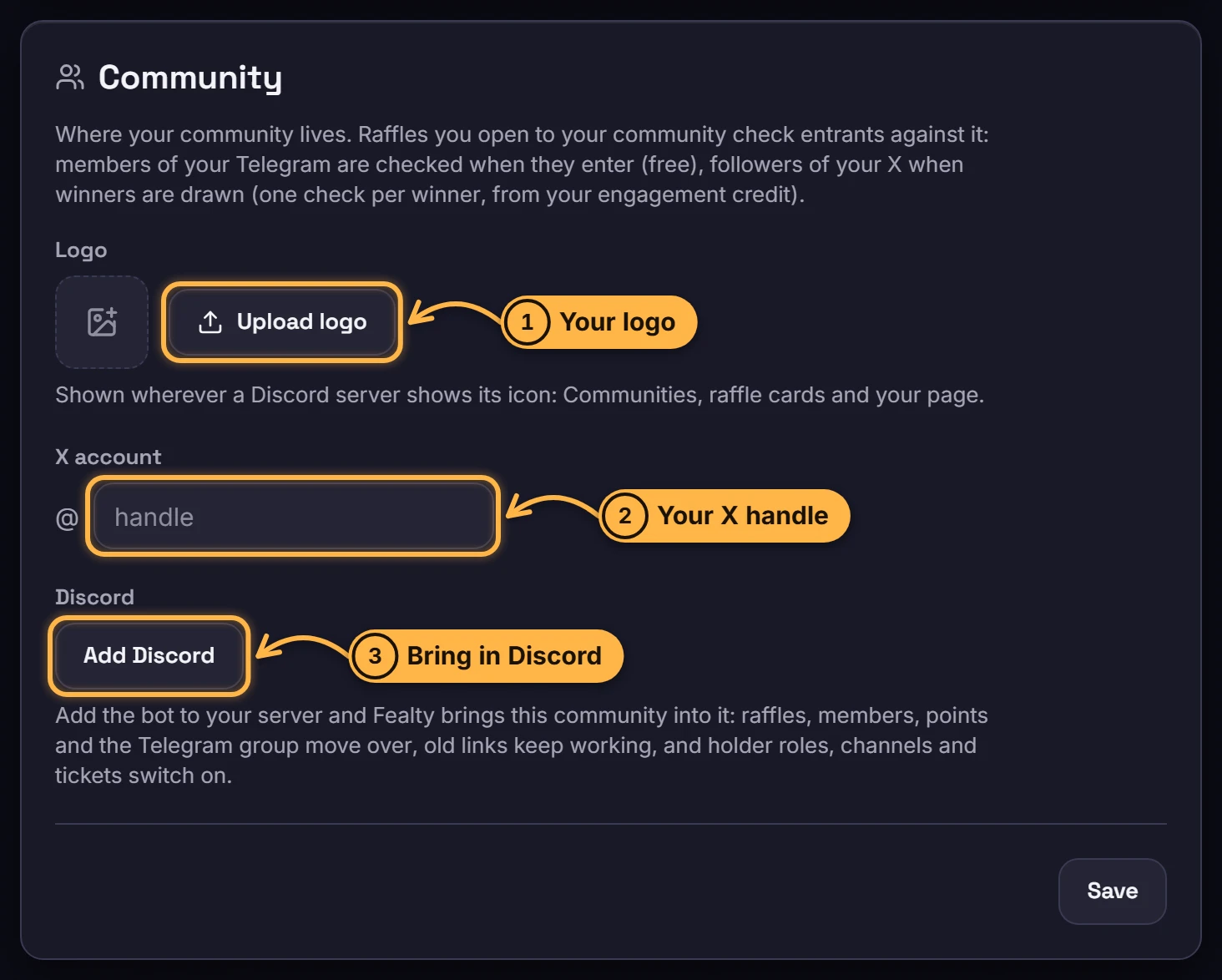
- 1Your logo: shown wherever a Discord server would show its icon.
- 2Your X handle: what "follow us on X" raffle tasks check.
- 3Add Discord brings this community into your server.
Telegram connects on the same card: see Add Fealty to Telegram.
Who can enter its raffles
A raffle is for Your community (off Explore, opens by its link) or for Anyone. Requirements decide who wins: holders of your own collection, members of your Telegram, followers of your X. See Requirements.