Requests and spots
Decide which communities run your collab and how many spots each gives away.
Your collab runs only in communities you approve. Asks wait on Requests in your workspace; communities with spots live on Partners.
Answer asks
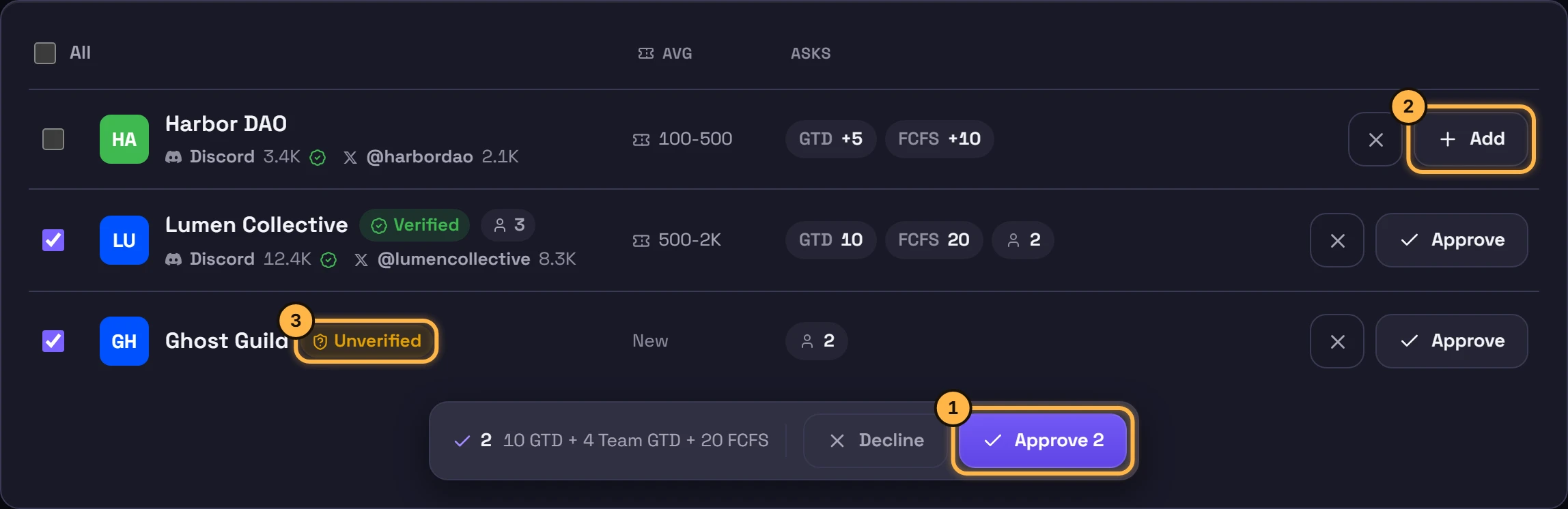
- 1Tick several, then Approve or Decline them together.
- 2A partner asking for more: Add puts it on top of what it has.
- 3Unverified: nothing proves the asker runs it yet. Look before you approve.
Each row shows the community's own accounts, each a link with its size; a green check marks the one the asker proved is theirs, and Verified or Unverified sits by its name. Then its usual entries and what it asks for. Approve on a row gives exactly that, and the cross declines. They hear your answer in-app and by DM.
Above the list, the filters and the sort work together. Filter by Where, Verification and On Fealty (it ran raffles here, or it is new), then sort by Most Discord members, Most X followers, Most Telegram members, Biggest anywhere, Most entries or Best fill rate: the verified ones by Discord size, say. Each filter counts what it would show with the others applied, and a community without that account or record goes last.
Approved by mistake? Press Undo on the message that appears, within 10 seconds.
Duplicates and one person's asks
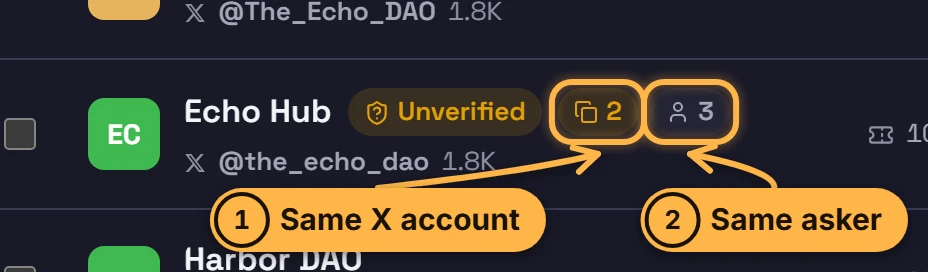
- 1Another ask names the same X account. Click it to see them side by side.
- 2One person asked for several communities. Click it to see only theirs.
Switch on Duplicates above the list to see every X account asked for more than once, grouped. Give spots to the one that runs it and decline the others.
Review one
Click a community to open it: who it is (its accounts, raffles and the Contact who asked, with their note), then your answer.
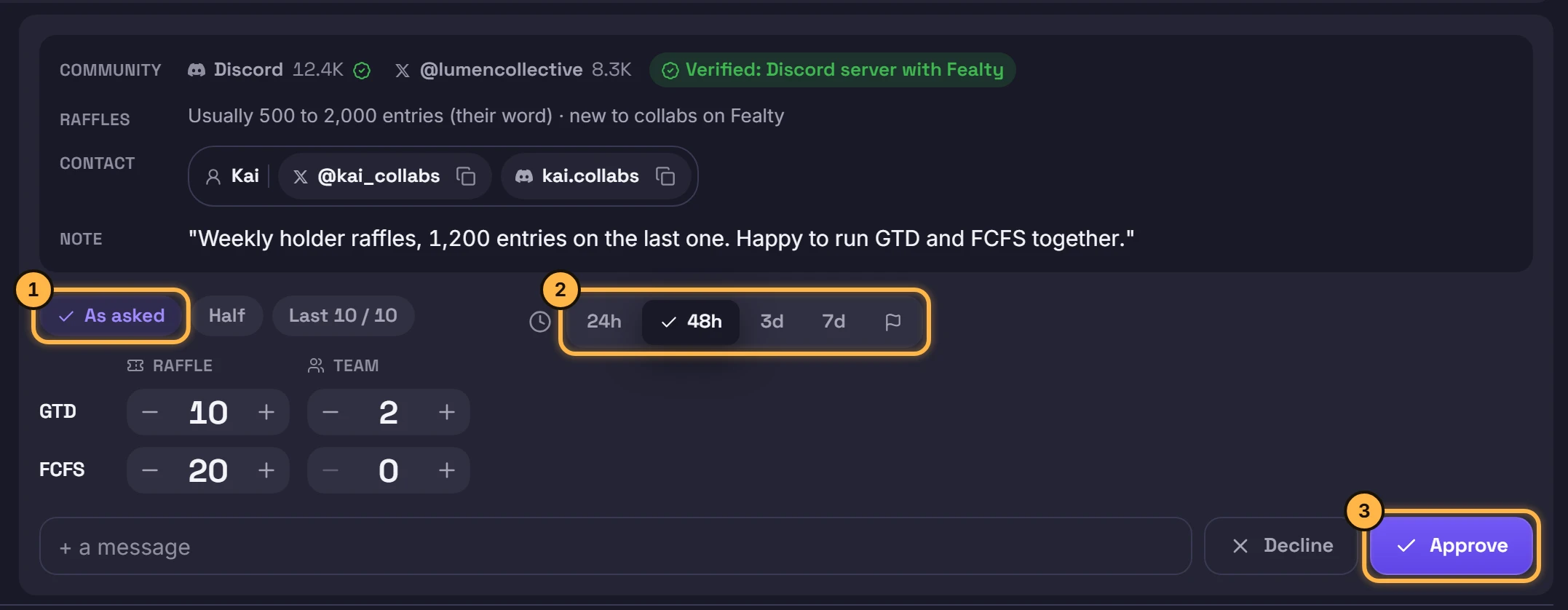
- 1One tap amounts: As asked, Half, Last. Or set any number.
- 2How long they have for every spot, team wallets included.
- 3Approve or Decline, with an optional message: your terms, a thank-you, or why not.
Set a private budget on the brief and the bar above the list shows what you gave. Going over warns you; it never blocks.
Your partners
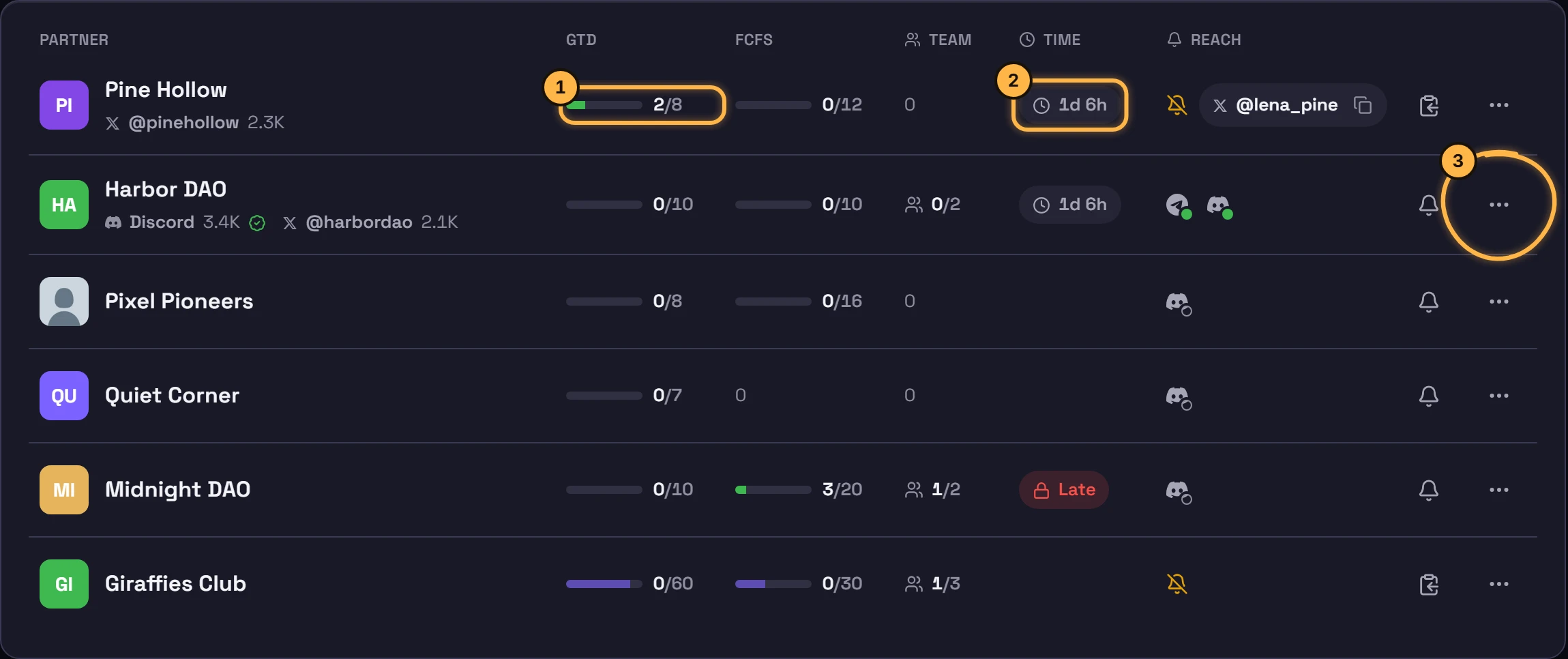
- 1Filled of given, per kind. Green has a wallet on your list, violet is in a raffle still running.
- 2Time left. Amber inside a day, red once late, violet while a raffle that took the last spots still runs, green when every spot has its winner or wallet.
- 3Every action for this partner.
The buttons over the list filter them. Not done hides the partners whose work is over; Done shows only those: every spot has its winner or wallet, and no raffle is still running. To fill, Raffle running, Late and Can't reach narrow it further. All partners show by default.
Next to them, one bar per kind adds up every partner: green filled, violet in a raffle, grey to fill, and the empty end is the budget you have left to give. in raffles and to fill under it show the partners behind those spots. Click its numbers for raffle and team spots apart.
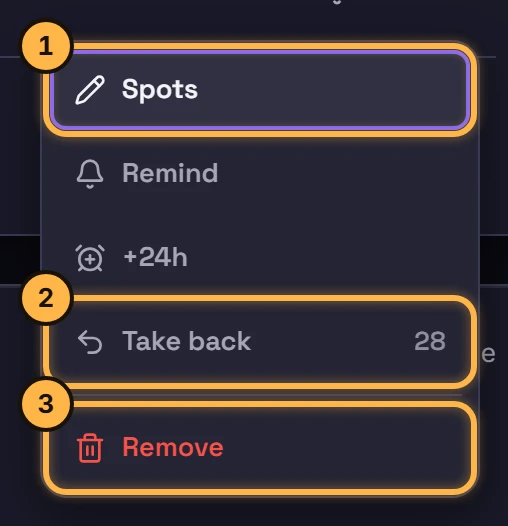
- 1Open its spots.
- 2Takes back the spots it hasn't used, at any time. What it filled stays.
- 3Removes the partner.
Click a partner to open it, then change its spots:
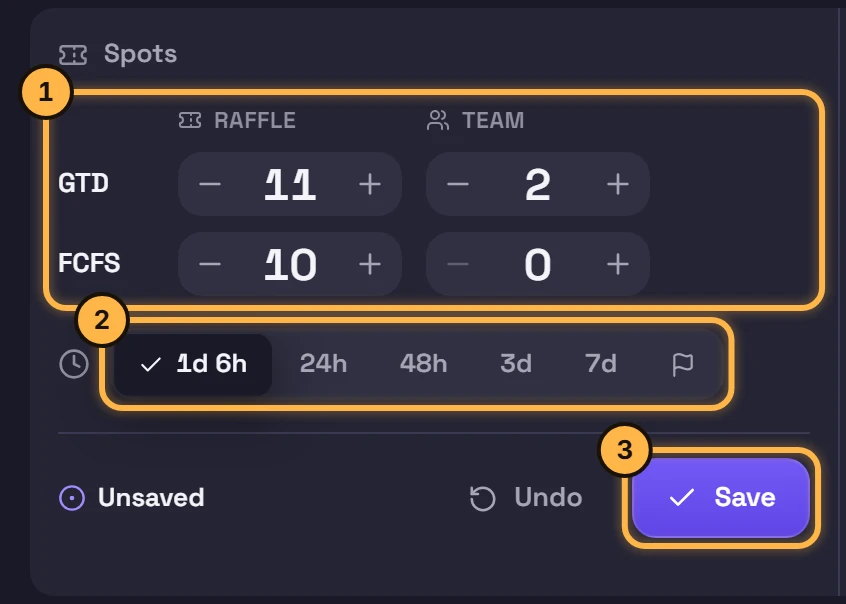
- 1Raffle and team spots per kind. Never below what it already uses.
- 2Keep its deadline, or give a new one from now.
- 3Save shows once something changed.
Deadlines and reminders
Every partner has one deadline for all its spots, team wallets included. It starts when you approve them: 48 hours by default, or what you pick under Partners' deadline on the brief. After it they show as Late, but they can still run raffles and send wallets until you lock the final list.
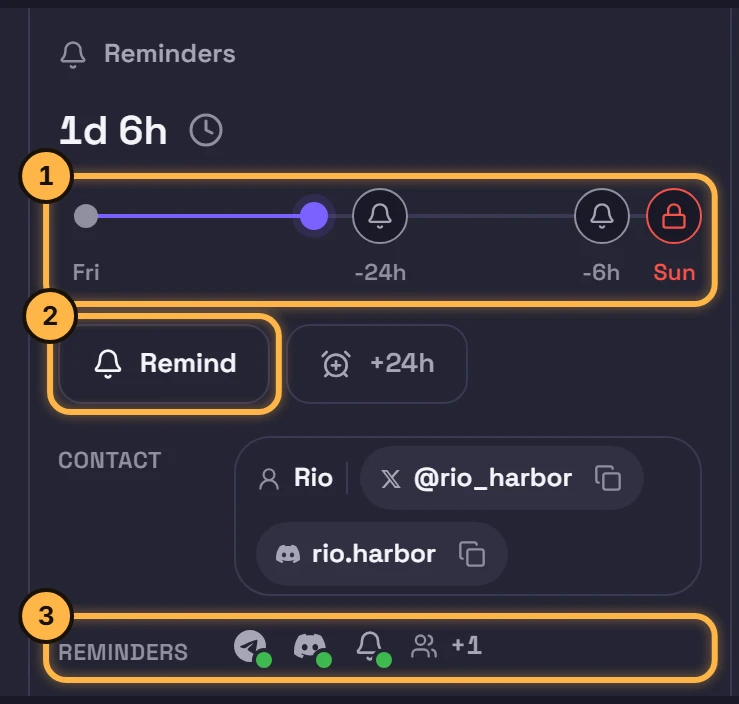
- 1The reminders that go by themselves, before the deadline. The dot is now.
- 2Remind shows the message first. Add a line of your own.
- 3Who they reach, and on which chats. Green works, amber needs them to act.
Reminders go 24 and 6 hours before the deadline (pick other times under Reminders before it), and once when it passes. Each goes to the person who asked and to the community's raffle team, only while spots are left. Remind over the list reminds everyone behind at once.
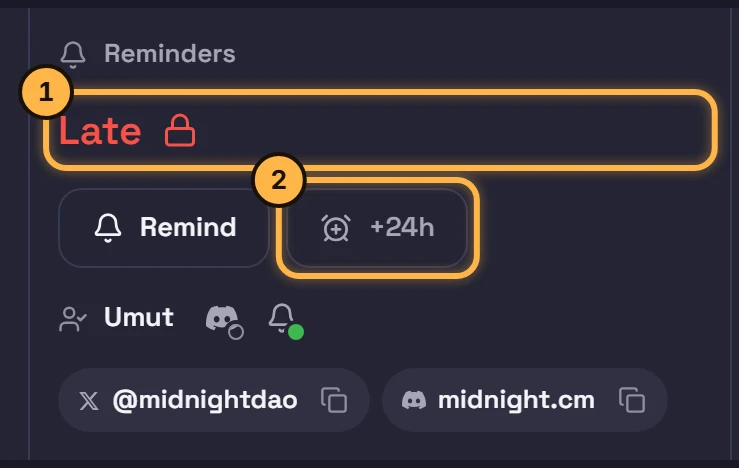
- 1The deadline passed with spots unfilled. They can still fill until you lock the final list.
- 2+24h gives them a day more.
The deadline times the reminders and marks who is late; it never stops anyone. More time over the list gives every late partner a new one at once: 24 hours, 48 hours, 3 days or 7 days from now. Each hears it, and the reminders go again before it.
When Fealty can't reach them outside the app, their row shows the handle they gave instead:
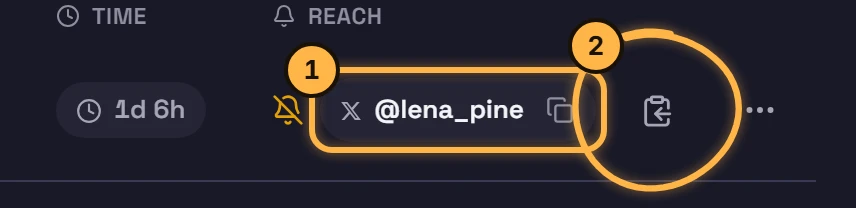
- 1Their handle: open it, or copy it.
- 2Copies the reminder, ready to paste in a DM.
Further down, Spots and raffles shows what each partner was given and used, raffle by raffle.

- 1The draw found 3 winners for 20 spots.
- 2So only 3 count as used. The other 17 went back to the partner.
Remove a partner
From its menu, Remove. First choose what happens to its wallets on your list:
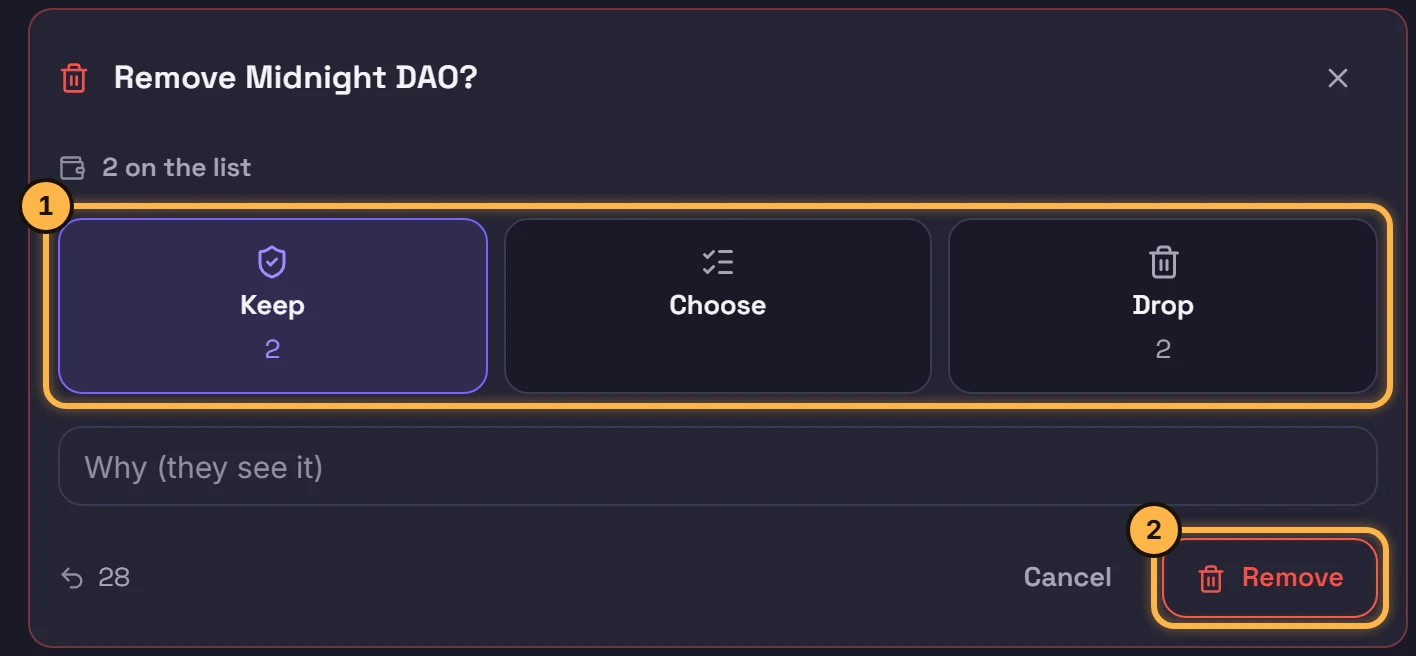
- 1Keep them all, Choose the ones that go, or Drop them all.
- 2Remove. Its spots go back to your budget and its live raffles keep running.
Give spots first
Don't wait for an ask. At the bottom of Partners:
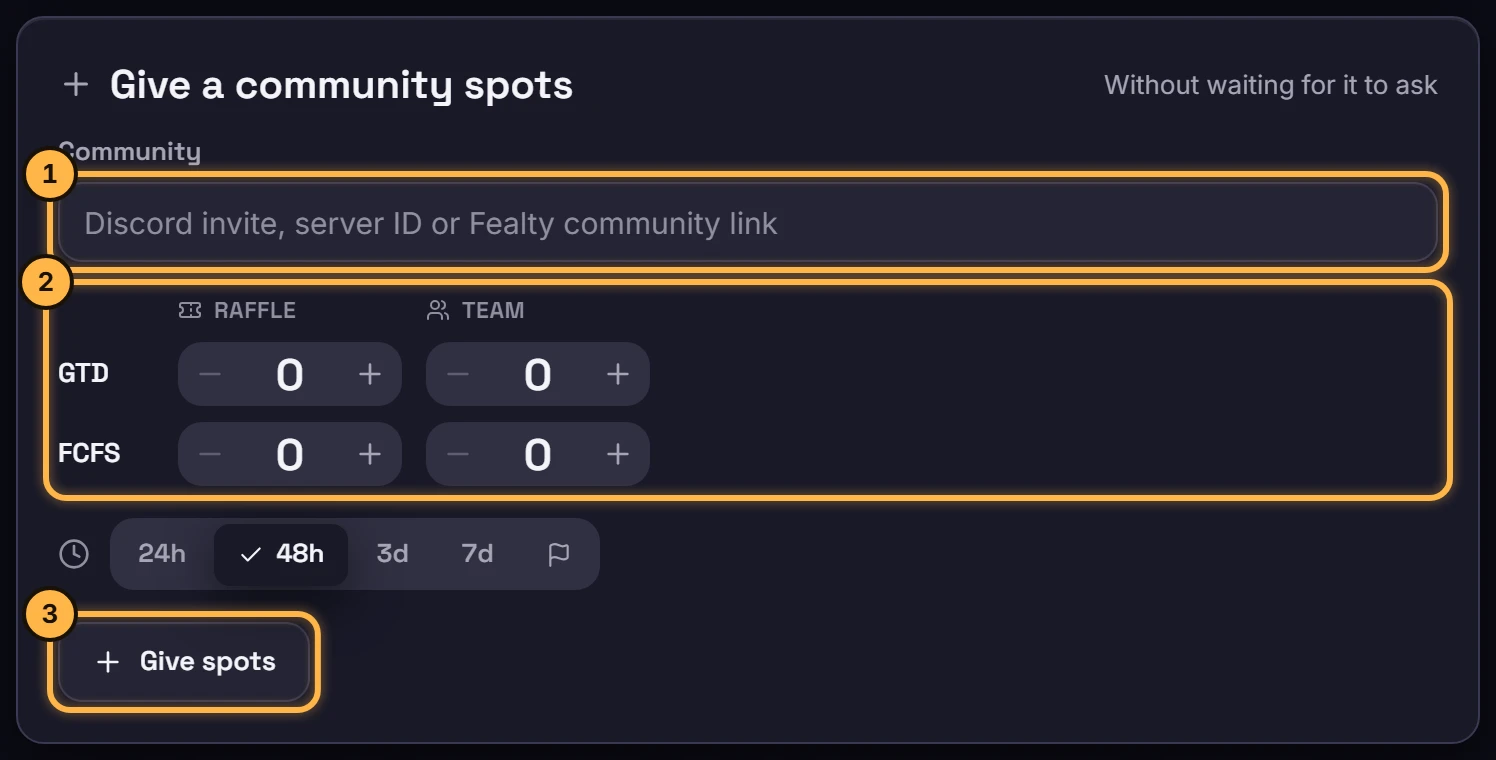
- 1A Discord invite or server ID (Fealty must be in it), or a web community's Fealty link.
- 2Raffle and team spots per kind, then its deadline.
- 3Give spots. They find them on your brief.
Message partners, just above it, sends one note to All partners or Only those with spots to fill, by DM and in-app. Mint date, price, chain and supply changes go out on their own.