Add your winners and team
For partners: ran the giveaway somewhere else, or have team spots? Add the wallets on the brief.
Your community has spots on a collab. Run the raffle on Fealty, or add the wallets yourself: the winners of a giveaway you ran somewhere else, and your team's. They land on the project's winners list at once.
Your spots
On the brief, open Request spots and pick your community.
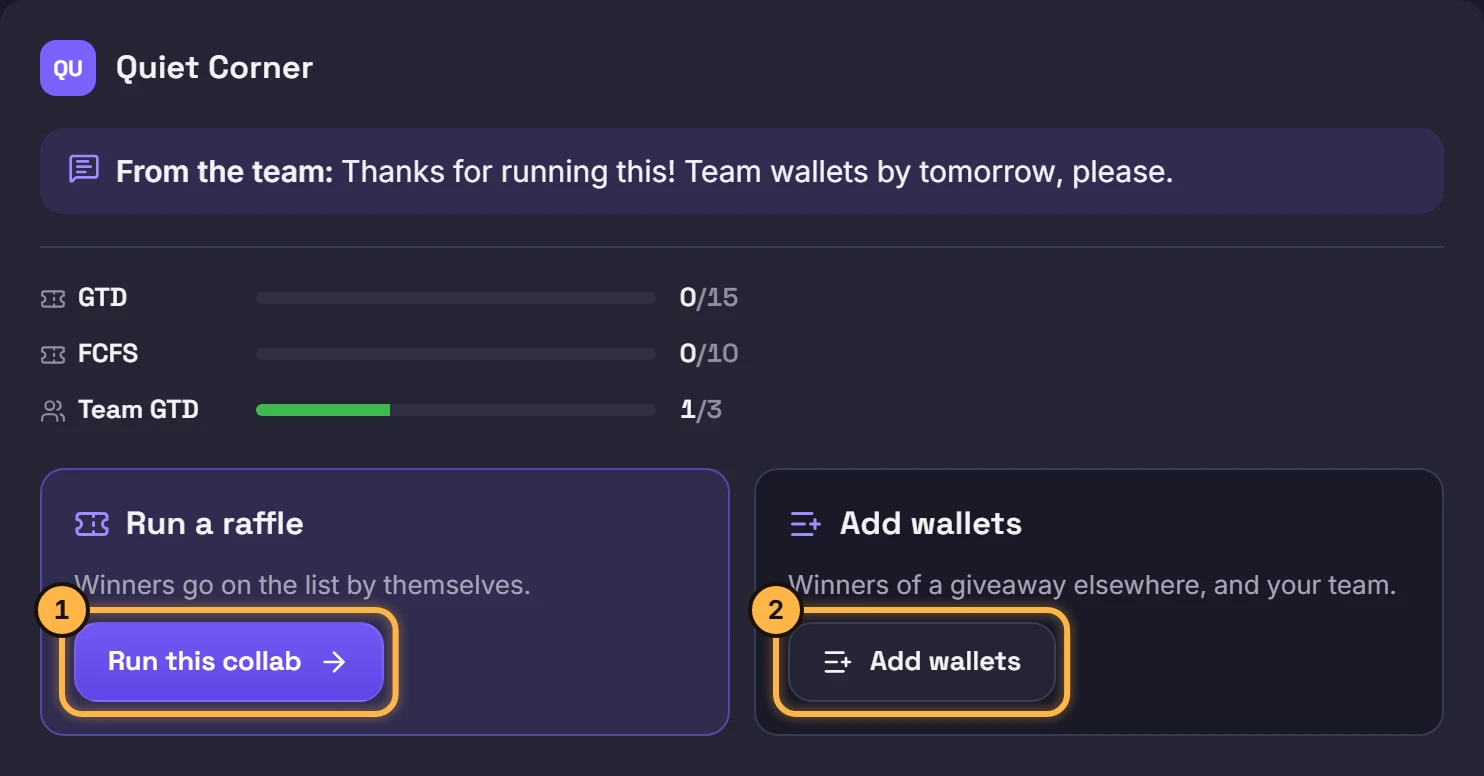
- 1Run this collab: the raffle on Fealty. Its winners go on the list by themselves. See Run a collab.
- 2Add winners: the winners of a giveaway run elsewhere.
Each bar is one list: green is on the list, violet is held by a raffle still running. On the list, under them, shows every wallet you sent and who it is.
The + on a team bar opens a row for each team spot: a wallet and who it is, then Save. Lines pasted into a wallet field fill the rows below it. From a sheet opens Add wallets for a whole list.
Add wallets
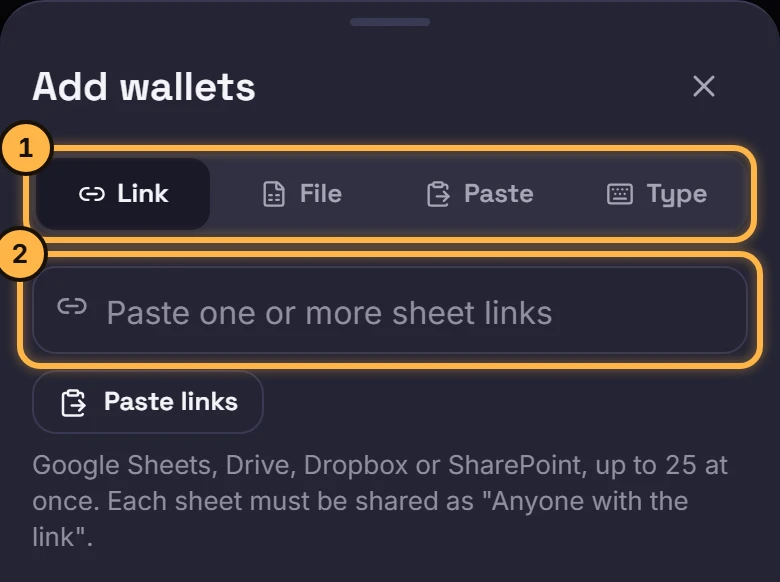
- 1Where they come from: a sheet Link, a File, Paste cells, or Type one.
- 2Paste one or more sheet links, shared as "Anyone with the link".
- Each row goes on its own list: GTD, FCFS, Team GTD or Team FCFS, from the sheet's spot column or heading rows. Fealty reads it the same way. The menu beside a row moves it.
- Names, X handles and Discord IDs come along.
- GTD and FCFS winners need the Giveaway link: the post, page or sheet where you picked them.
More wallets than spots
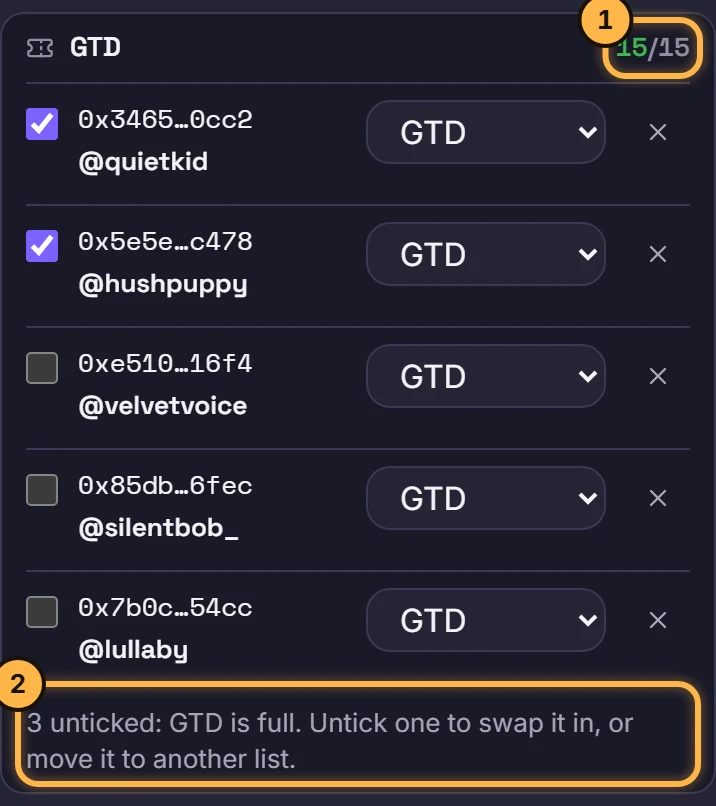
- 1Each list counts its wallets against your spots.
- 2Past your spots, the extra ones come in unticked. Untick others to swap them in.
What gets checked
A row with a problem stays out until you fix it, so Save always works for the wallets it counts.
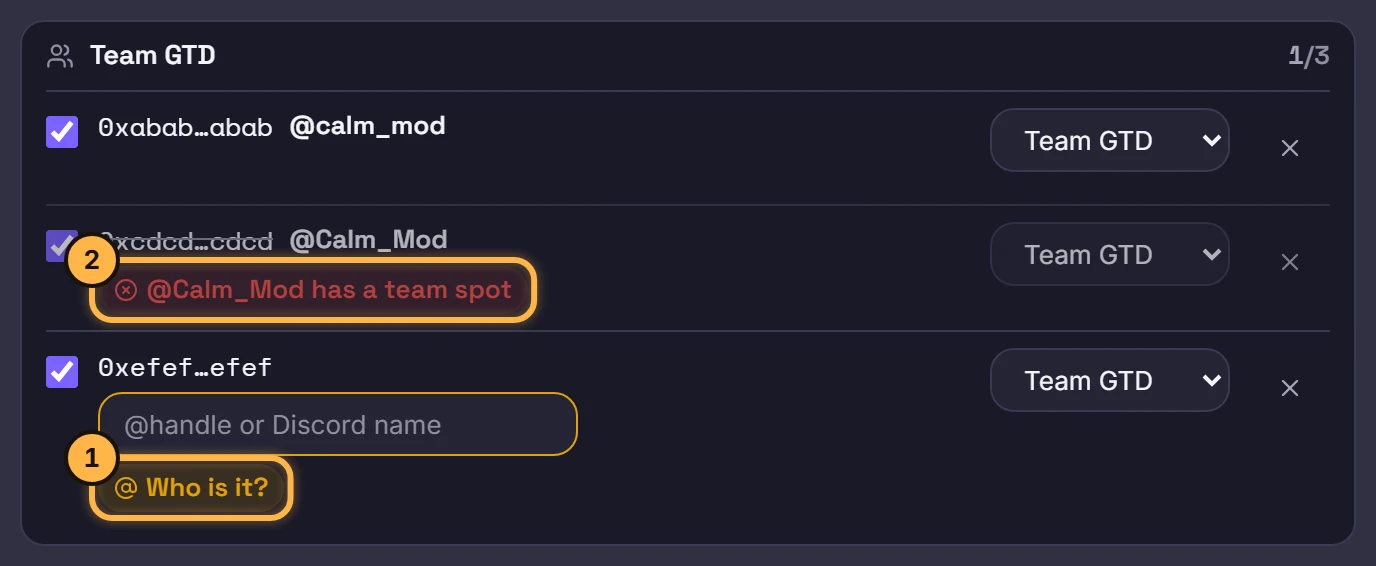
- 1Every team wallet says who it is: an X handle or a Discord name.
- 2One team spot per person.
- Your wallet: your own wallet on a winner's spot. It goes in, marked for the project.
- On your GTD list: the same wallet on your GTD and Team GTD lists (or FCFS and Team FCFS). Both end on one mint list, so the copy stays out. GTD and FCFS are separate rounds: one wallet can be on both.
- Every wallet must be the mint chain's.
Then Save. If the project wants a wallet changed later, it asks you, in the app and by DM.