Paying with USDC
Pick a plan, create an invoice, pay it in USDC from your linked wallet.
Fealty takes USDC on Base, Polygon or Ethereum, sent from a wallet linked to your Fealty account. No card, and nothing renews by itself.
Change your plan
Pick the plan and the term
On Plan & billing, press the button on a plan card. The checkout opens with that plan picked.
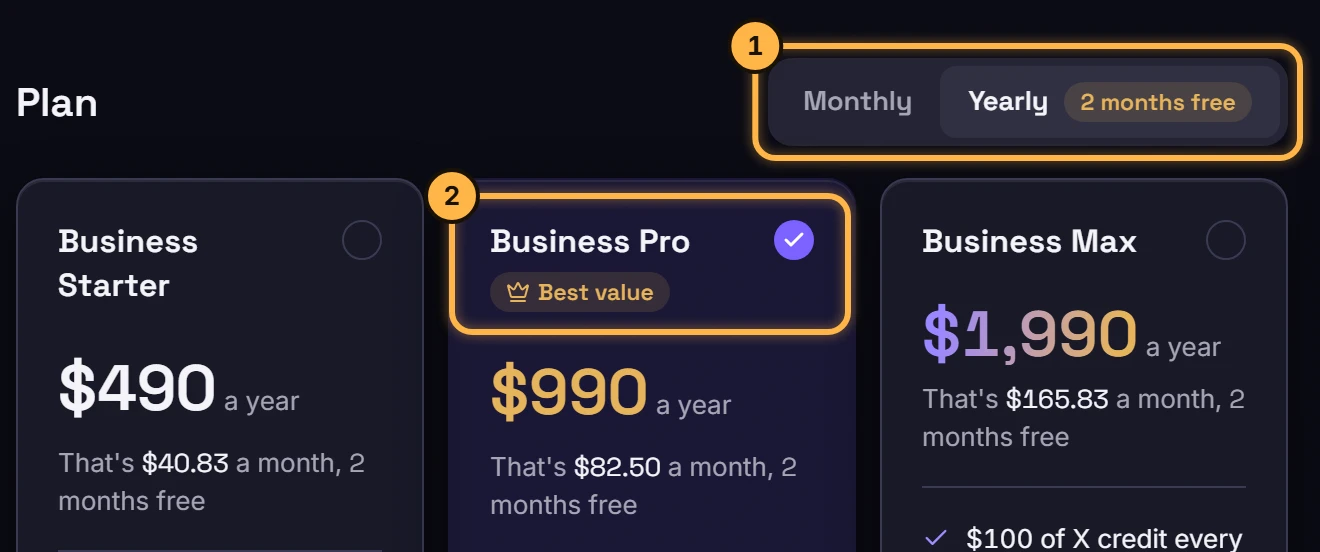
- 1Monthly or Yearly (2 months free).
- 2The plan you buy.
Your order, beside it, adds it up:
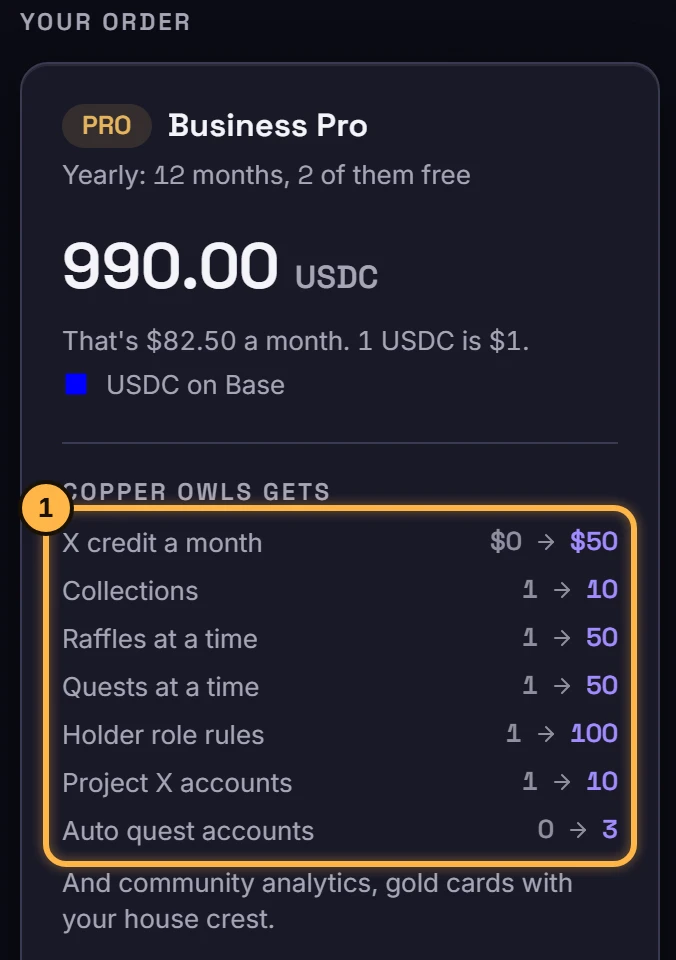
- 1What your server has now, and what it gets.
Choose the chain and check the wallet
Under Pay from, pick the chain. The payment must come from a wallet linked to your account. No wallet yet? Link one right there.
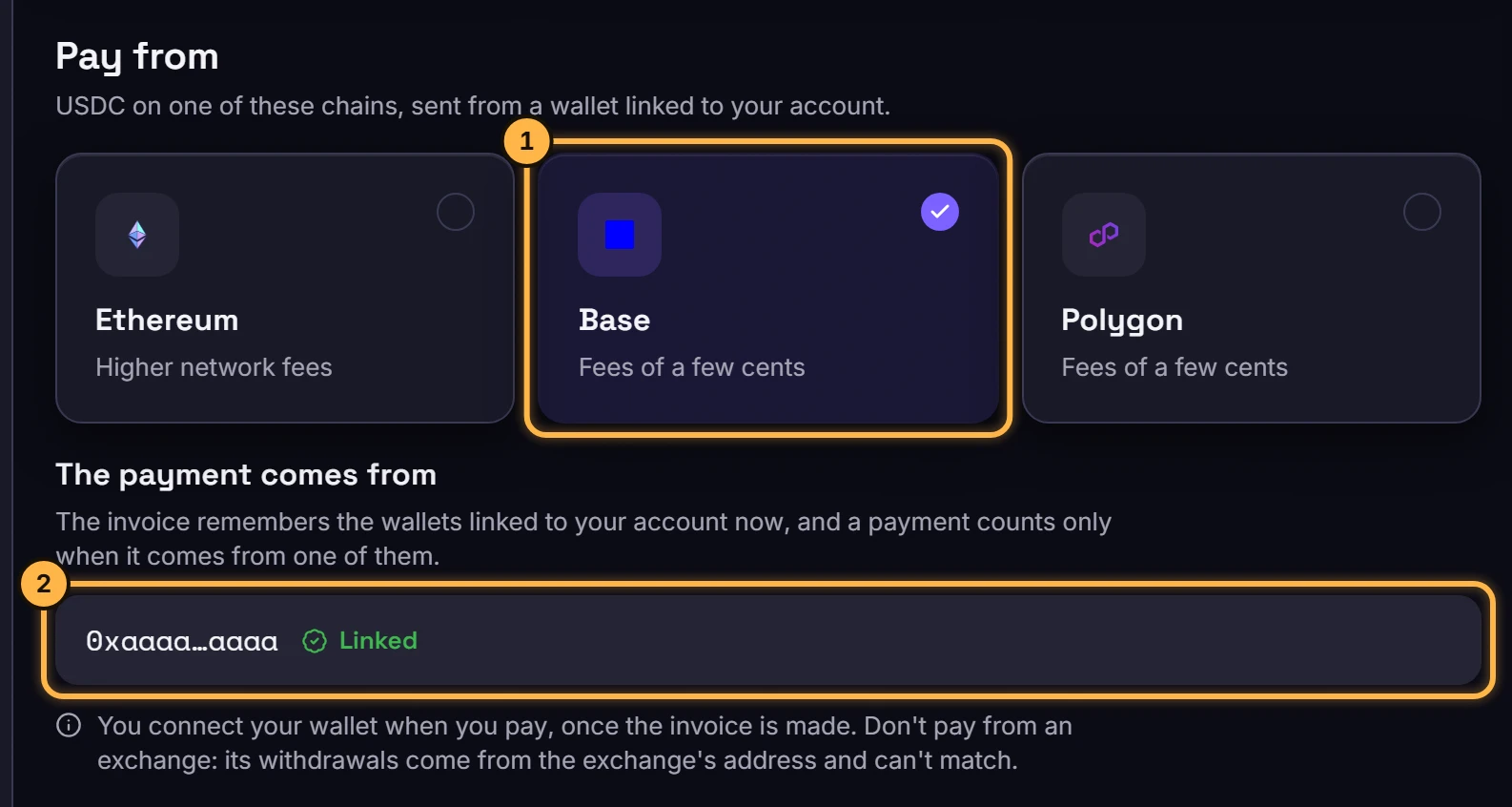
- 1Base and Polygon cost a few cents in fees; Ethereum costs more.
- 2The wallet the payment must come from.
Create the invoice and pay
Press Create invoice, under your order (on a phone, in the bar at the bottom). Then Connect your wallet to pay: your wallet asks for the exact USDC transfer and switches chains for you. The invoice stays open for 72 hours.
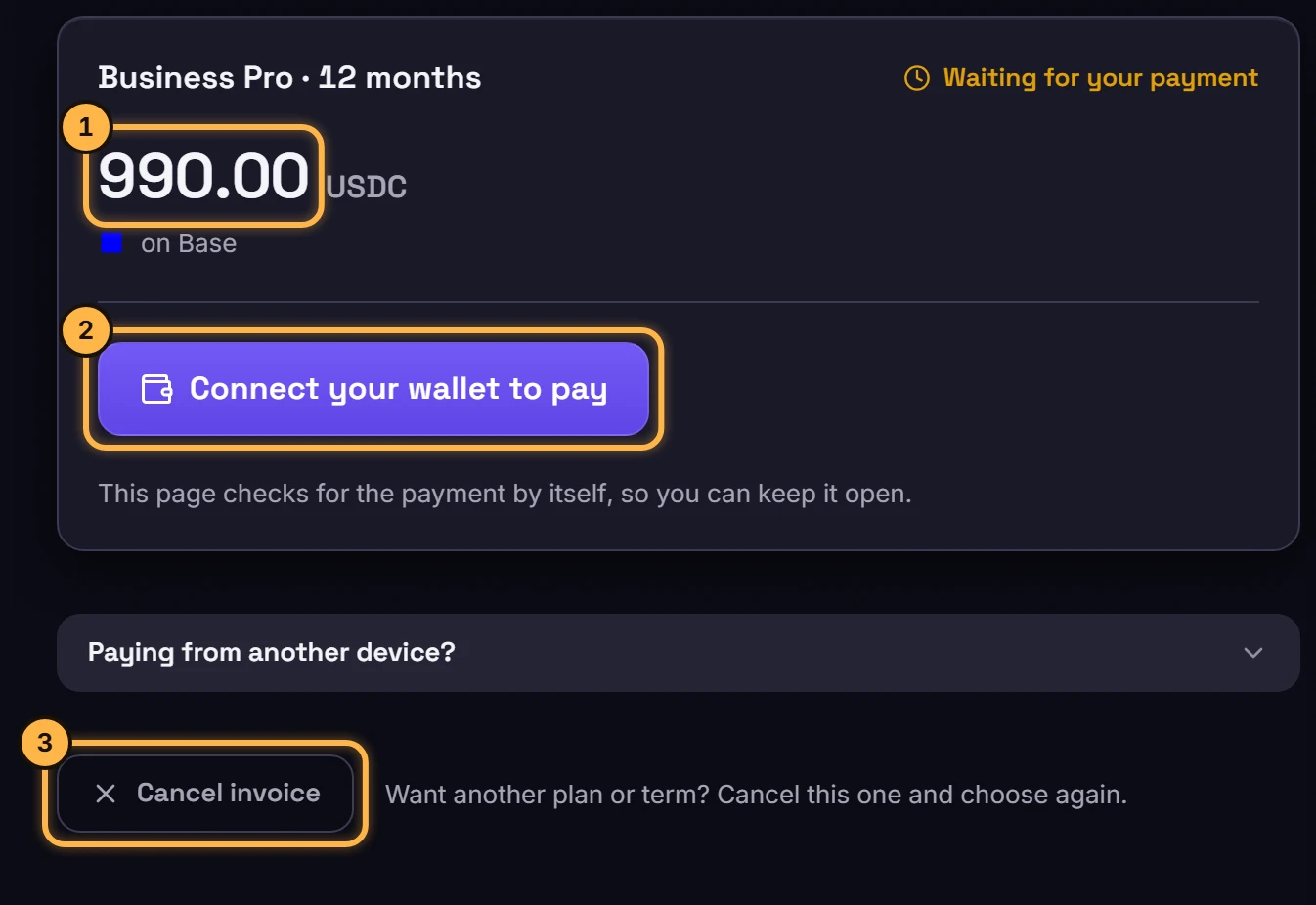
- 1The exact amount to send.
- 2Connect, then pay.
- 3Want another plan or term? Cancel and choose again.
Wait for the confirmation
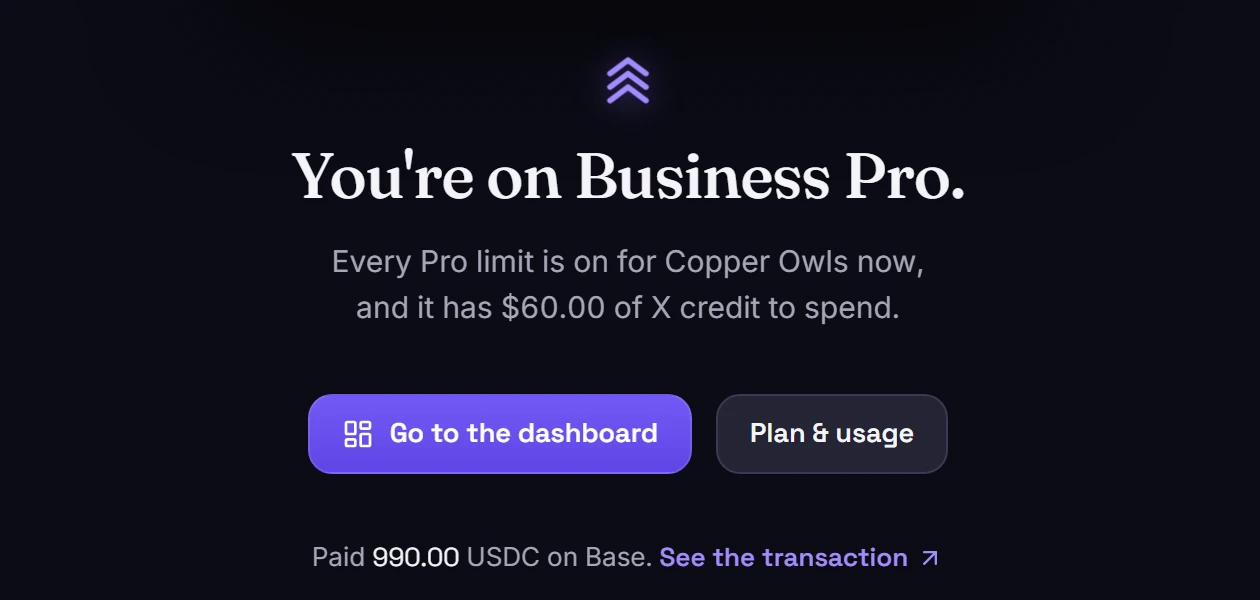
Keep the page open: it checks by itself. Most payments confirm in about two minutes, and you get a notification.
Pay from another device
Open Paying from another device? under the invoice. Send exactly the amount shown, on that chain, from a listed wallet.
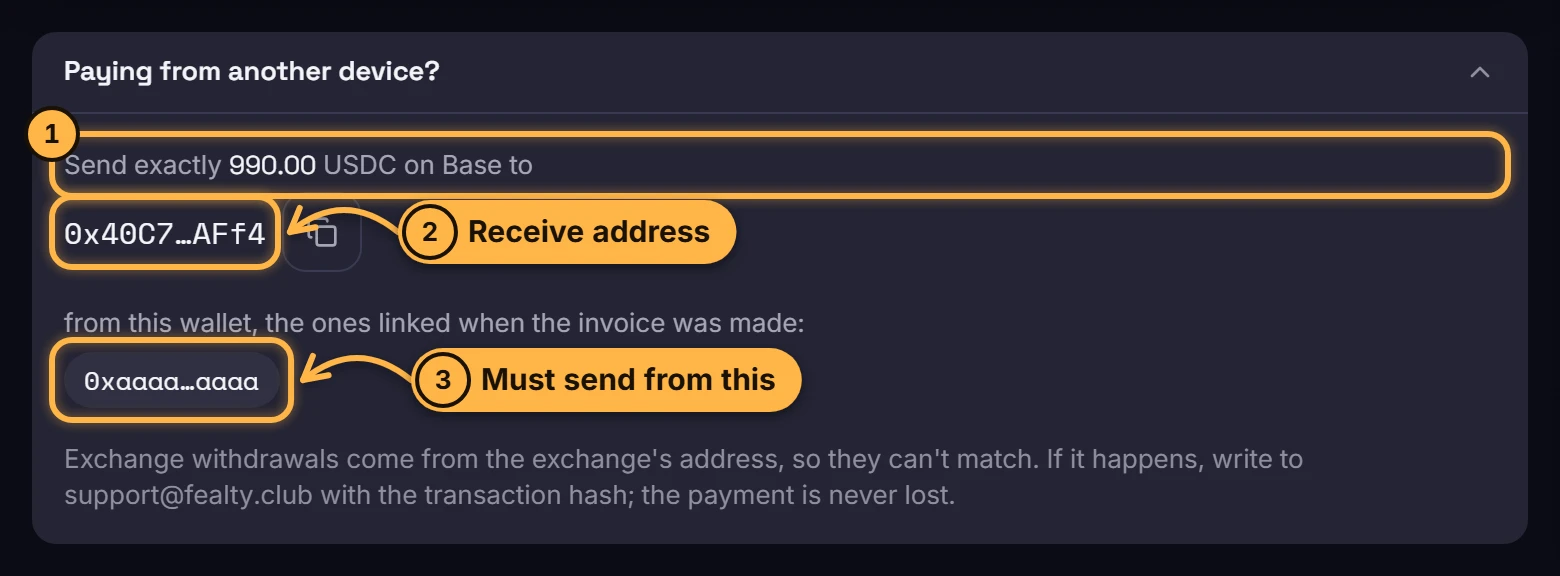
- 1Amount and chain.
- 2Where to send it. Copy it from the page, never from a picture.
- 3The linked wallets the invoice accepts.
Don't pay from an exchange
An exchange withdrawal comes from the exchange's address, not yours, so it can't match. If it happens, write to support@fealty.club with the transaction hash. The payment is never lost.
Open invoices
A server has one open plan invoice at a time, so nothing gets paid twice. Open invoices wait on Plan & billing.
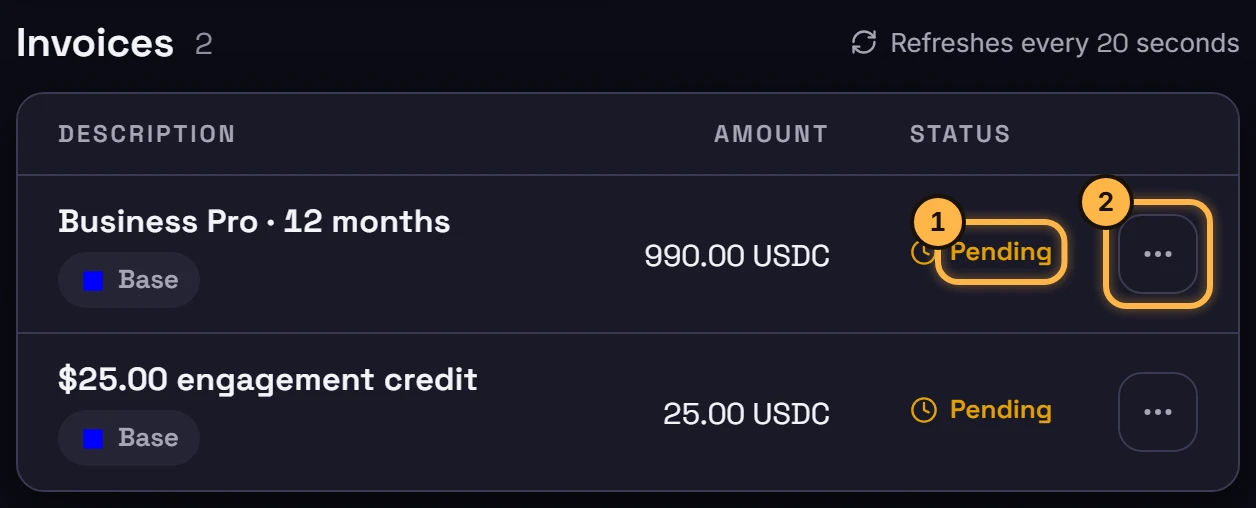
- 1Waiting for the payment. The page refreshes every 20 seconds.
- 2Cancel invoice lives here.
Extend or switch
- Same plan: the new months add to the time you have.
- Another plan: the time left carries over by value. A pricier plan gets less time, a cheaper one more.
- During a trial: the trial ends when the payment confirms, and the paid months start then.
Your order says it before you pay, for example: "The time left on Pro (about 12 months) carries over as about 6 months of Max, by value."
Credit top-ups work the same way, from the Engagement credit card: see Engagement credit.